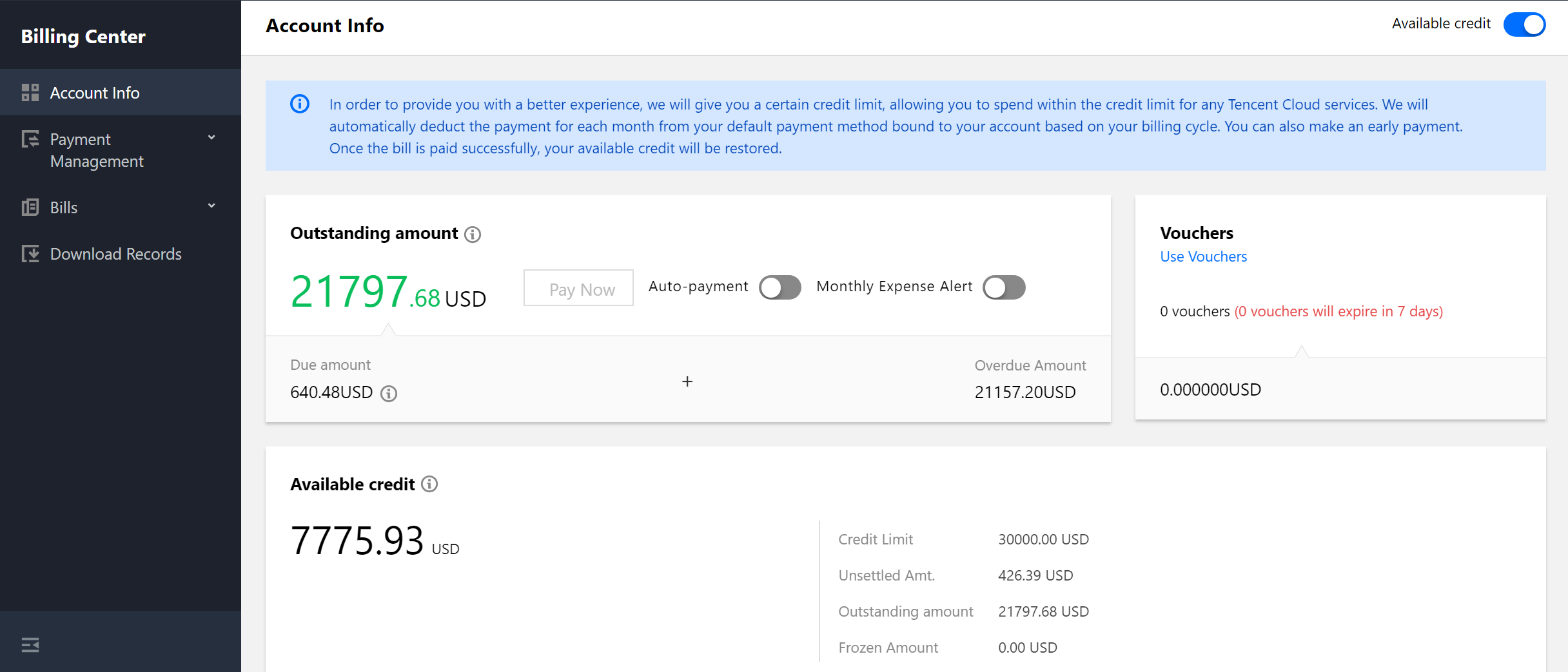
When you activate a pay-as-you-go service or purchase a yearly/monthly subscribed resource, a certain amount of your available account balance will be frozen.
The system estimates the amount to be frozen based on the billing cycle or order amount. The frozen amount cannot be spent and will become available after it is unfrozen.
Frozen funds for pay-as-you-go resources
When you purchase a pay-as-you-go service, the fee for one to two billing cycles will be frozen.
The frozen amount will be unfrozen after the resource is released.
Frozen funds for yearly/monthly subscribed resources
When you purchase a yearly/monthly subscribed resource, the amount equivalent to the order cost will be frozen. After the resource is successfully delivered, the frozen amount will be automatically unfrozen to make the order payment.
If the delivery fails, no payment will be made, and the frozen amount will be unfrozen and become available in your account balance.
FAQs
1. Has the frozen amount been paid to the platform?
No, frozen funds are not actually paid to the platform, but they cannot be spent and will be unfrozen and available only after the resource is released.
2. How do I check the frozen amount?
You can go to Billing Center > Account Info to view the frozen amount.
3. Where does the frozen amount come from?
The frozen amount is deducted from the amount of cash and free credit in your account.
4. Is the frozen amount immediately unfrozen after a resource is released?
No. When a resource is released, the frozen amount will be unfrozen according to the policies of the specific product.