Payment Methods for Prepaid Products
Download
Modo Foco
Tamanho da Fonte
You can make payments for prepaid products (yearly/monthly subscriptions) by using a credit/debit card or by deducting the payment amount from your Tencent Cloud account’s available credit.
Payment by Credit/Debit Card
After placing an order, you can make the payment using a credit/debit card that is already bound to your account, or you can bind a new payment card. The specific steps are as follows:
1. Click Payment card to go to the payment page, and select the Bound payment card.
2. On the payment page, you can also bind a new payment card. The card you bind will only be used to pay for the current order. No automatic payments will be deducted from the card.
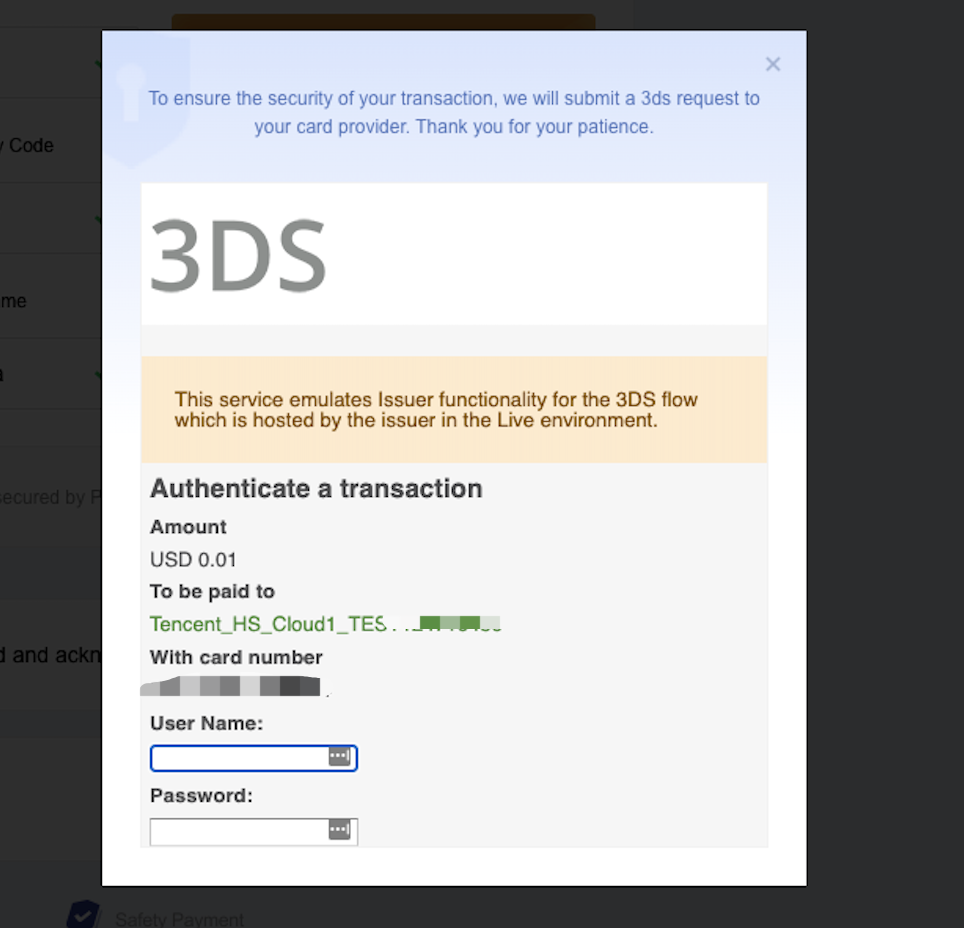
3. During the payment, 3D verification is required for some accounts. If the verification fails or is not completed, the payment will fail.
4. After the payment is complete, you can go to the Transactions page to view the payment details.
Payment with Tencent Cloud credit
If your account’s available credit is sufficient, you can use your credit to pay for an order. After the payment is successful, the order amount will be deducted from your available credit.
If your available credit is insufficient, you can restore your credit by topping up, or you can pay for your order with a bound credit/debit card. For specific information about how to restore your credit limit, see Top-up.
Ajuda e Suporte
Esta página foi útil?
Você também pode entrar em contato com a Equipe de vendas ou Enviar um tíquete em caso de ajuda.
comentários