All billing and payment dates and times on Tencent Cloud International are Beijing time (UTC+8).
Pay-as-you-go accounts of Tencent Cloud International are given a credit limit that allows them to use resources first and pay later. The credit limit varies with customer type and payment frequency (billing cycle).
Customers without sales reps
Starting June 08, 2023 at 00:00 (UTC+8), a credit limit will no longer be provided to newly registered Tencent Cloud customers that do not have a sales representative. For existing customers without sales representatives, Tencent Cloud reserves the right to adjust or cancel the credit limit at its own discretion based on the risk status of each account.
About auto-payment frequency:
The system deducts the payable amount from your default payment method (credit card) at a certain frequency. This frequency is determined by the billing cycle (hourly, daily, or monthly) of the pay-as-you-go products you use. If a pay-as-you-go product is billed hourly, the system will check on an hourly basis whether your account has sufficient available credit. If not, auto-payment will be triggered.
Note:
For Korean customers, the payment channel deducts in KRW with a minimum payment amount of 100 KRW. The billing currency for the international site is in USD, and the system will convert between USD and KRW at an agreed exchange rate.
If the amount to be deducted on your payment due date is less than 100 KRW, the system will deduct based on the minimum of 100 KRW. The surplus amount will be credited to your account balance in the form of a recharge, which can be used for subsequent resource consumption.
Customers with sales reps
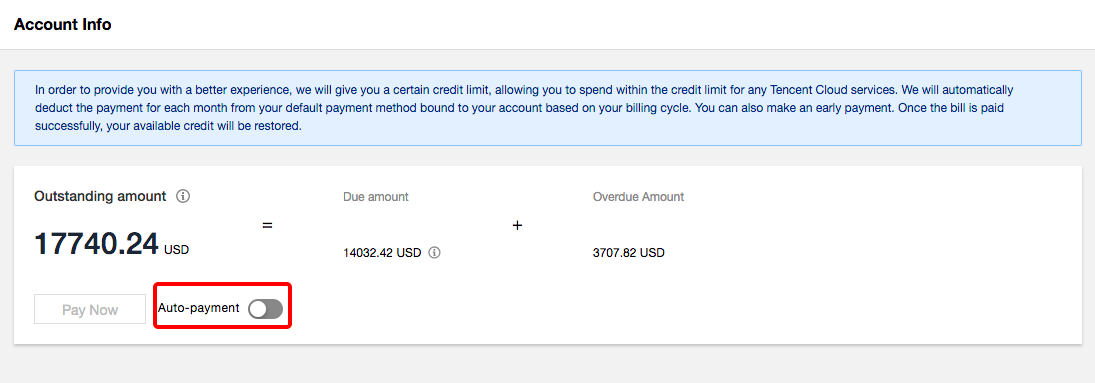
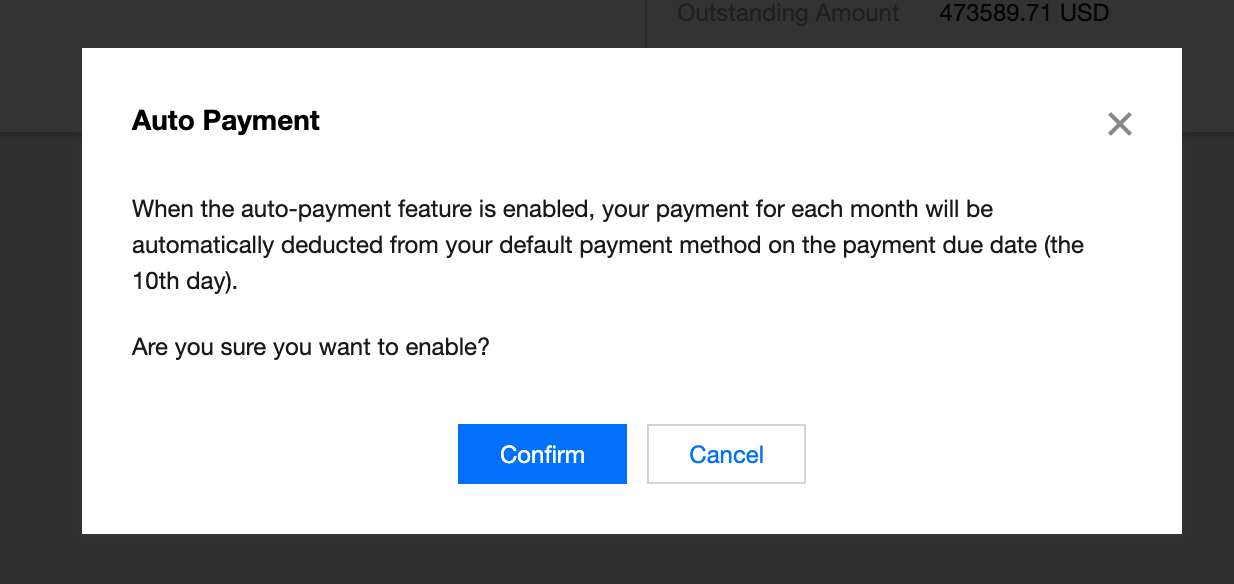
For customers with sales reps, auto-payment is disabled by default. To enable it, log in to the console and go to Billing Center > Account Info.
After you enable auto-payment:
1. On the 10th of the payment month, the system will deduct the amount of all due and unpaid payments from your default payment method.
2. Your payment month depends on the month in which a bill is generated and your payment period.
For example, if your payment cycle is one month, your bill for May will be generated in early June, and payments will be collected on July 10. If your payment cycle is two months, your bill for May will be generated in early June, and payments will be collected on August 10.
3. To avoid cases where services are suspended for your account due to overdue payments, we will deduct payments from your default payment method on the payment day even if you haven’t confirmed your past bills.
FAQs
1. Why are payments not collected as frequently as they were before?
When you go from not having a sales rep to having one, the frequency of auto-payment will change for your account. Without a sales rep, the frequency of auto-payment for your account depends on the billing cycle of the pay-as-you-go products you use (the shortest auto-payment interval is one hour). If you have a sales rep, your sales rep will determine your payment period (the shortest of which is one month). If your current credit limit is low compared with your monthly consumption, pay attention to your available credit and top up in a timely manner. You can also contact your sales rep to increase your credit limit.