In Business Intelligence (BI) projects, you can add and remove project members through member management in the project configurations. The following content introduces the specific operation steps and procedures.
Configuring Project Members
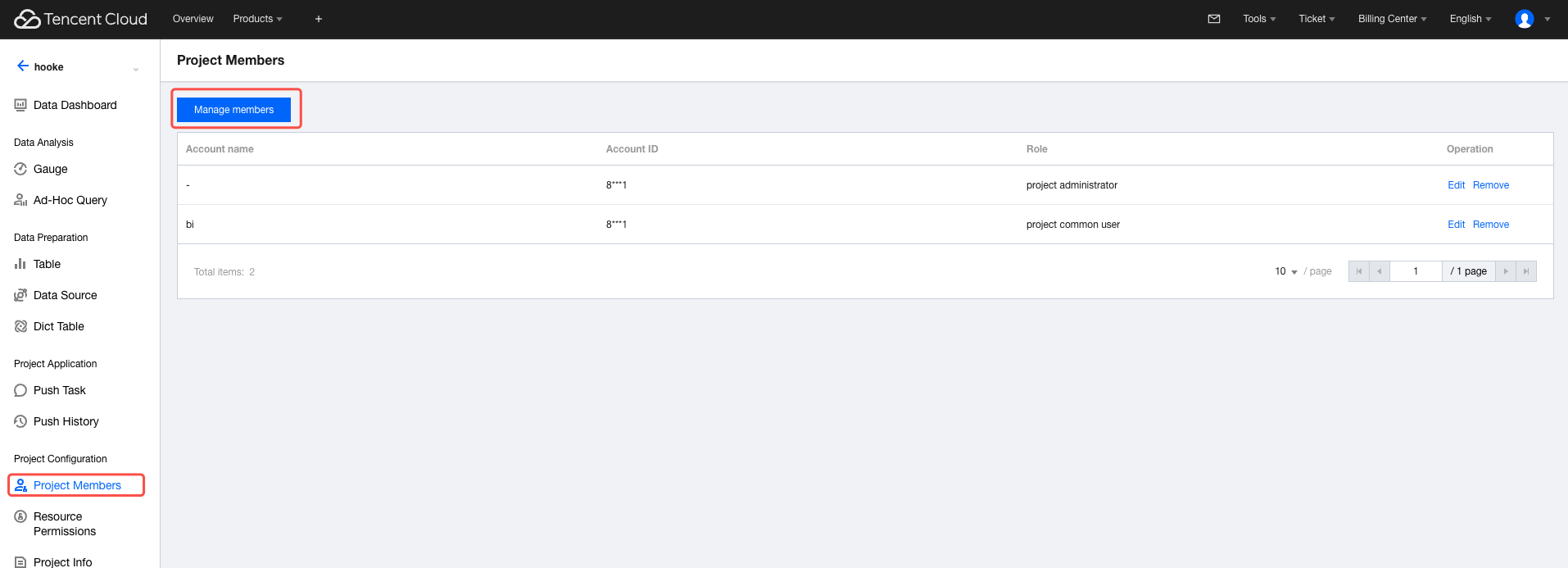
Click Configure Members in the project configurations.
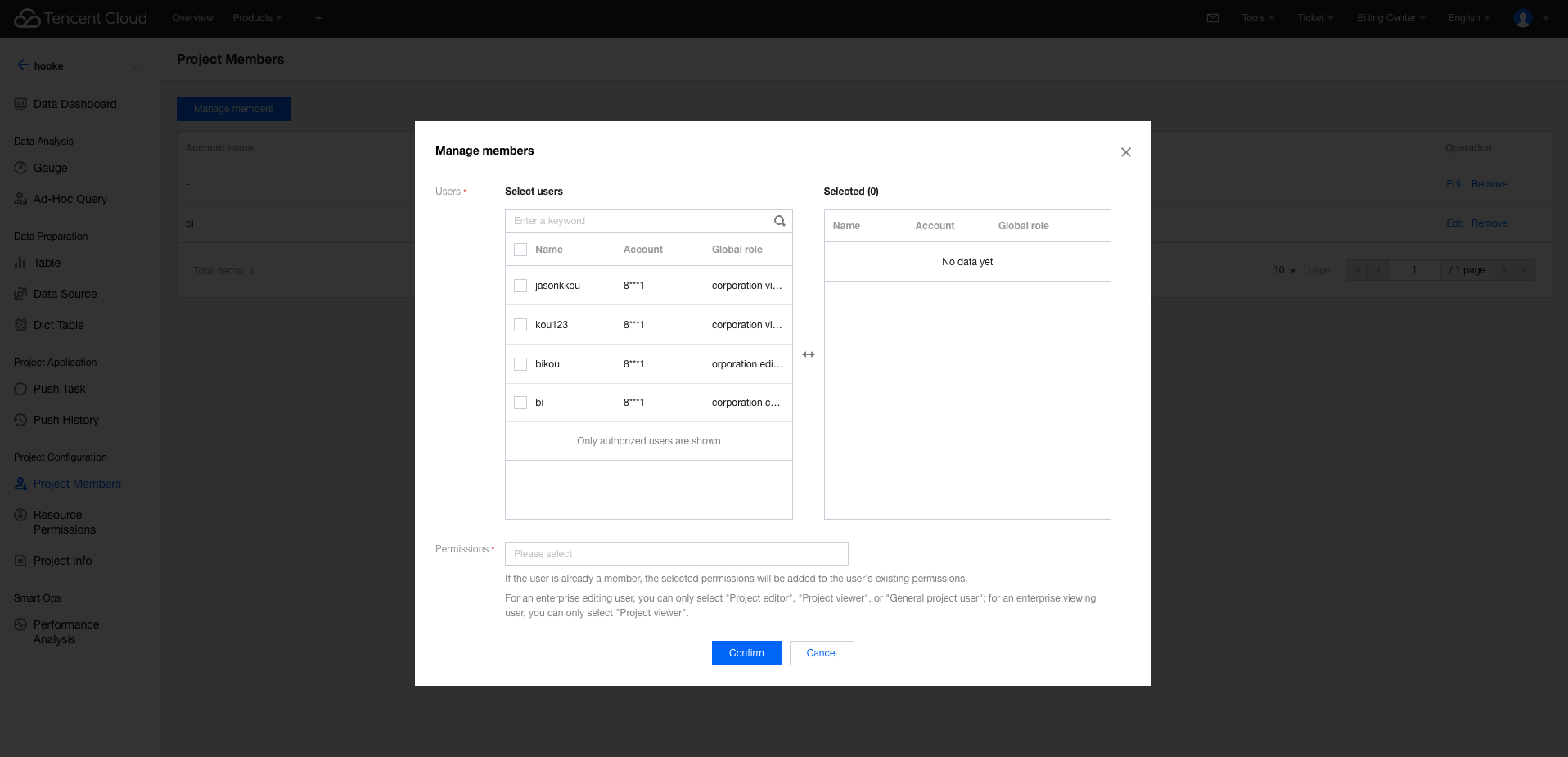
Go to the member configuration interface to add or remove authorized users and configure permissions. Available permission types include project administrator, project editor, project general member, and project viewer (multiple roles can be selected).
Other Operations
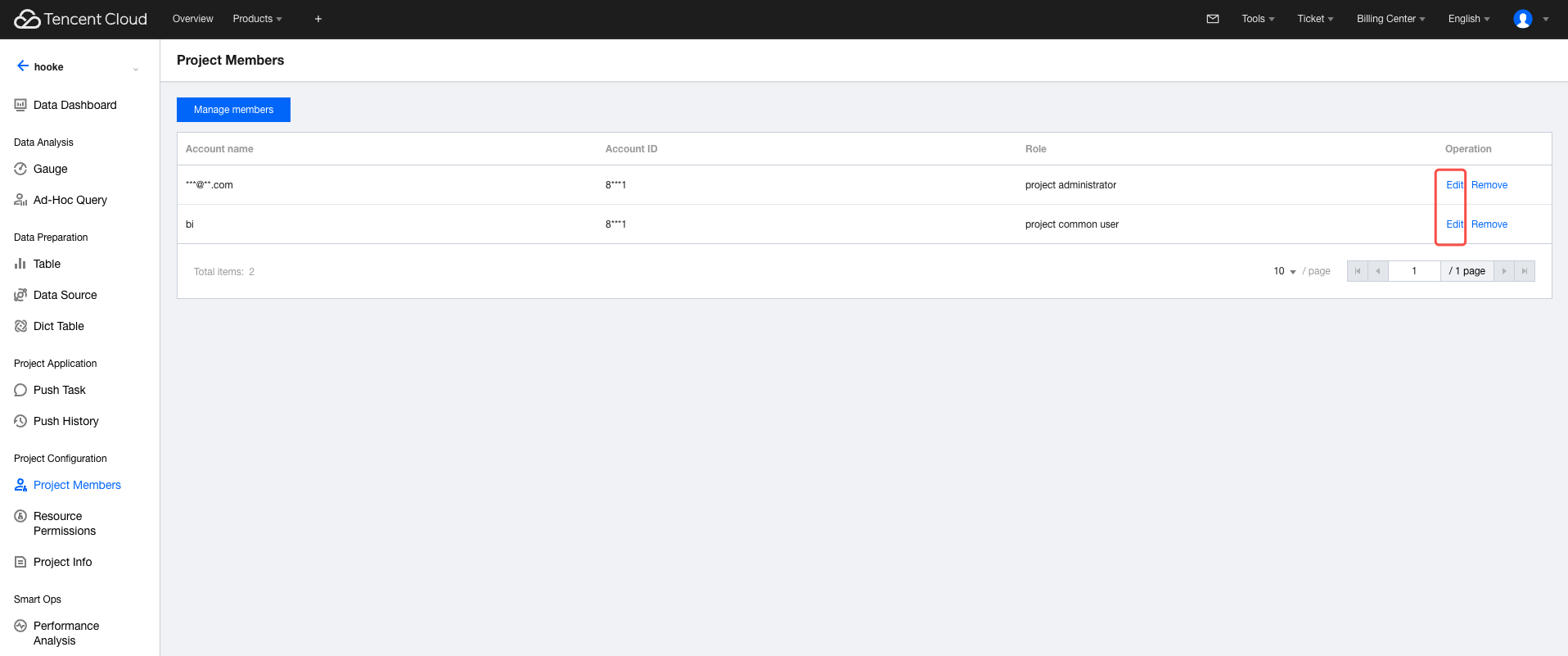
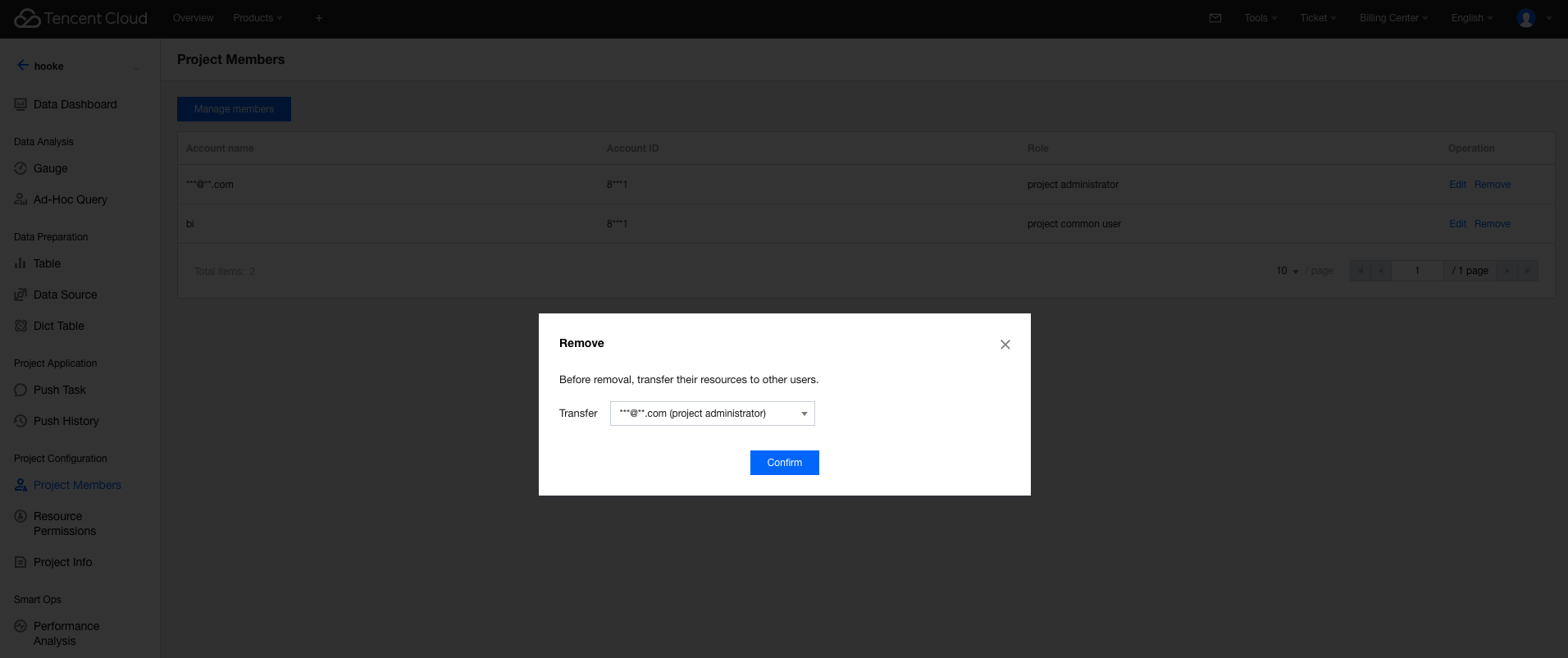
In the member management list, you can perform the Edit and Remove from Project operations.
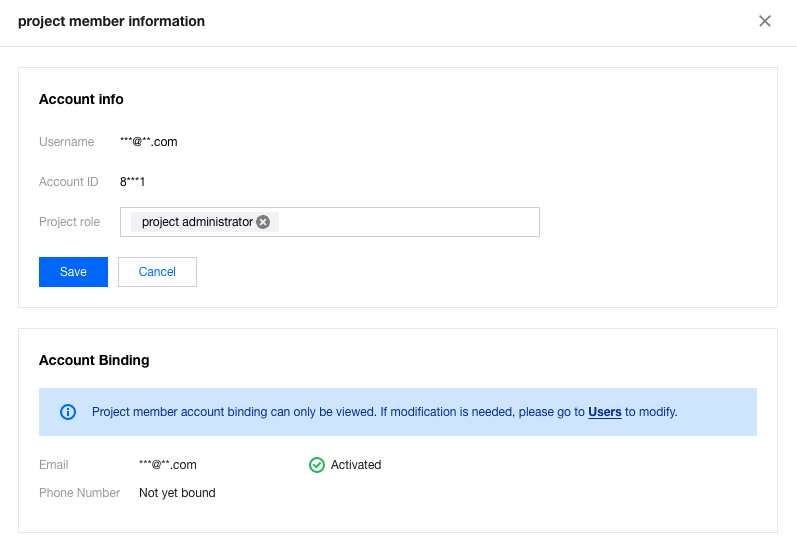
Click Edit to modify the project member's email and granted roles.
Click Remove from Project and upon confirmation, the member will be removed from the project.