This article introduces the usage guidelines and use cases of two commonly used layout styles in Tencent Cloud Business Intelligence (BI) products for data analysis and visual reports: flow layout and cockpit layout.
Human visual characteristics: The human eye naturally views content from left to right and top to bottom. Therefore, it is best to place important content on the left side and top of the report page. Keep related content adjacent, and you can also use whitespace or background color to split data.
Introducing Flow Layout
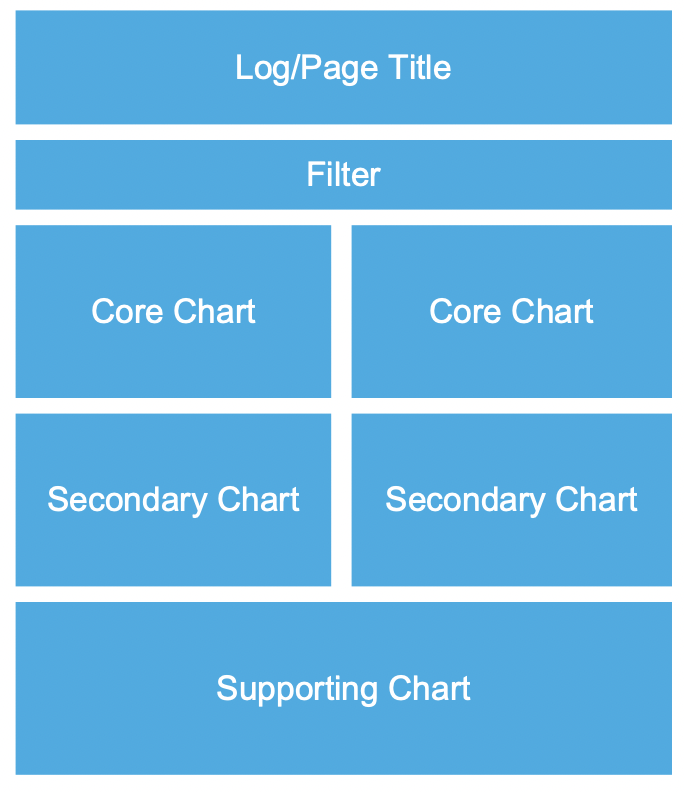
1. Flow layout use cases: for example, daily reports, monthly reports, and regular business operation reports or written report-style data reports.
2. Flow layout principles:
Top: Place the company logo/page title image to help readers intuitively understand the core theme of the data report.
Header: Place the data filtering component at the top, followed by the most important core chart component (such as core KPI metrics), arranged from left to right and top to bottom by importance.
Waist/bottom: Place secondary/auxiliary data chart components to provide supplementary description for the data report page, such as detailed tables, etc.
Cockpit Layout Introduction
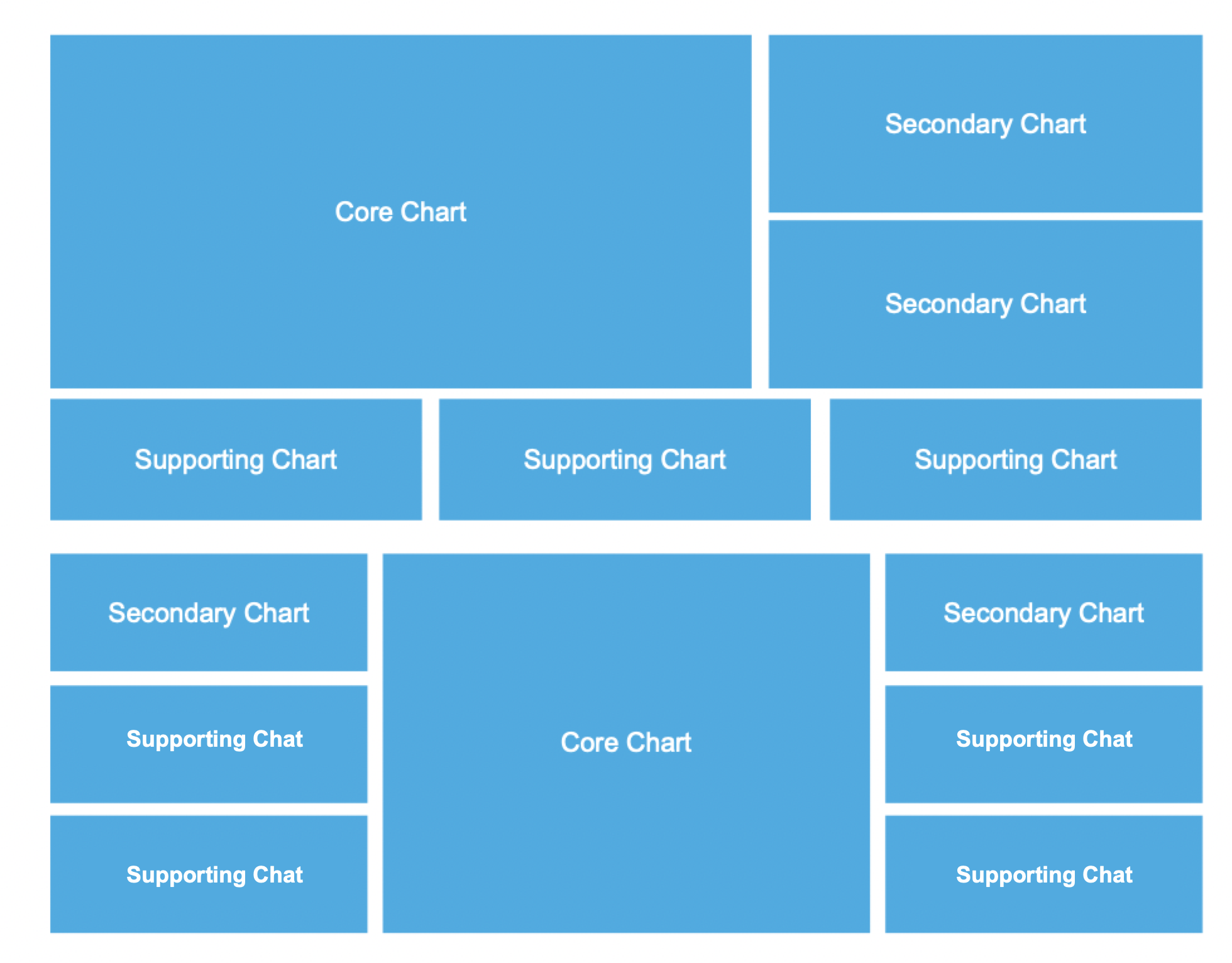
1. Use cases: Leader/Boss core data cockpit/large screen
2. Cockpit layout principles:
Core area: Place core business metrics in the middle position with a large area, often featuring dynamic-effect-rich maps. The top can display the company logo/page title image.
Secondary area: Minor metrics are located on the left and right of the screen, mostly various charts.
Auxiliary area: Auxiliary analysis content can be displayed through drill-down/integration/redirection.