Theme Settings Introduction
Overview
Through the theme style settings in Tencent Cloud Business Intelligence (BI) product, you can quickly set the theme style and style setting of data reports, including page settings, component settings, and chart settings.
Theme Settings Portal
Report Editing Page > Top Theme Settings Button
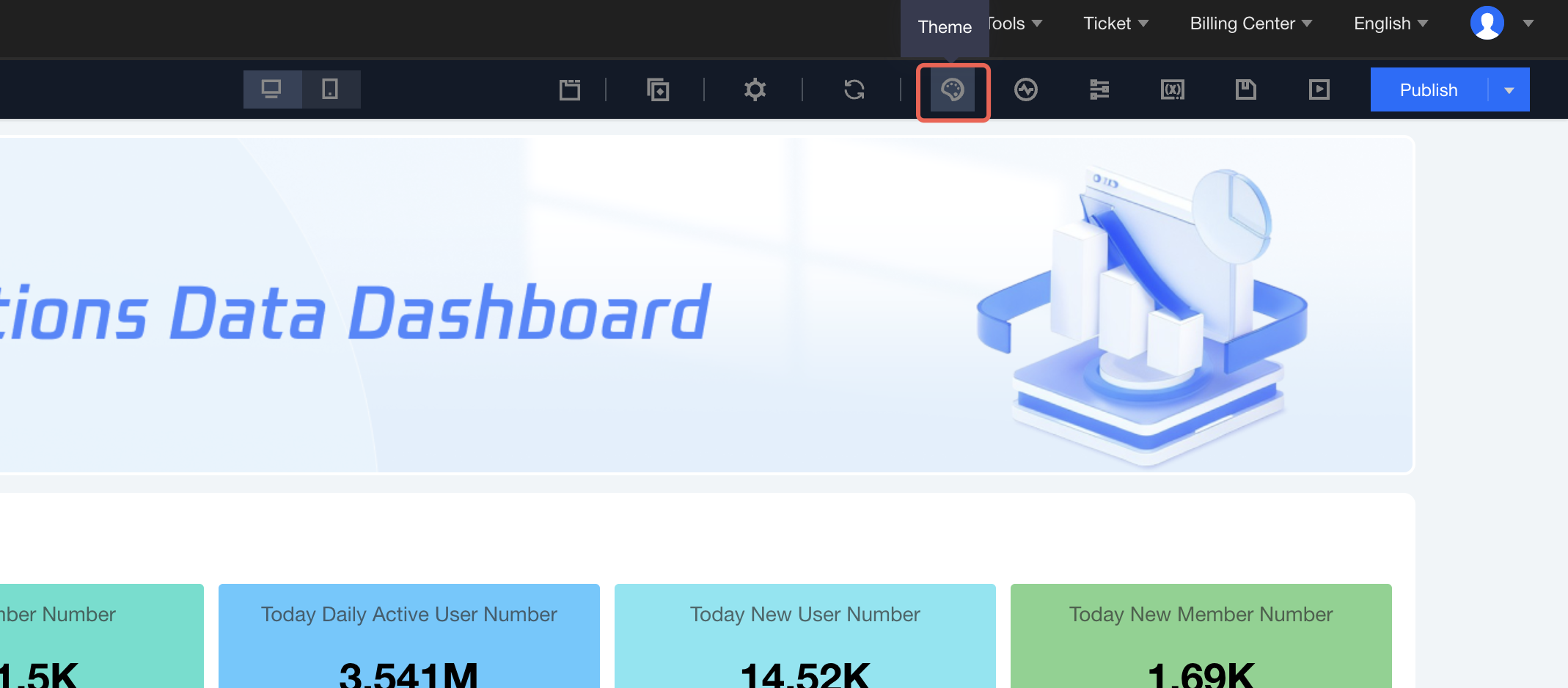
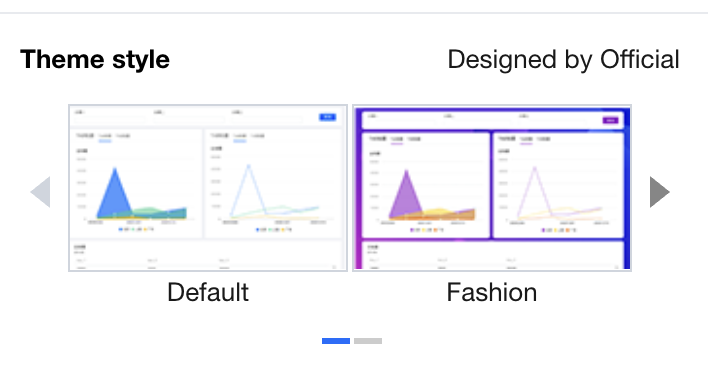
Theme Style Settings
Theme selection: Default style, Colorful fashion, Deep Blue Business
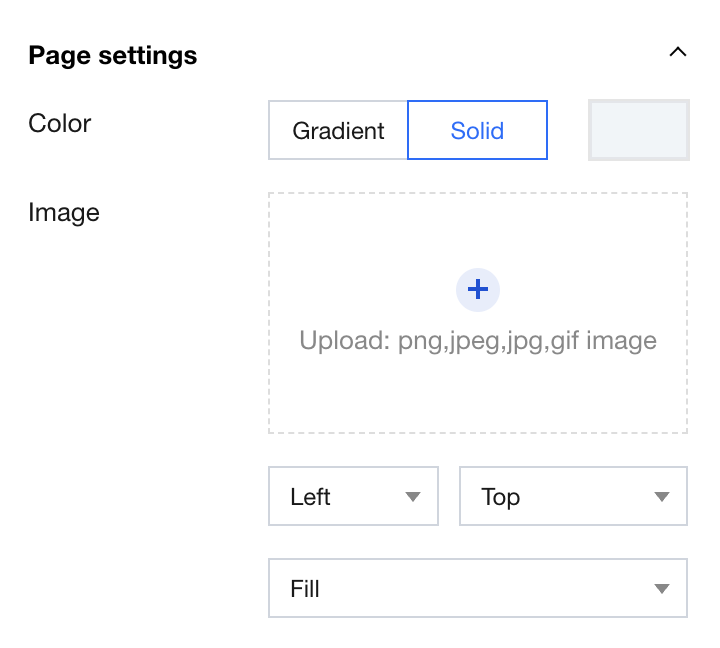
Background color: gradient/monochrome
Background image - upload: support uploading png/jpeg/gif images
Background image - horizontal settings: left-aligned/centered/right-aligned
Background image - vertical settings: top-aligned/centered/bottom-aligned
Background image - image fill mode: non-repeating, image repeat, horizontal repeat, vertical repeat, fill, fit
Component Settings
Basic setting - component style: black text on a light background/white text on a dark background
Component background: gradient/monochrome
Background image - upload: support uploading png/jpeg/gif images
Background image - horizontal settings: left-aligned/centered/right-aligned
Background image - vertical settings: top-aligned/centered/bottom-aligned
Background image - image fill mode: non-repeating, image repeat, horizontal repeat, vertical repeat, fill, fit
Component border - thickness/color: thickness (0-5), color
Component border - rounded border: 0-10, upper-left/lower-left/top right/lower-right
Component shadow - size/color: large (10px)/small (5px)/no shading
Component shadow - deviation: x (0-15)/y (0-15)
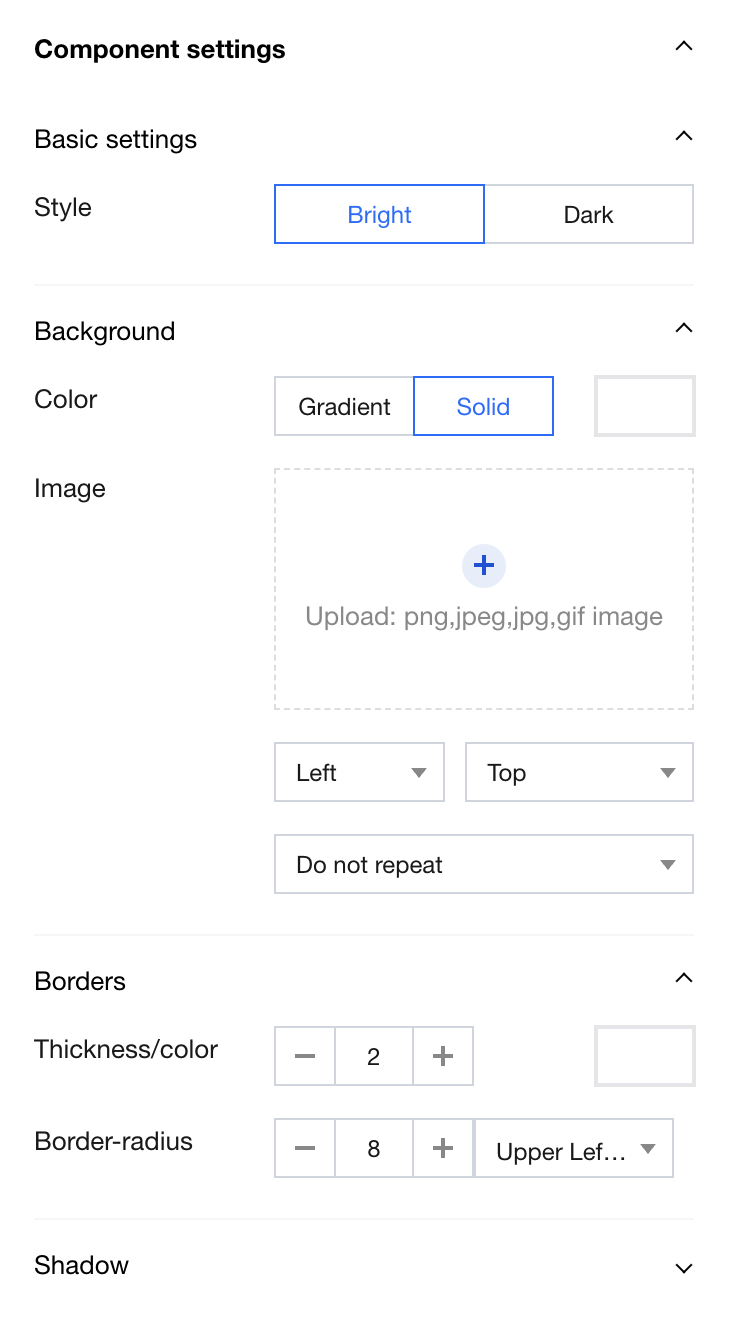
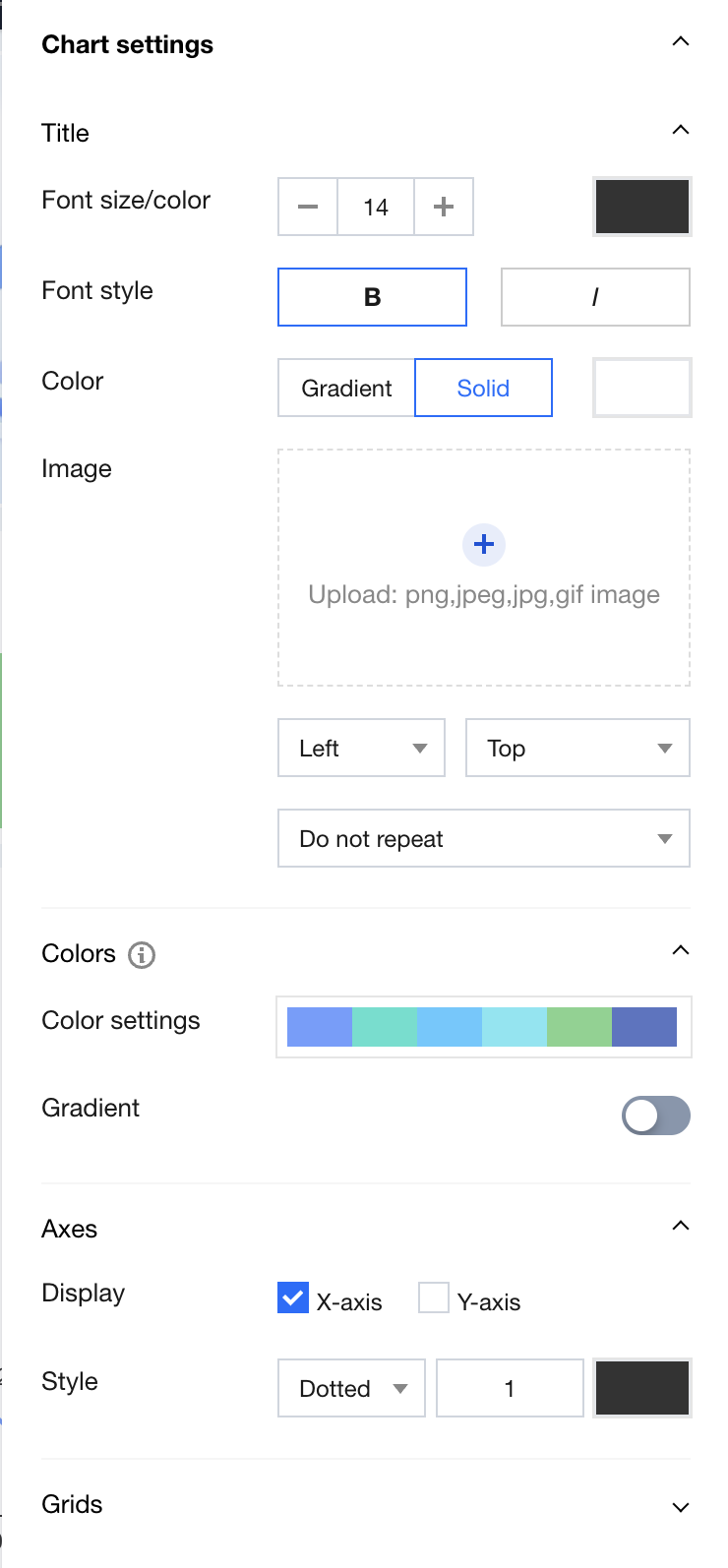
Chart Settings
Chart title - font size/color: font size (12-28), color
Chart title - font style: in bold/skew
Chart title - background color: gradient/monochrome
Background image - horizontal settings: left-aligned/centered/right-aligned
Background image - vertical settings: top-aligned/centered/bottom-aligned
Background image - image fill mode: non-repeating, image repeat, horizontal repeat, vertical repeat, fill, fit
Chart color scheme - color settings: 4 built-in color schemes to select as needed, or customizable
Chart color scheme - enable gradient: on/off
Chart axis - display axis: whether to display X-axis/whether to display Y-axis
Chart axis - axis style: solid/dotted line (0-5)
Chart grid - horizontal line: solid/dashed line (0-5)
Chart grid - vertical line: solid/dashed line (0-5)
Other Settings
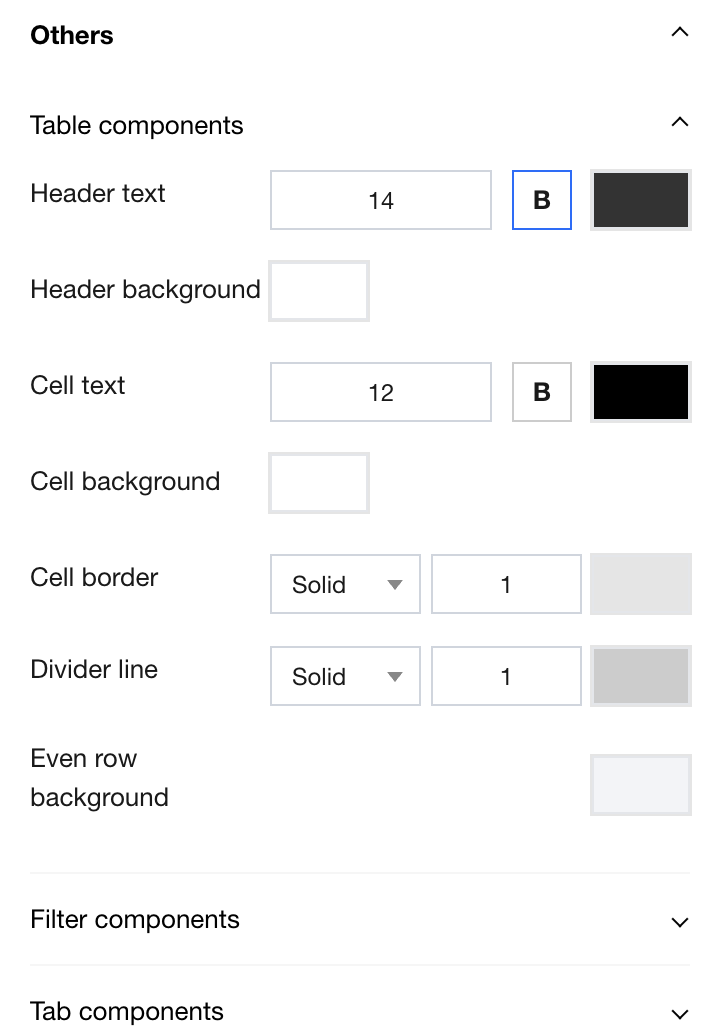
Table component - header text: font size (0-28), color settings
Table component - cell text: font size (0-28), color settings
Table component - separator: solid/dashed line, 0-5
Table component - even row background: color settings
Filter component - component transparent color: enable/disable
Tab component - setup type: global tab/tab component
Tab component - tag area background: gradient/mono, color settings
Tab component - separator: solid/dashed line, 0-5
Tab component - tag normal state: font size (0-28), color settings
Tab component - tag activation status: font size (0-28), color settings
Tab component - active state color scheme: color settings
Help and Support
Was this page helpful?
You can also Contact sales or Submit a Ticket for help.
Help us improve! Rate your documentation experience in 5 mins.
Feedback