Third-Party Cookie Settings
To use the console retrieval and analysis capabilities, your browser should support third-party cookies. Common browser settings are as follows:
Chrome
1. Open the Chrome browser.
2. Click More Options in the upper right corner 
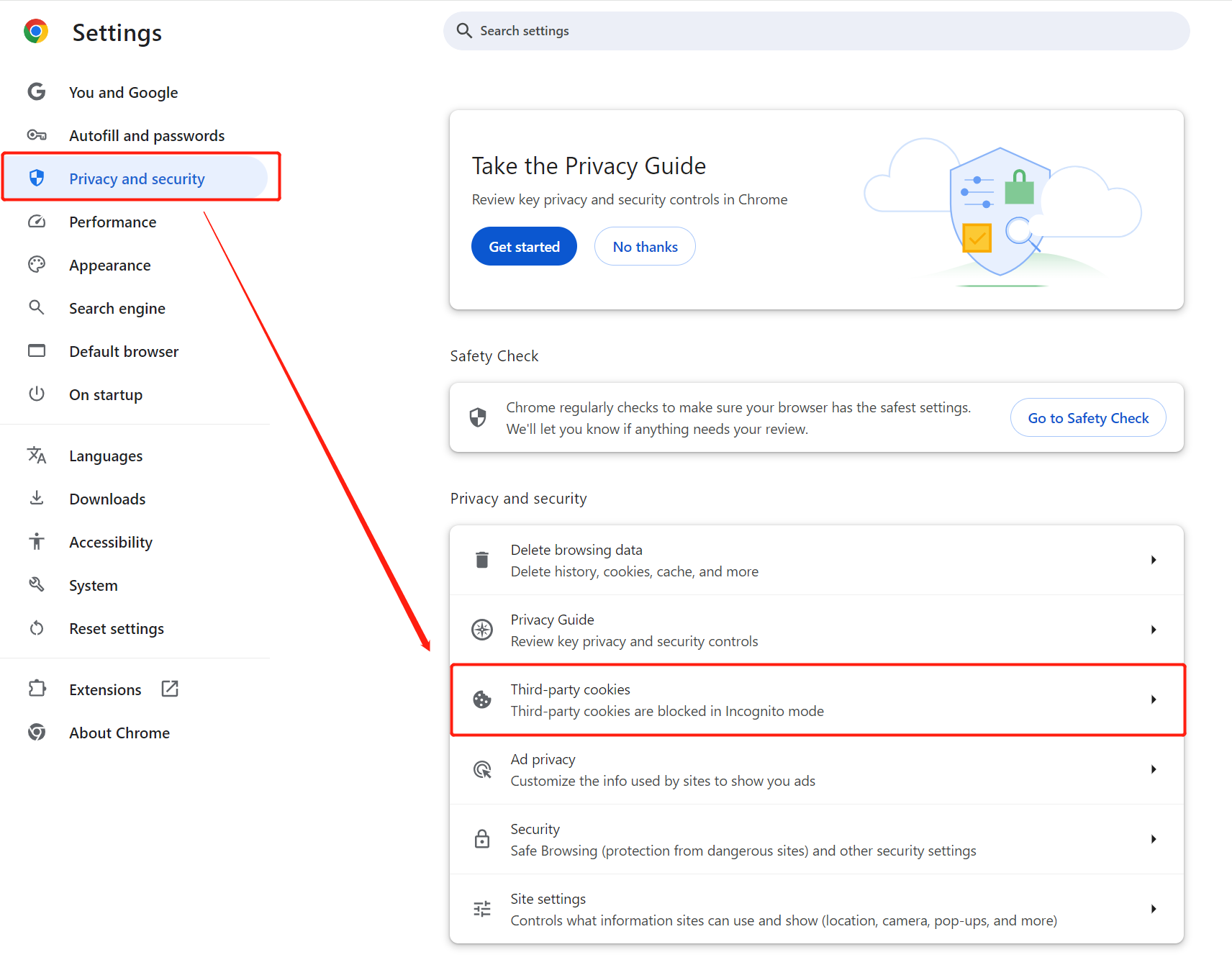
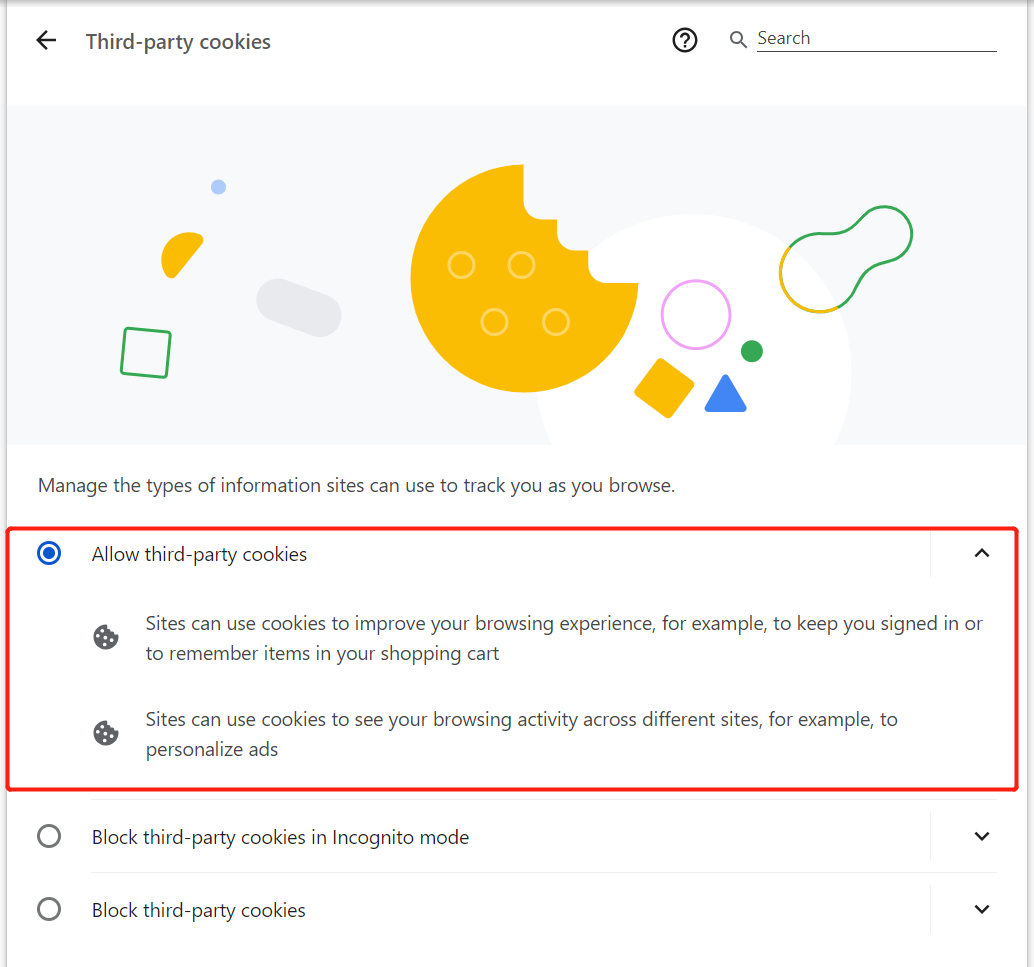
3. Click Settings > Privacy and security > Third-party cookies > Allow third-party cookies.
Safari
1. Open Safari on your Mac computer.
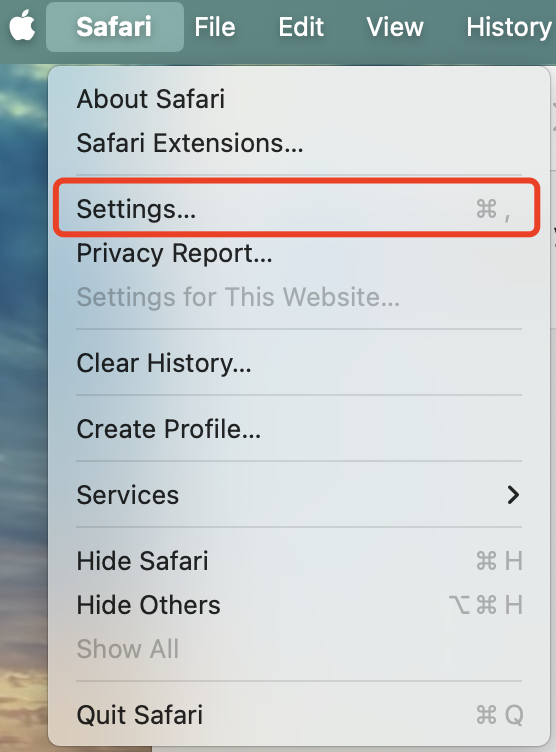
2. Go to Safari Browser > Settings to open the settings interface.
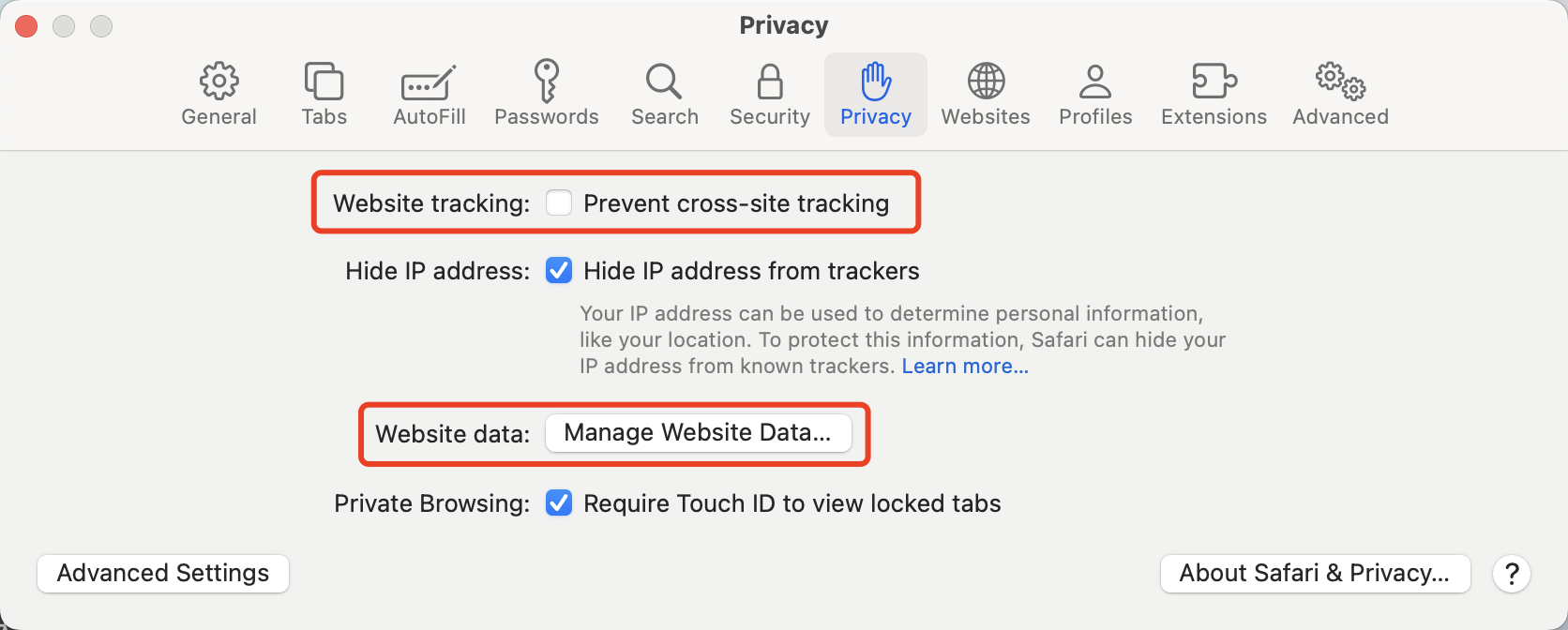
3. In the Privacy settings, uncheck Prevent cross-site tracking and Manage Website Data.
Help and Support
Was this page helpful?
You can also Contact sales or Submit a Ticket for help.
Help us improve! Rate your documentation experience in 5 mins.
Feedback