tencent cloud

Game Multimedia Engine

릴리스 노트
제품 소개
제품 개요
장점 및 특징
제품 기능
응용 시나리오
보안 및 컴플라이언스 인증
사용자 튜토리얼
SDK 다운로드 가이드
제품 기능 데모
기본 기능 데모
시나리오 기반 Demo
콘솔 가이드
사용량 조회
서비스 활성화
시작하기
Quick Integration of SDK
Quick Integration of Sample Project
기본 기능 개발 가이드
인증 키
실시간 음성 채팅 역할 설정
음질 선택
고급 기능 개발 가이드
서버 녹음
레인지 보이스
3D 음향 효과
음향 효과 및 반주
네트워크 오디오 스트림 포워딩 라우팅
사용자 지정 메시지 채널
회사 방화벽 제한을 해결하는 방법
Language Parameter Reference List
GME 채팅방 관리 통합
클라이언트 API
Unity SDK
SDK for Unreal Engine
Cocos2D SDK
SDK for Windows
SDK for iOS
SDK for Android
SDK for macOS
H5 SDK
Electron SDK
SDK for Flutter
SDK Version Upgrade Guide
에러 코드
Toolchain
Server APIs
History
Introduction
API Category
Usage APIs
Recording APIs
Making API Requests
Voice Chat APIs
Application APIs
Data Types
Error Codes
FAQ
제품 기능
문제 해결 가이드
과금
Sample Project 사용 문제
일반 문제
인증
방 입장 실패
사운드 및 오디오
네트워크
음성을 텍스트로 변환
프로그램 내보내기
Service Agreement
Service Level Agreement
문의하기
용어집
GME 정책
데이터 처리 및 보안 계약
개인 정보 보호 정책

iOS Project Upgrade Guide

PDF
포커스 모드
폰트 크기
마지막 업데이트 시간: 2024-01-18 15:11:45

Overview

The GME SDK has been upgraded to v2.9. To implement this upgrade, perform the following steps in your Xcode project:

Upgrade Directions

1. Download the SDK

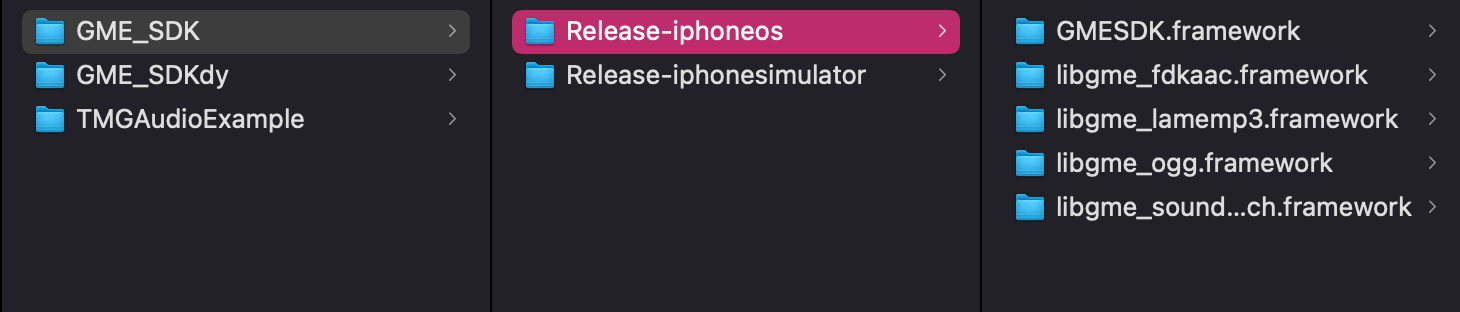
In the new version, the dynamic libraries of the SDK are split into the following files:
libgmefdkaac.framework
libgmeogg.framework
libgmelamemp3.framework
libgmesoundtouch.framework
Make sure that the downloaded SDK contains these files. After downloading, put them together with GMESDK.framework in the project directory. Release-iphoneos is the SDK file used for real devices, while Release-iphonesimulator is the SDK file used for simulators.


2. Import the SDK into the project

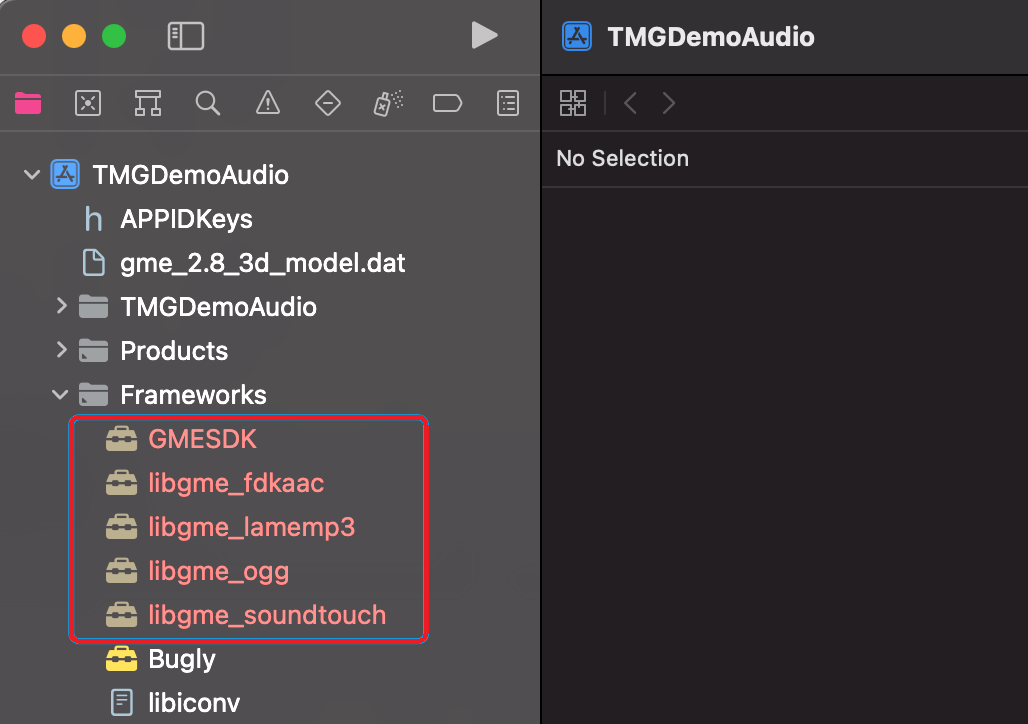
Import all frameworks into the project as shown below:


3. Configure frameworks and sign

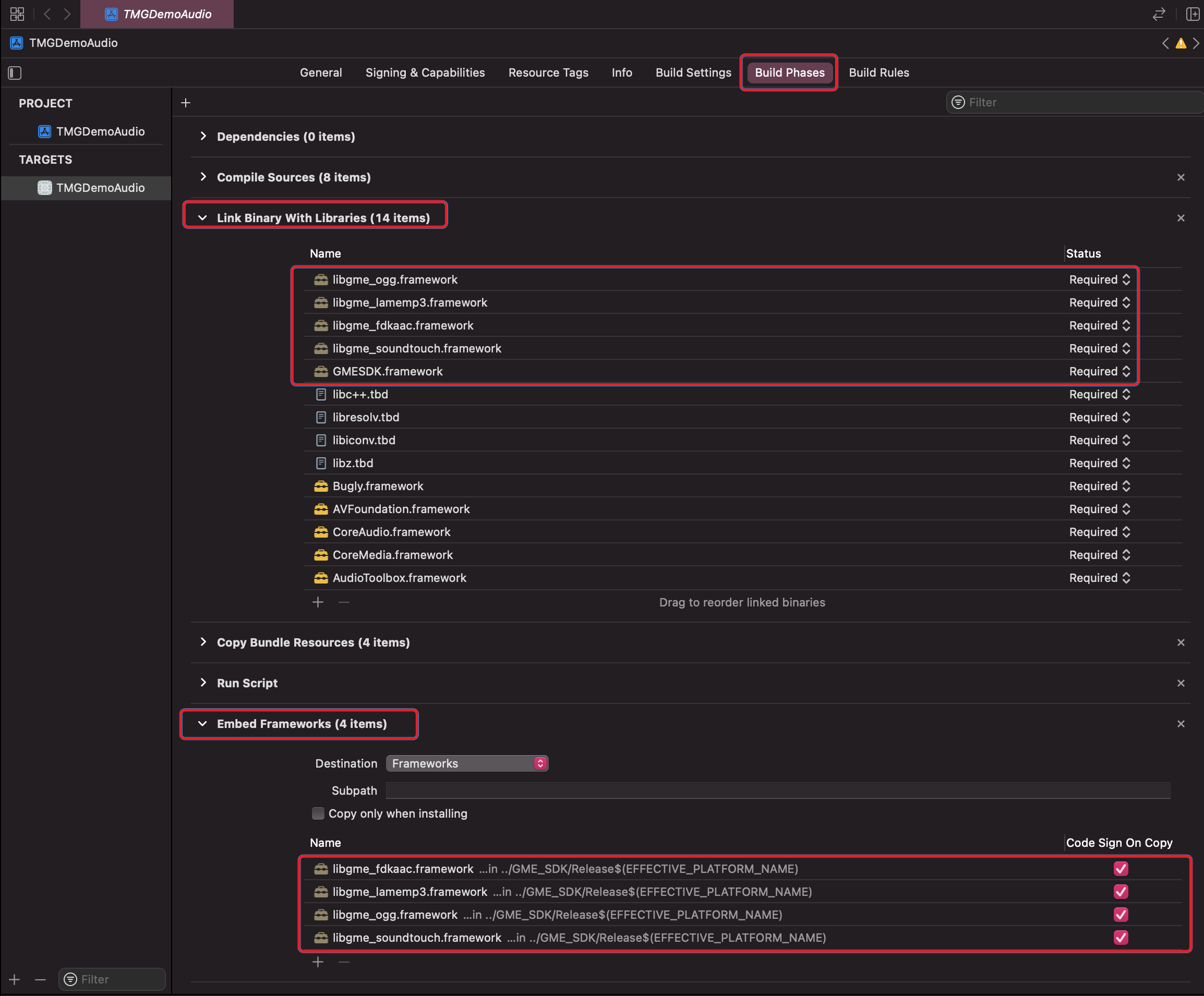
1. In the Xcode project, click Build Phases, expand Link Binary With Libraries, and import all GME frameworks.
2. Expand Embed Framework, import all GME frameworks, and select Code Sign On Copy.


4. Modify the rpath

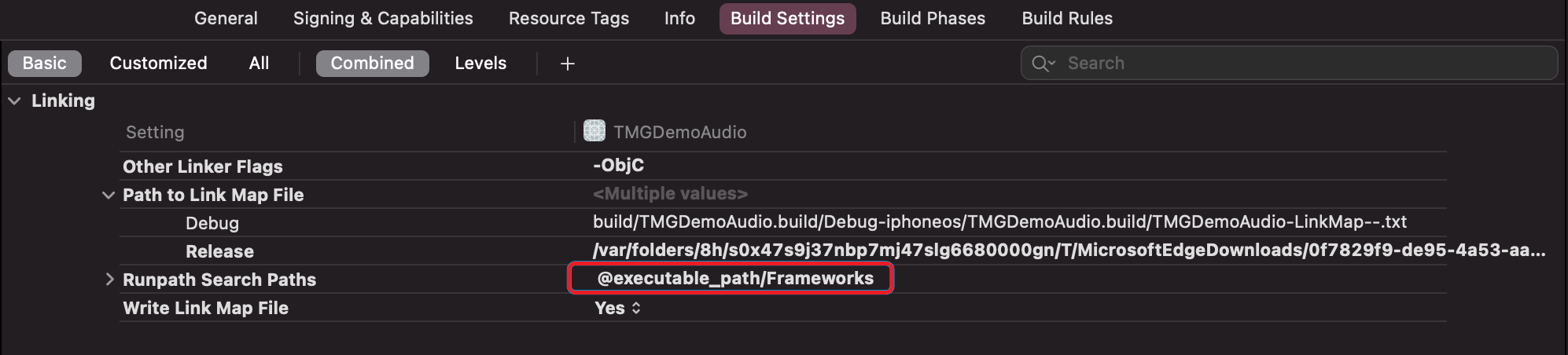
You need to add @executable_path/Frameworks in the rpath. If it has already been added, there is no need for modification.
도움말 및 지원

문제 해결에 도움이 되었나요?

피드백