When there are identical accounts in the database, you can batch add accounts to the database. Below is a detailed instruction on how to input database accounts in batches.
2. In the left sidebar, choose Asset Mgmt > Database.
3. On the Database page, select the database where you want to input accounts, then click More > Enter account.
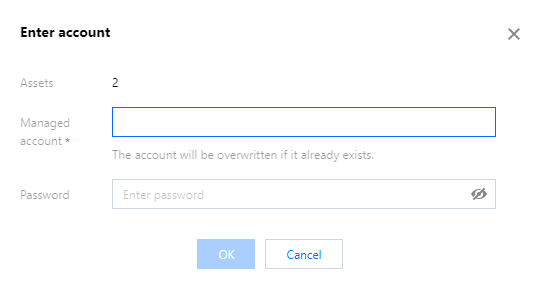
4. In the account input window, you need to configure the following information:
Note
Managed account: Enter the database account name. If the database account has already been added in the BH, the system will overwrite the old password with the newly set password.
Password: Enter the password for the database account.
5. Once the account information is configured, click OK to add the database accounts in batches.