Webpage Calling Client
Overview
Users access and manage hosts through Bastion Host. Below is a detailed instruction on how to access a host.
Prerequisites
The administrator has informed the Ops personnel of the login address.
The administrator has granted host access permissions to the Ops personnel.
The Ops personnel have completed Account Activation.
Directions
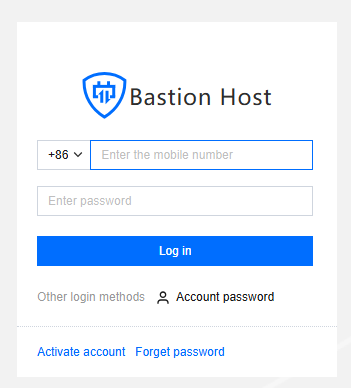
1. Enter the Ops page login address in a browser to open the BH Ops page. Enter your phone number and password to log in to the BH. Alternatively, click Account password to switch to login with account name and password.
2. After entering the BH, choose Services > Asset list in the left sidebar.

3. On the Asset List page, click Access on the right side of the corresponding host.

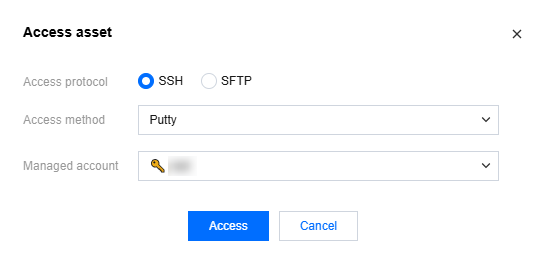
4. In the Access Host popup, select the access protocol, access method, and host account, then click Access to call the corresponding client tool to access the host.
Note
All operations performed to access hosts through the BH will be recorded.
Recommended Client Tool Versions
Platform | Type | Tool | Recommended Versions |
Windows | Characters | PuTTY | Release 0.76 |
| | SecureCRT | 8.3.4 |
| | Xshell | Xshell |
| Graphics | MSTSC | 10.0.19041.746 |
| File Transfer | FileZilla | 3.55.1 |
| | WinSCP | 5.17.10.0 |
| | Xftp | 7.0.0054 |
macOS | Characters | SecureCRT | 9.1 |
| | iTerm | 3.4.8 |
| | Terminal | 2.9.5 |
| Graphics | Microsoft Remote Desktop Beta | 10.7.0 |
| File Transfer | FileZilla | 3.55.1 |
| | Transmit | 5.7.6 |
Help and Support
Was this page helpful?
You can also Contact sales or Submit a Ticket for help.
Help us improve! Rate your documentation experience in 5 mins.
Feedback