The value filter provides content filtering for numeric fields, commonly used for numerical range filtering, such as viewing data records with daily sales volume between 5000 and 10000.
The value filter supports four types of interaction, such as numerical range.
Numerical range: No need to associate with a numerical source. Use the maximum and minimum values of user-entered data as filtering conditions, commonly used for scenarios where values vary greatly, such as querying page data with user access volume between "1000 - 30000".
Numerical slider: Must be associated with a numerical source. Users can drag the interval between the maximum and minimum values as filtering conditions, commonly used for scenarios with relatively stable numerical ranges, such as querying student data with scores between "60 - 80".
Dropdown selection: Must be associated with a numerical source. Users can select single or multiple values from dropdown options as filtering conditions, commonly used for scenarios with fewer values, such as querying employee data with ages "30" and "40".
Conditional data retrieval: No need to associate with a numerical source. Users can set compare values by themselves as filtering conditions for combined condition query scenarios.
Numerical interval
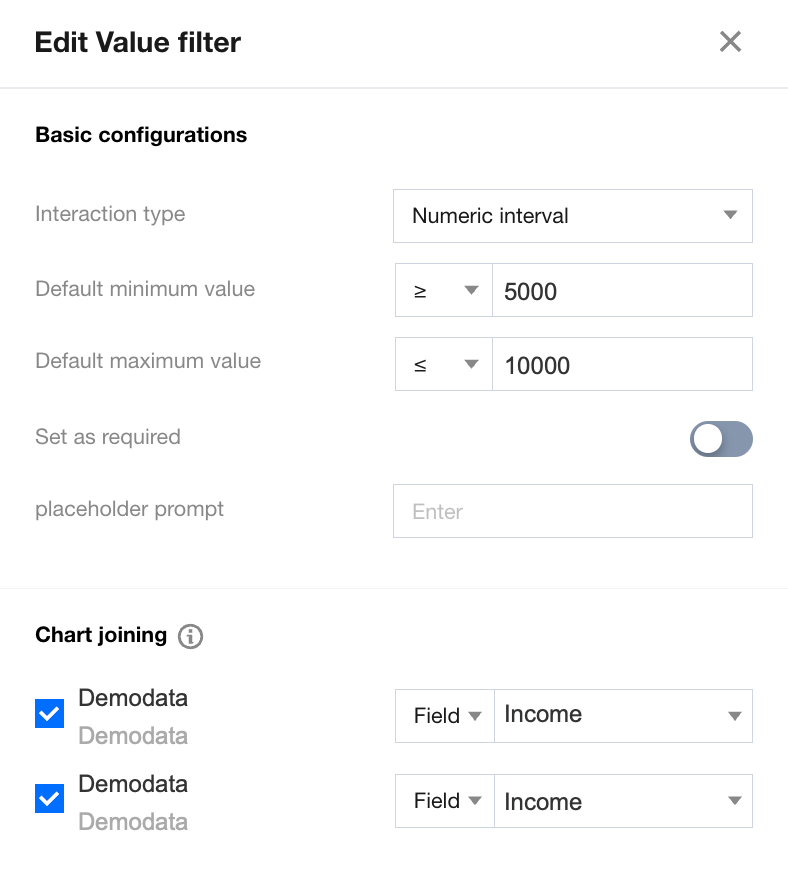
When the interaction type is set to "numerical interval," the current component supports users to perform range filtering:
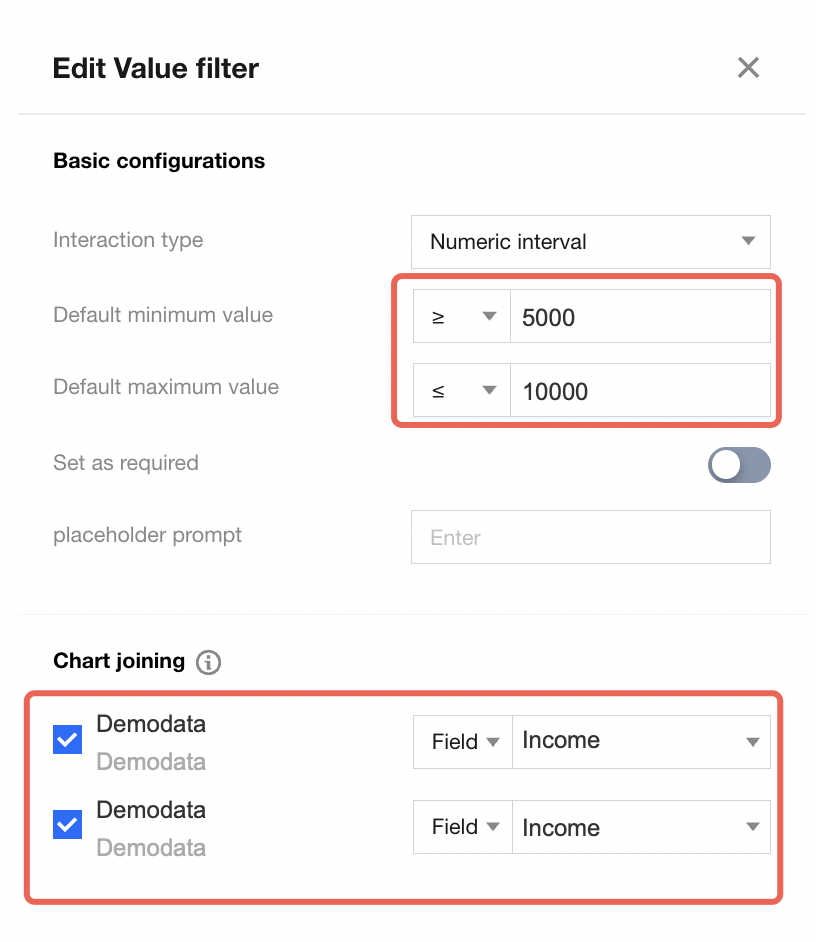
Default value settings can auto-execute the default query after webpage loading is complete for easy data initialization. The numerical range supports setting the maximum and minimum values of the default value.
In the associated chart settings, you can choose the charts that the current component can impact. For example: when filtering with the numerical range "greater than or equal to 5000 and less than 10000," if you expect the charts "order source-product type-income" and "order source-customer level-income" to respond to the filter setting, configure as follows:
Numeric Slider
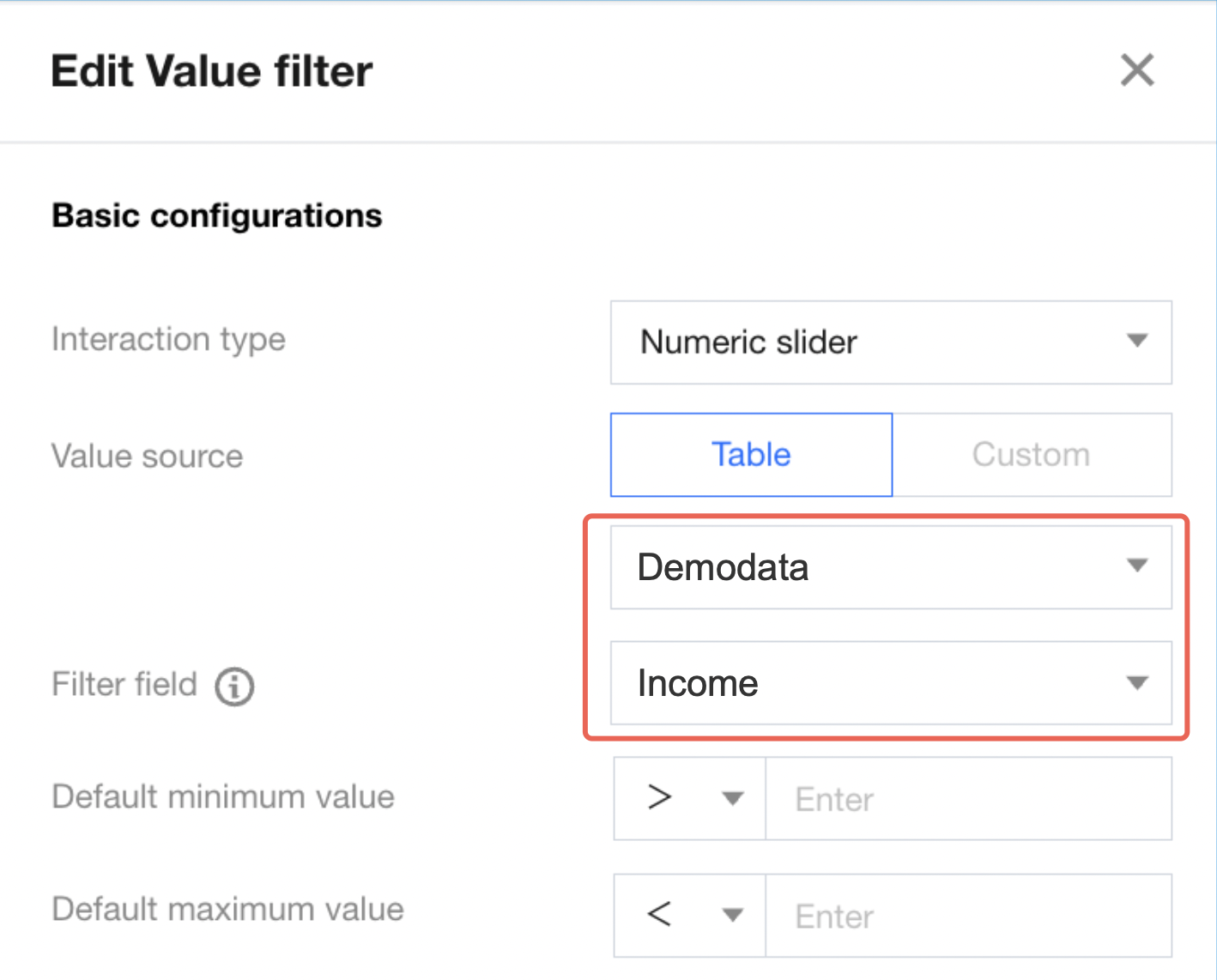
When the interaction type is set to "slider," the user's input must be an instance that exists in the database, so it must be associated with a numerical source:
Associate the numerical source with the binding of a data table and data field. Both are required, and the field must be a numerical type.
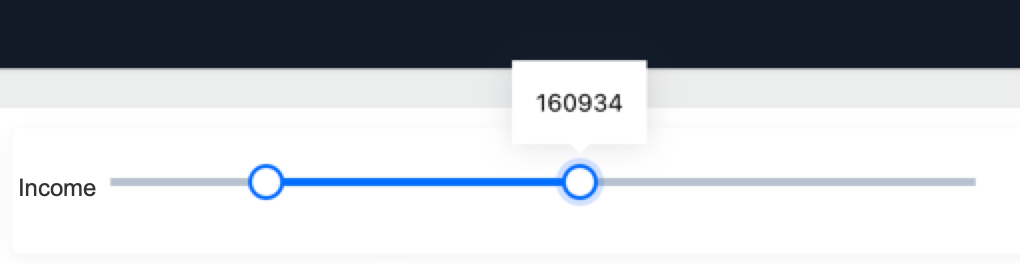
When accessing, users can drag the slider between the maximum and minimum values in the "income" field to select a numerical range.
Dropdown Box
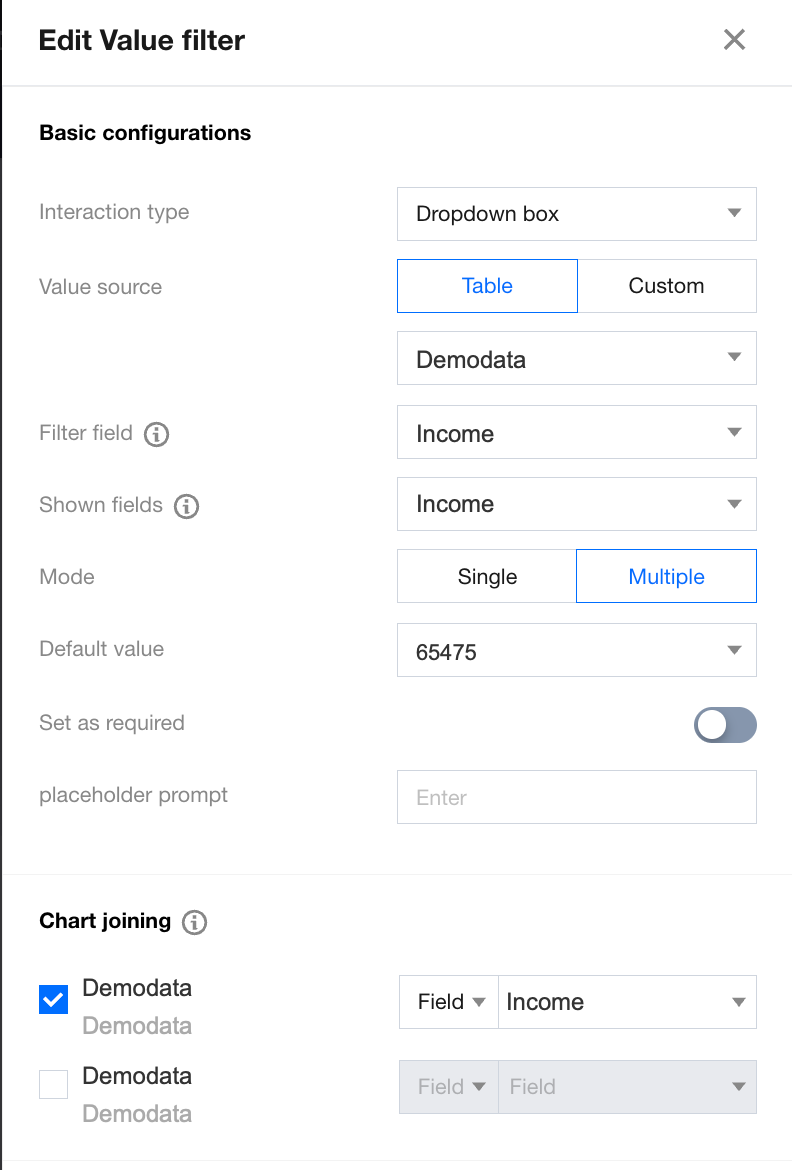
When the interaction type is set to "dropdown box," the user's input must be an instance that exists in the database, so it must be associated with a numerical source:
When the interaction type is set to "dropdown selection," the user's input must be an instance that exists in the database, so it must be associated with a numerical source.
The selection method determines whether multi-select is supported during filter operations. If multi-select is supported, users can choose multiple filter values. Conversely, users can only select one as the filter value.
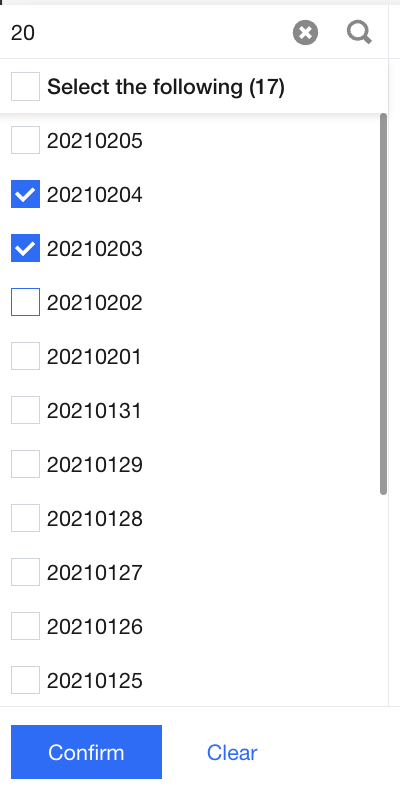
When accessing, users enter keywords, and the system will filter the field value list containing the keywords. Users can select single or multiple values based on settings. The input box automatically triggers filtering when it loses focus.
Conditional Retrieval
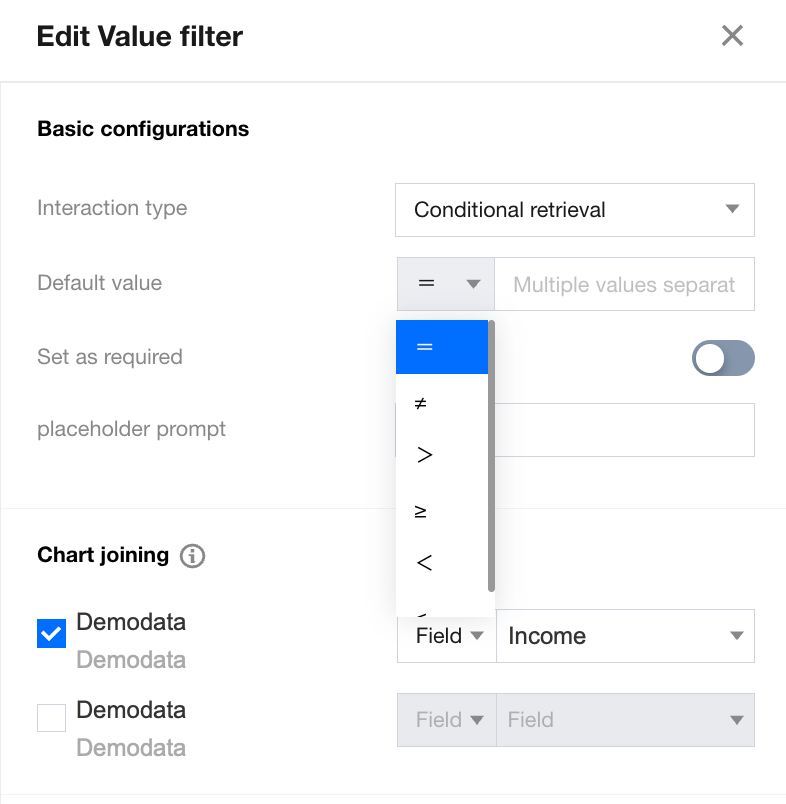
When the interaction type is set to "conditional data retrieval," users do not need to associate a data source:
Conditional data retrieval supports the following comparison methods:
Equal: Filter out data with value equal to this.
neq: Filter out data with value not equal to this.
Greater than: Filter out data with value greater than this.
Greater than or equal to: Filter out data with value equal to or greater than this.
Less than: Filter out data with value less than this.
Less than or equal to: Filter out data with value less than or equal to this.