Event Notification
Download
Focus Mode
Font Size
This article will guide you on how to enable VOD pro event notifications so that you can receive timely notifications after file - related processing is completed.
Applicable Scenario
You can set the event notification URL according to your actual needs. After the file - related processing is completed, the system will send an HTTP request to this URL, and the request body will contain the result status of the task.
Operation Steps
1. Log in to the VOD Console, click on the left - hand navigation bar to enter Application Management and access the application list page.
2. Locate the application you need to configure, and click on the application name to enter the application management page.
3. On the left - hand navigation bar, select Event Notification, then click Go to set up event notification to enter the "Set Event Notification" page.
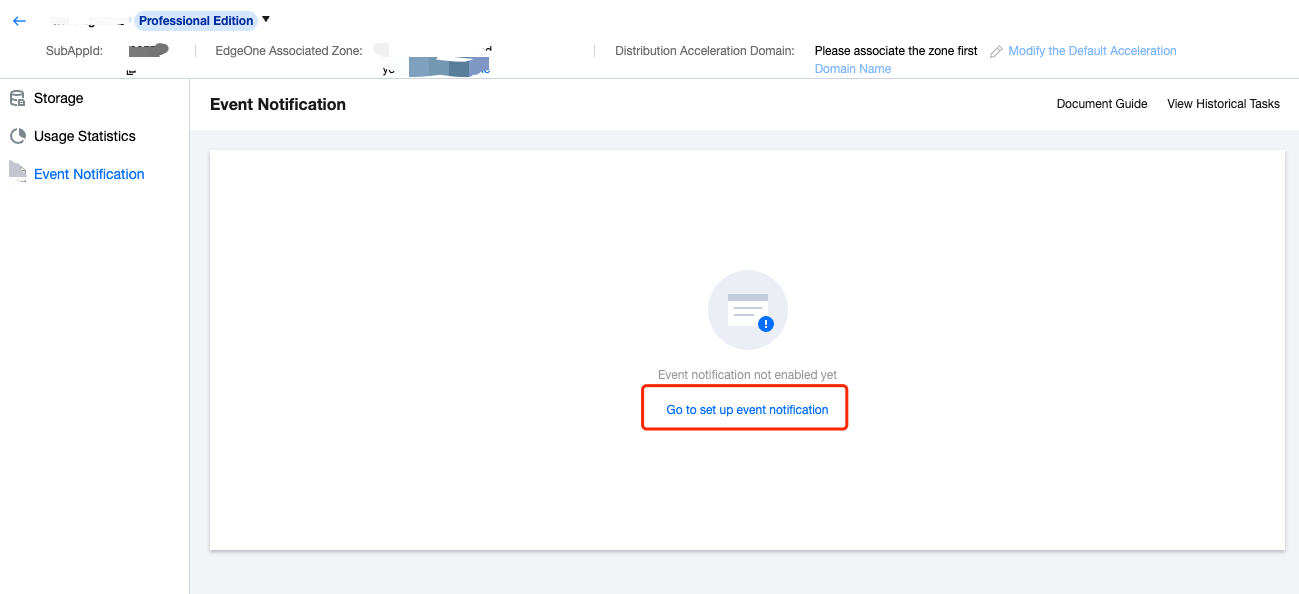
4. Configure the following parameters on the settings page according to your actual needs:
Event Notification Method: Currently, only HTTP callback is supported.
Callback URL: Set the backend address of the App that will receive the callback according to your actual needs.
Notification Events: Currently, only file upload completion event notification is supported.
Help and Support
Was this page helpful?
You can also Contact sales or Submit a Ticket for help.
Help us improve! Rate your documentation experience in 5 mins.
Feedback