This document describes how to configure a Flutter project for the GME APIs for Flutter.
Supported Platforms
The GME SDK for Flutter supports iOS and Android platforms.
Importing the SDK
Step 1. Download the GME SDK for Flutter
Download the SDK file in SDK Download Guide, which contains the GME plugin. Decompress the SDK file to a local directory.
Step 2. Add dependencies of the GME plugin to the Flutter project
Add GME dependencies to the pubspec.yaml file in your Flutter project. Note that the path parameter is the path where the SDK file is decompressed to.
dependencies:
flutter:
sdk: flutter
gme:
path: ../
After saving the pubspec.yaml file, run the flutter pub get command on the CLI to make the GME plugin in the project take effect (if the Flutter plugin is configured in your IDE, this command will be executed automatically once the file is saved).
flutter pub get
Modifying the iOS Project
1. In Terminal, go to the iOS project directory of your Flutter project and run pod install.
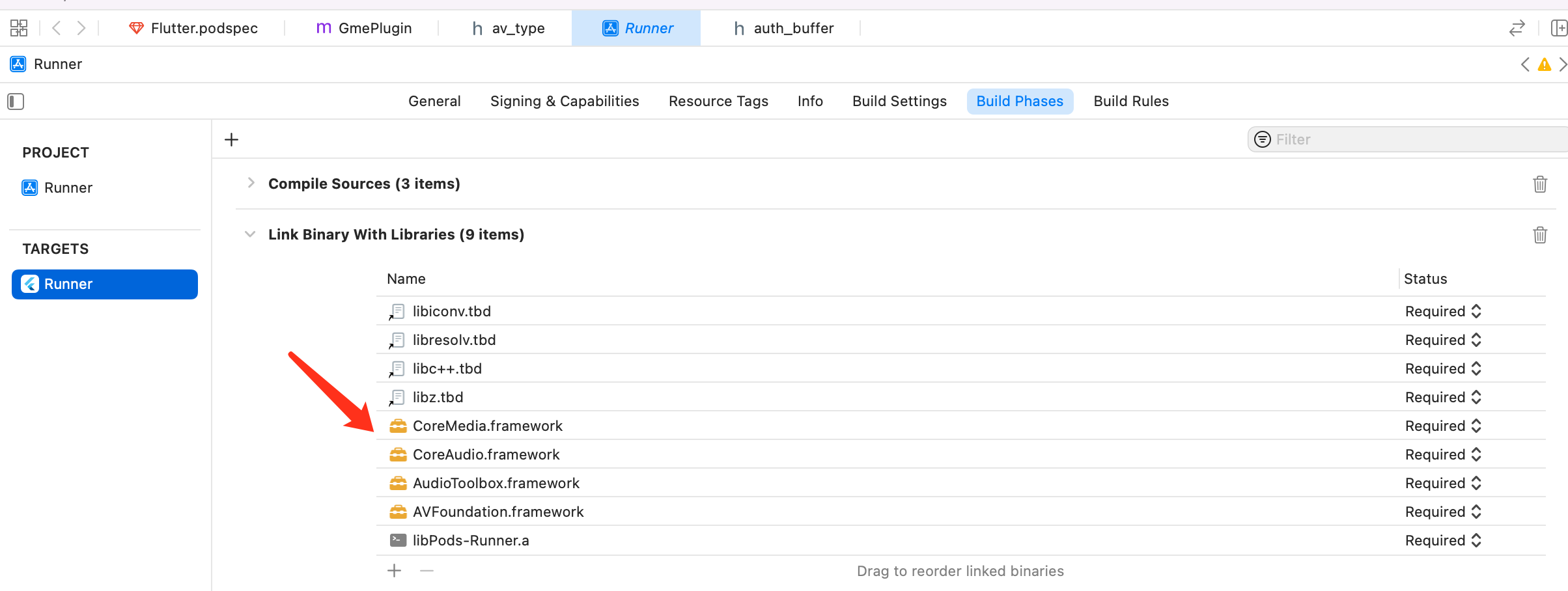
2. In the Xcode project, configure the following GME dependent library files (you can skip this step if such dependencies already exist in your project):
3. The GME SDK for iOS requires the following permissions:
Required background modes: Allows running in the background (optional).
Microphone Usage Description: Allows access to microphone.
Modifying the Android Project
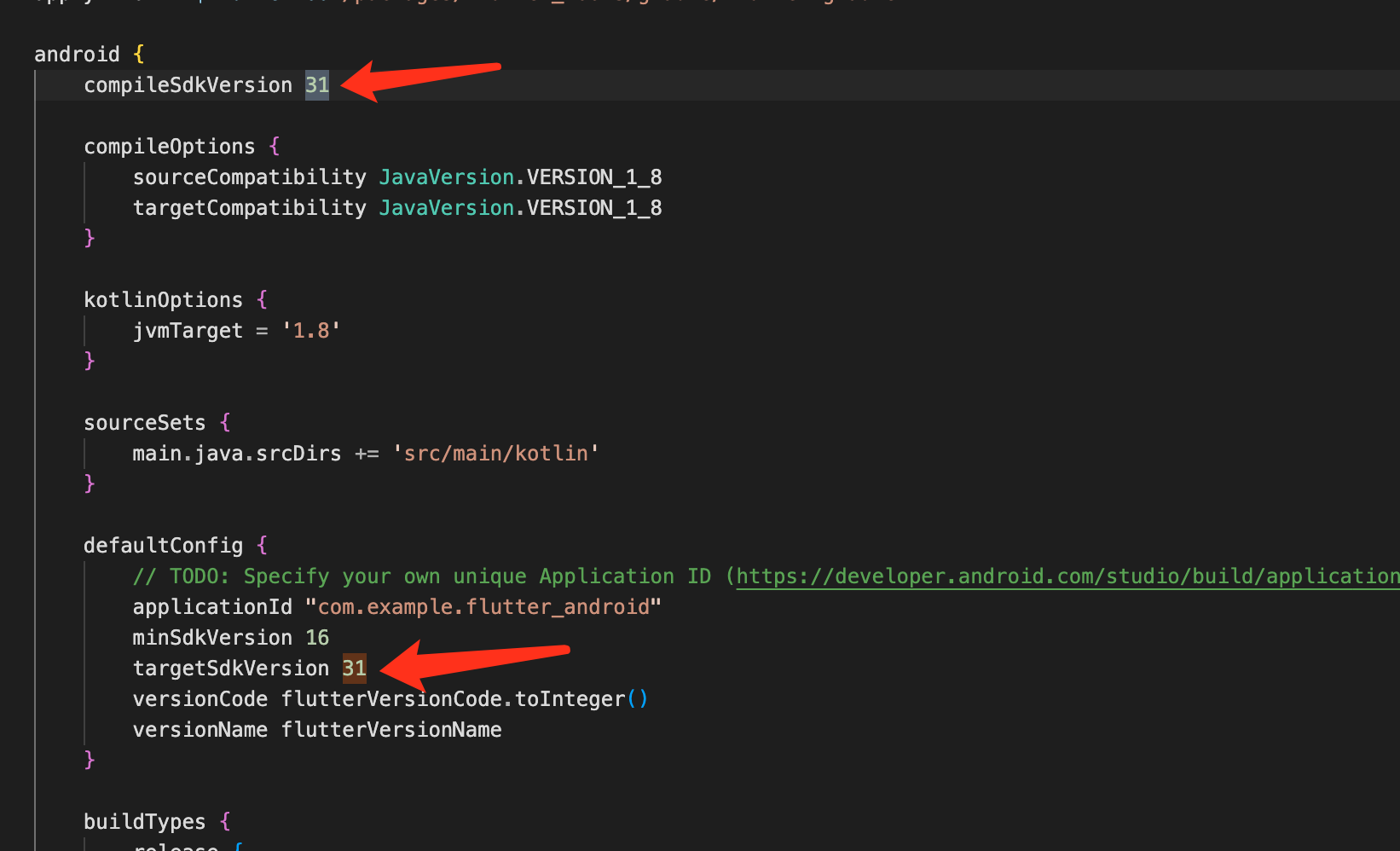
1. As GME requires permissions such as call permission and uses the permission management plugin flutter permission-handler, you need to modify the project as follows to use the SDK for Android 31 or later (skip this step if the SDK is already in the project):
2. Add the project permissions to the Flutter project file android/app/src/AndroidManifest.xml (skip this step if such permissions have been added):