Android(Compose)
Download
Focus Mode
Font Size
Component Overview
ContactList is a Jetpack Compose-based contact list component that provides users with robust contact management features. It supports displaying friends, handling friend requests, managing group lists, managing blacklists, and offers a comprehensive set of interactive webhook interfaces.
Contact List | Group List | Friend Request List |
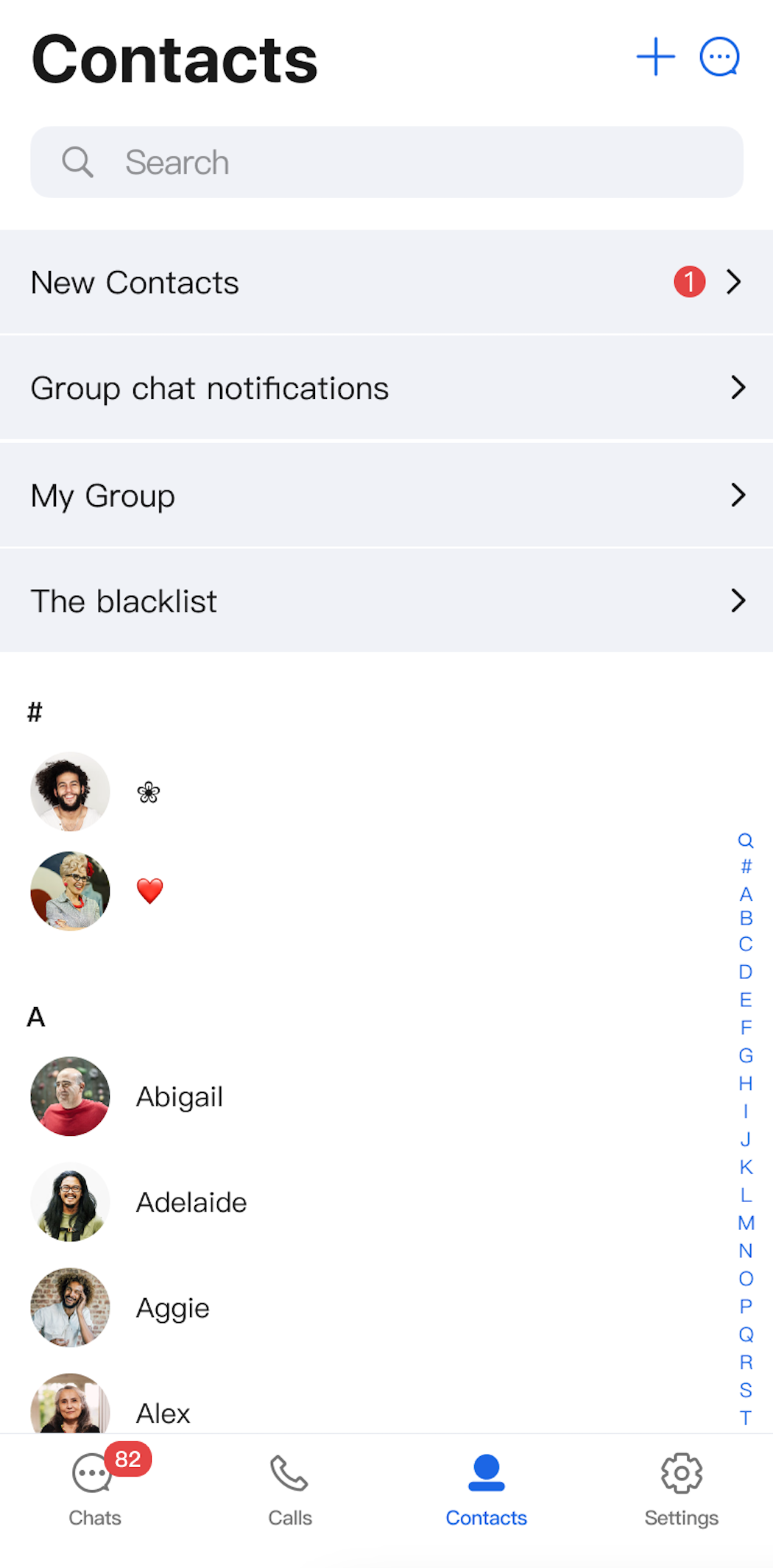 | 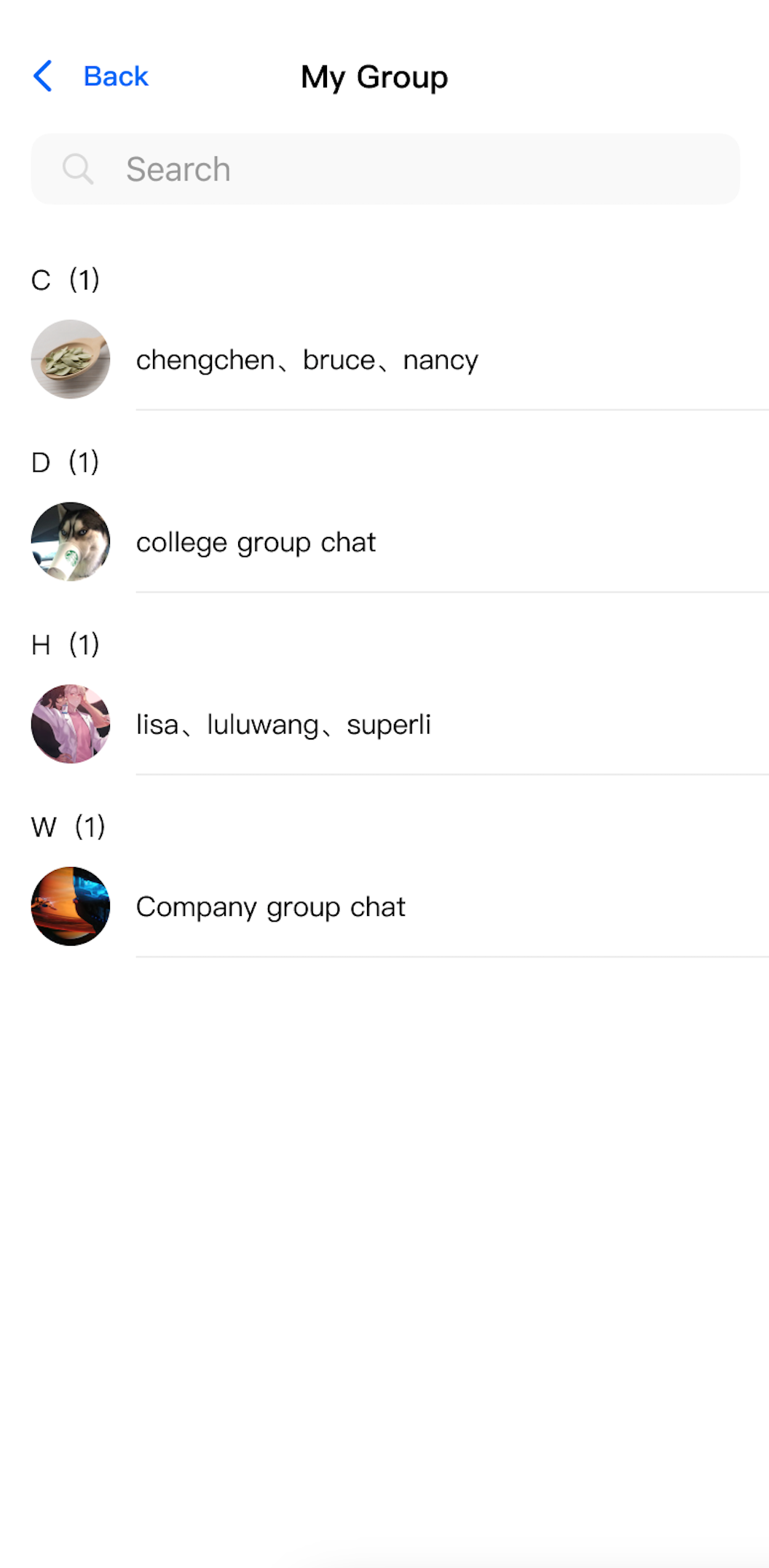 | 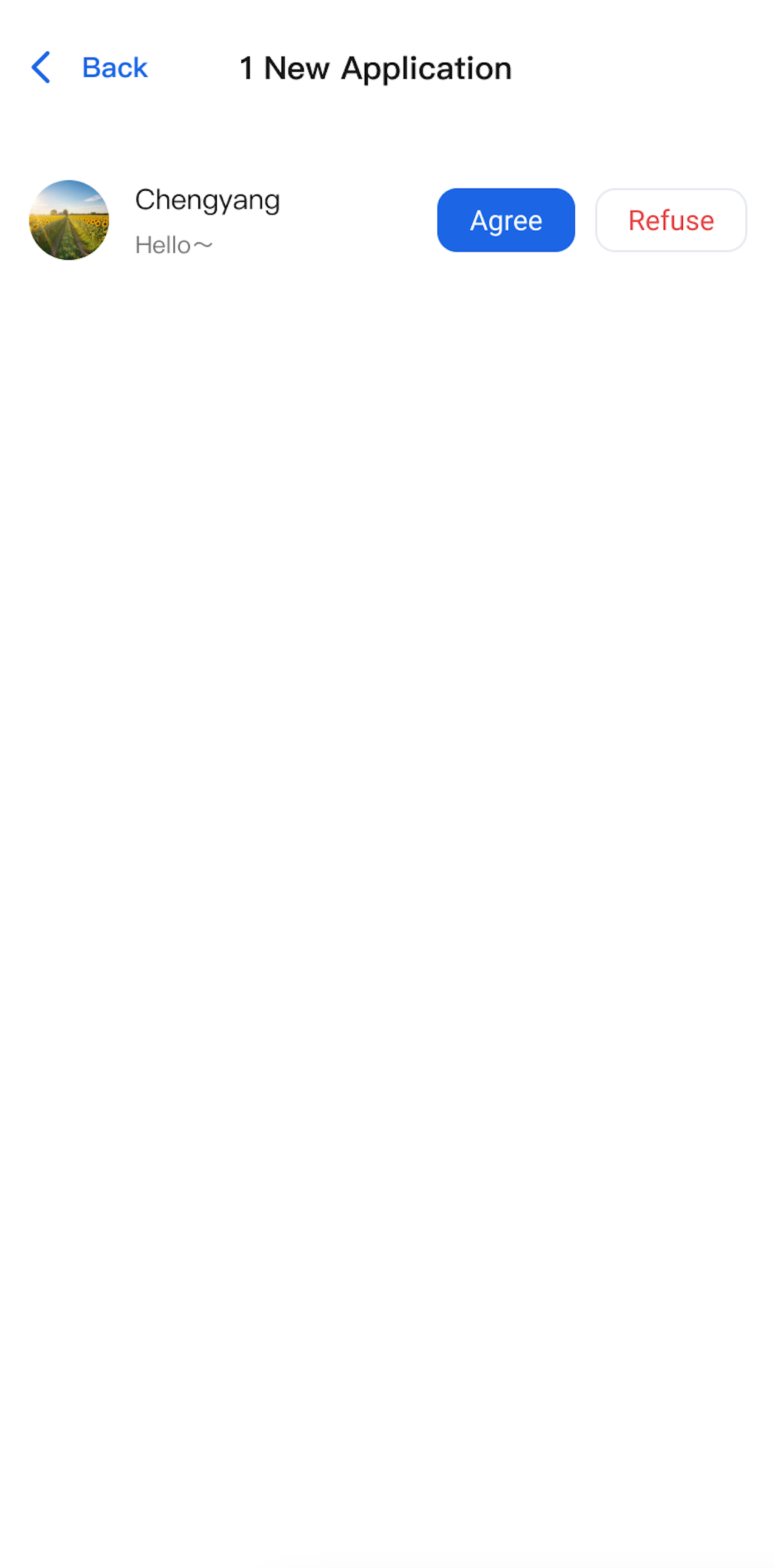 |
Component Integration
The
ContactList component is included in TUIKit Compose. To use ContactList, integrate TUIKit Compose into your project. For detailed integration steps, see the TUIKit Compose documentation.Component Structure
ContactList is the primary component for displaying the contact list page:Method | Parameter | Description |
ContactList | modifier: Modifier | Jetpack Compose modifier for configuring the component’s style, layout, behavior, and appearance. |
| onGroupClick: (ContactInfo) -> Unit | Webhook triggered when a group is clicked; this parameter is optional. |
| onContactClick: (ContactInfo) -> Unit | Webhook triggered when a contact is clicked; this parameter is optional. |
| contactListViewModelFactory: ContactListViewModelFactory | Factory for creating the internal ContactListViewModel. Typically, you do not need to provide this manually, as a default implementation is included. |
The top section of
ContactList provides entry points for subviews such as friend requests, group chat requests, group chat list, and blacklist. The bottom section displays the contact list, as shown below: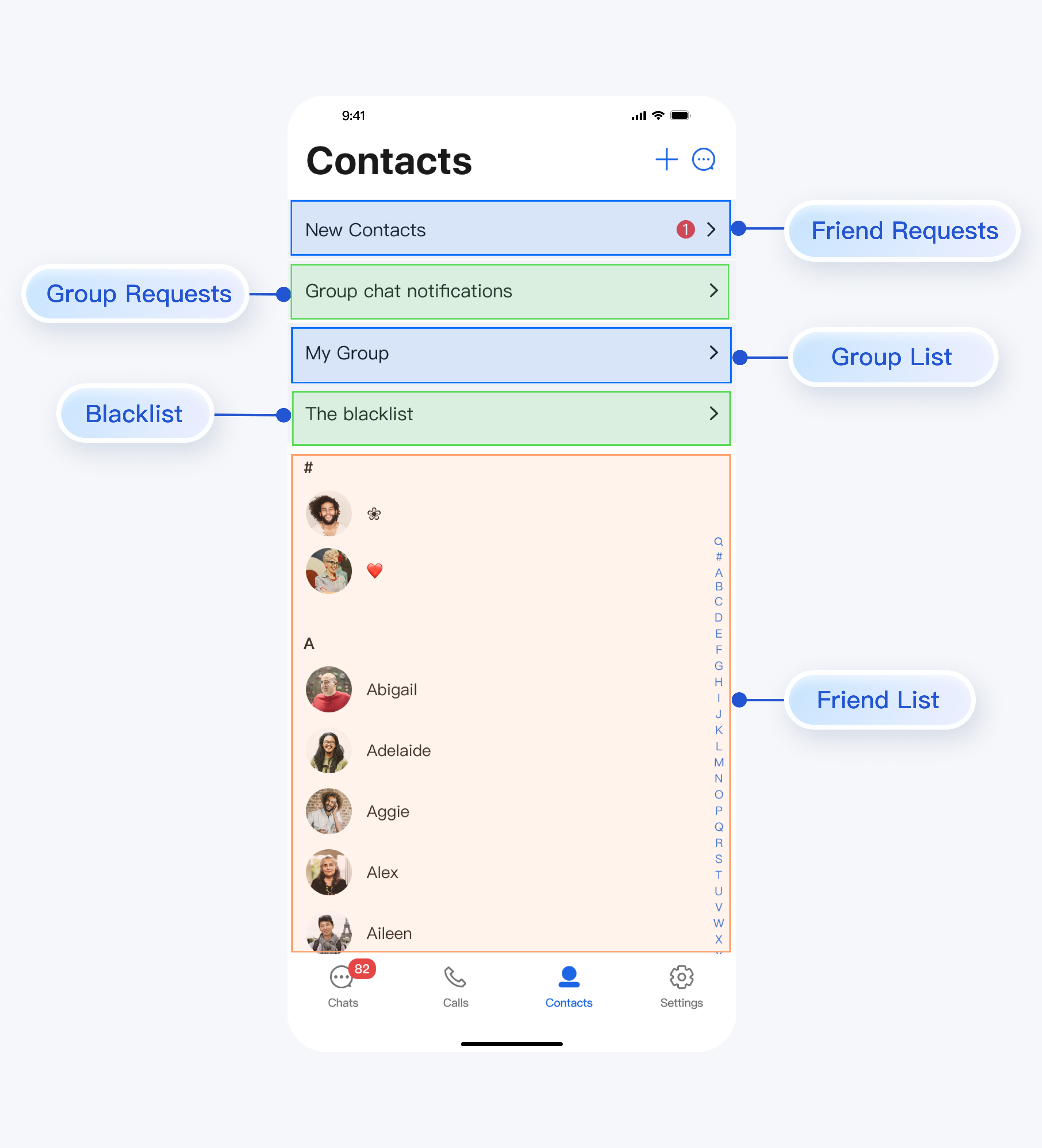
Basic Usage
When you tap the entry points for friend requests, group chat requests, group chat list, or blacklist in
ContactList, the component automatically handles navigation—no extra configuration is required. When you tap a group in the group chat list or a contact in the contact list or blacklist, the corresponding webhook (
onGroupClick or onContactClick) is triggered. You must handle these webhooks to implement custom navigation. See the routing example below: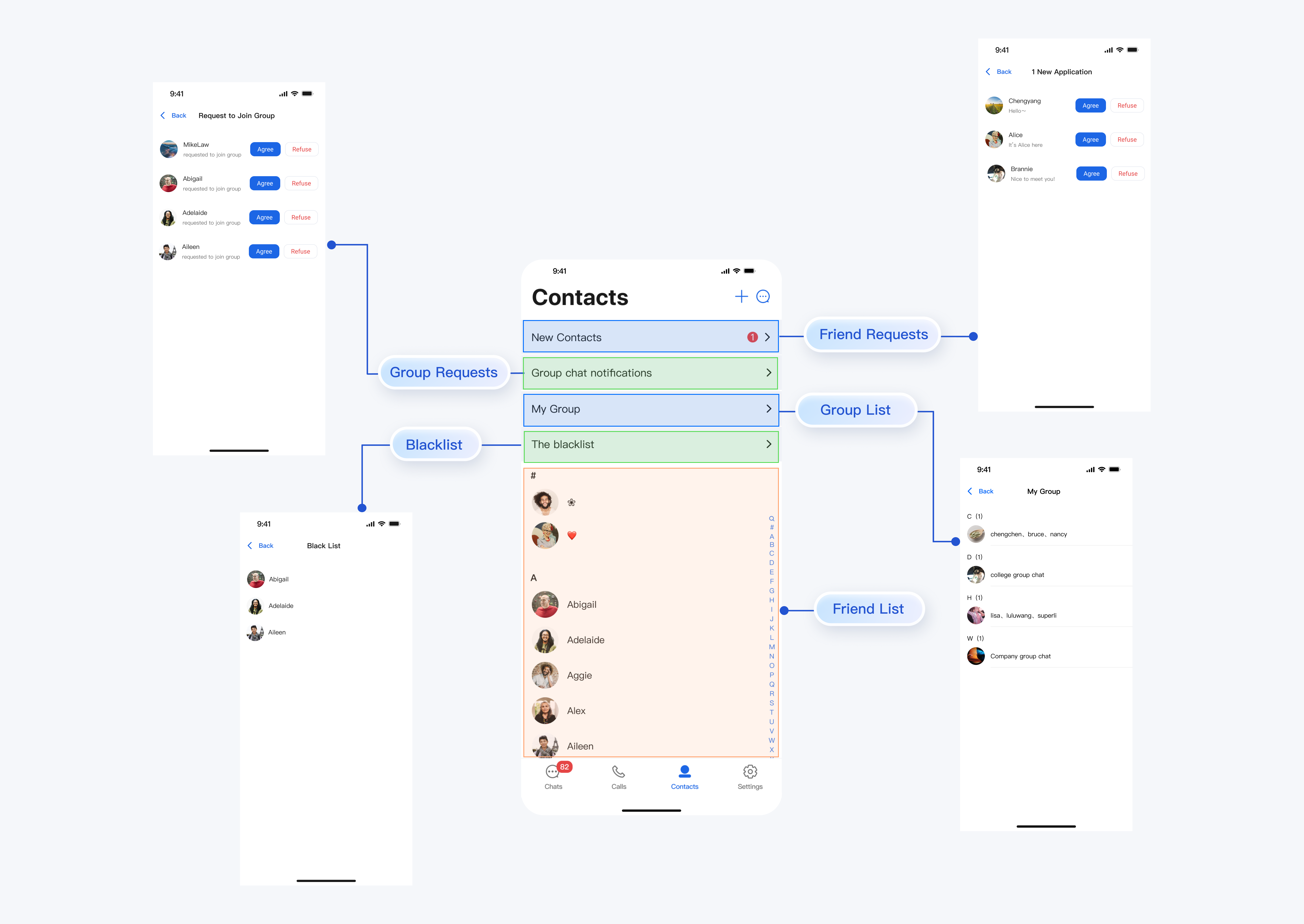
To display the contact list directly, initialize
ContactList as shown below:Box(modifier = Modifier.fillMaxSize().systemBarsPadding()) {ContactList(onGroupClick = {// Handle group click event}, onContactClick = {// Handle contact click event})}
Help and Support
Was this page helpful?
You can also Contact sales or Submit a Ticket for help.
Help us improve! Rate your documentation experience in 5 mins.
Feedback