Problem Description
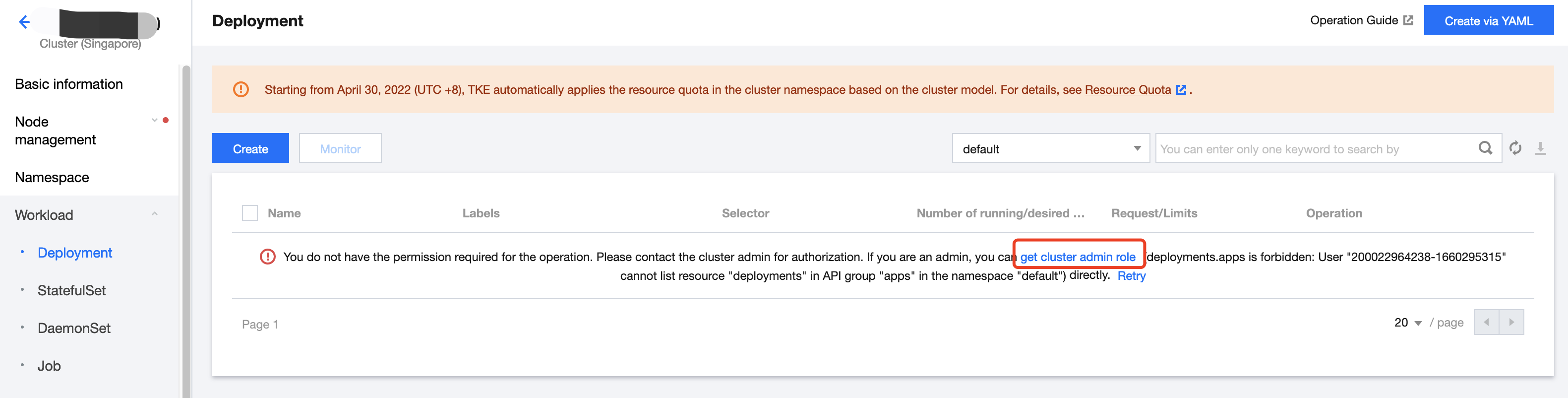
When you try to operate a service mesh after logging in the Tencent Cloud Mesh console as a sub-account, you are prompted that there is no cluster permission.
Solution
The currently logged-in sub-account does not have the admin permissions for the cluster. You can use the following method to authorize permissions for the cluster.
Authorization by the Admin
If your root account has admin permissions, you can use the Get cluster admin role feature directly on the Tencent Cloud Mesh console to quickly grant your sub-account admin permissions for the cluster.
Authorizing Other Sub-accounts
1. Log in to the Tencent Cloud console as the Tencent Cloud account that creates the cluster (this account will be used to authorize sub-accounts).
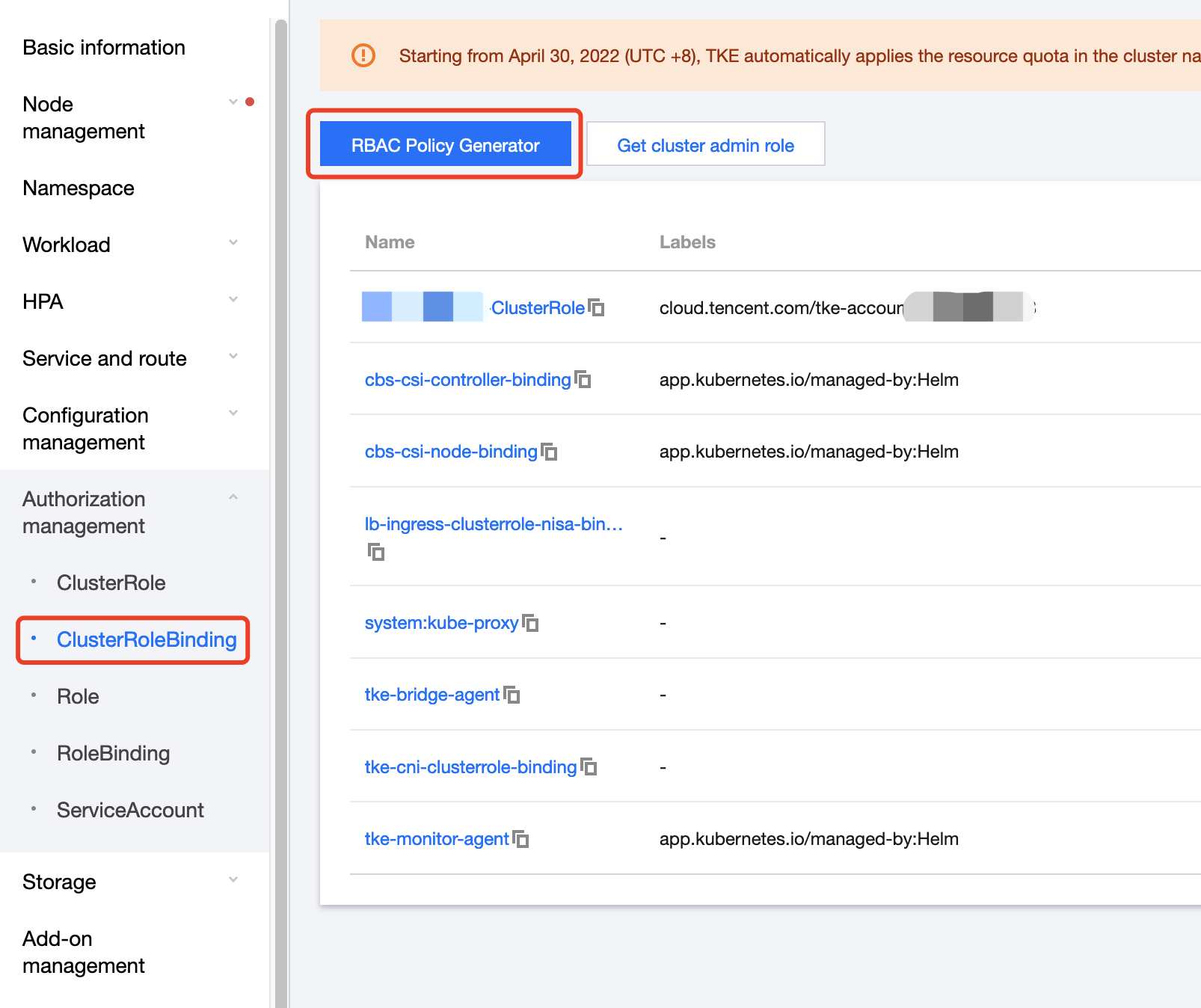
3. On the cluster details page, choose Authorization management > RBAC policy Generator.
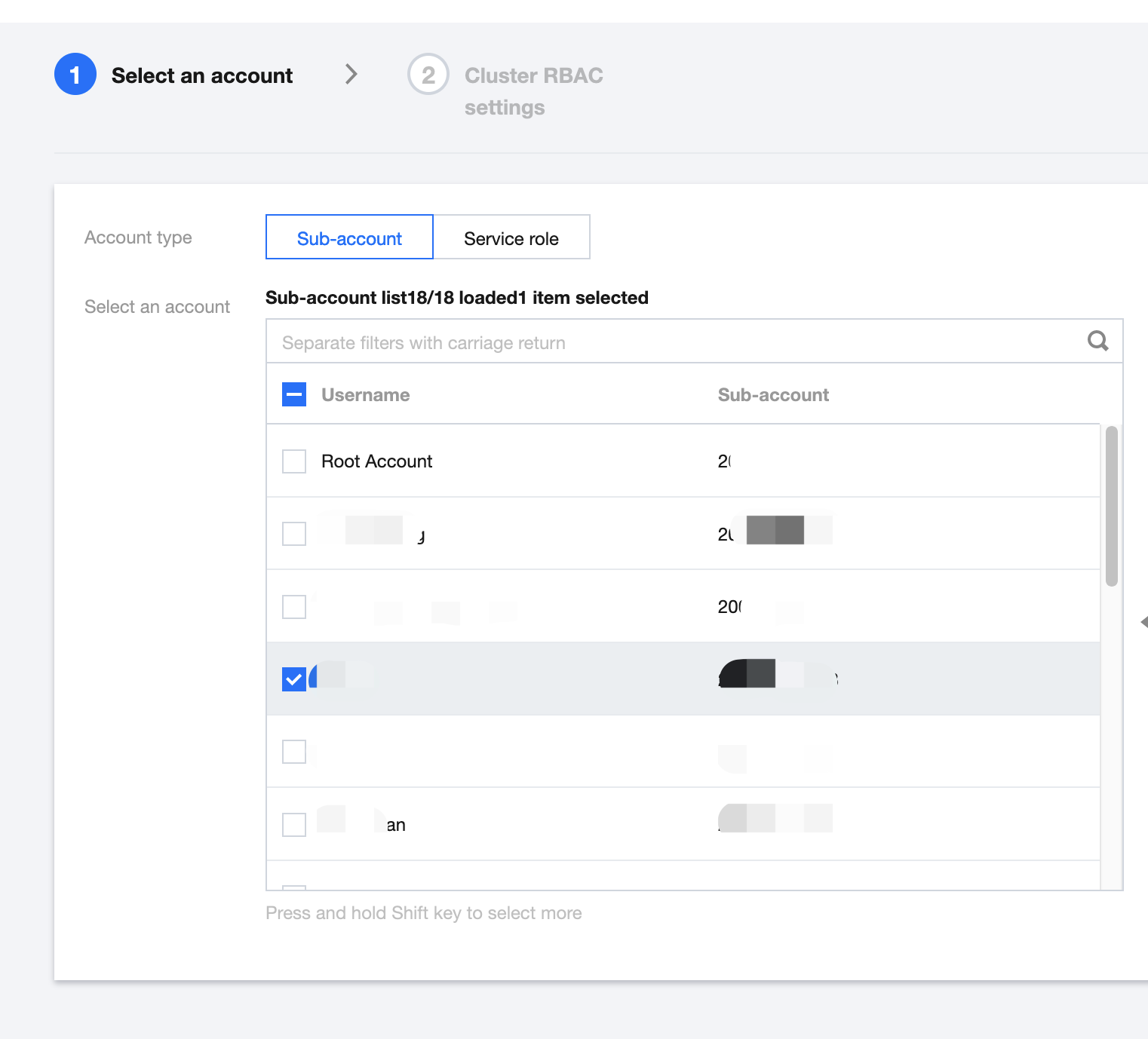
4. In the pop-up window, select the sub-account to be authorized.
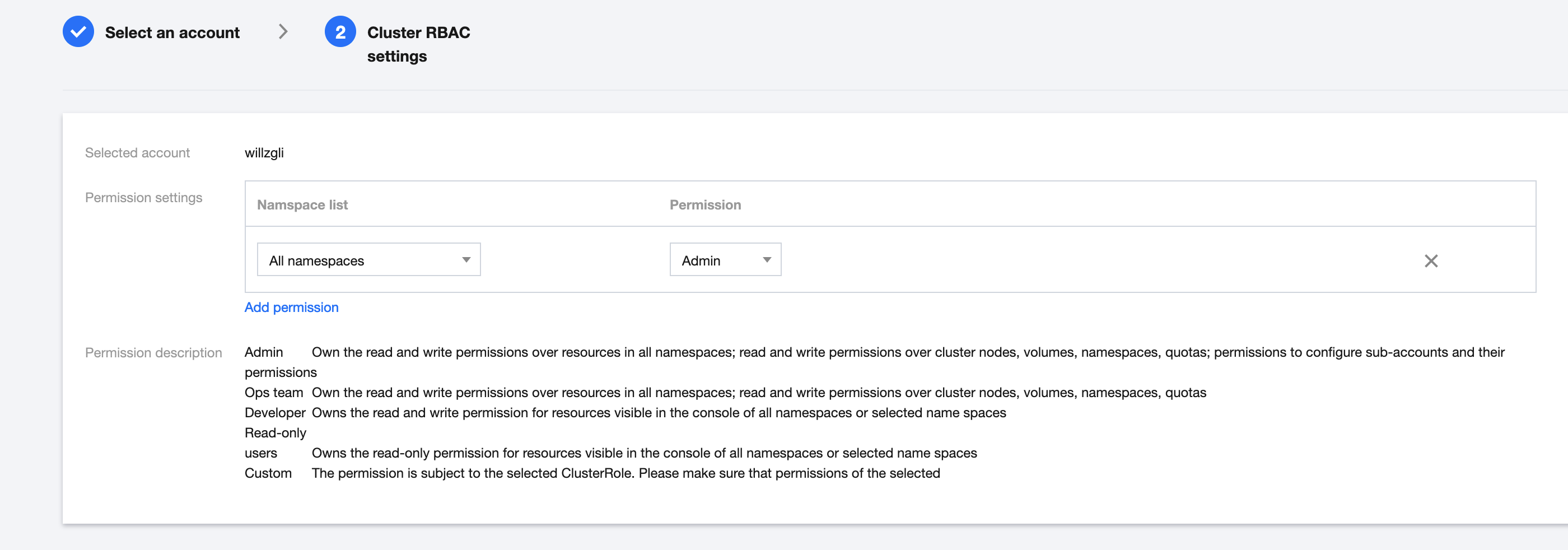
5. Click Done to authorize admin permissions.