Storm Accessing CKafka
Download
Focus Mode
Font Size
Storm is a distributed real-time computing framework that can perform streaming data processing and provide general distributed RPC calls. It can achieve sub-second delay in processing events and is suitable for real-time data processing scenarios with high delay requirements.
How Storm Works
There are two types of nodes in a Storm cluster: control node
Master Node and work node Worker Node. The Master Node runs the Nimbus process, which is responsible for resource allocation and status monitoring. The Worker Node runs the Supervisor process, which listens for work tasks and launches executor. The entire Storm cluster relies on zookeeper for storing public data, monitoring cluster status, and distributing tasks.The data processing program submitted by users to Storm is called 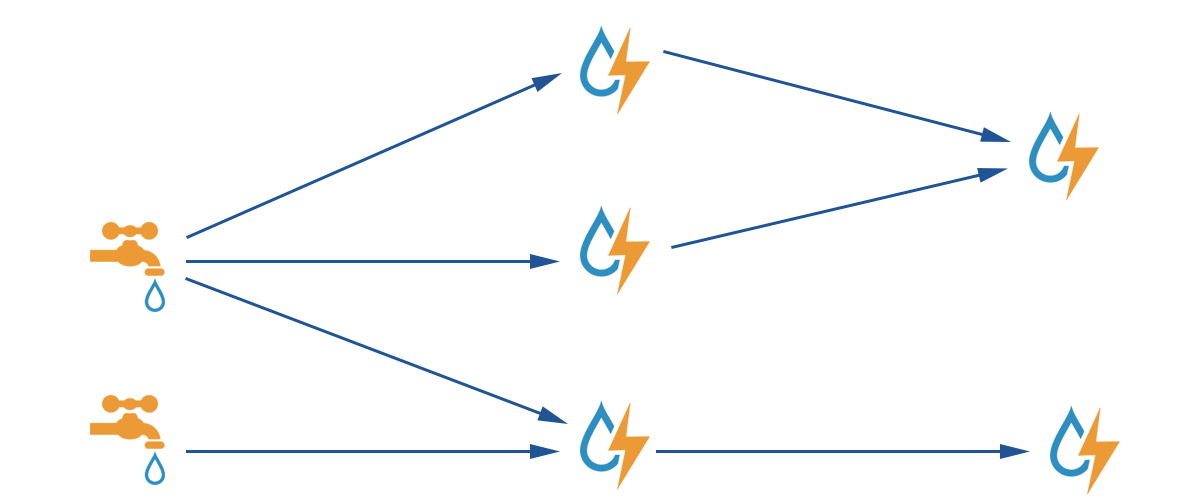
topology. The smallest unit of message it processes is tuple, an array of arbitrary objects. topology consists of spout and bolt. spout is the source that produces tuple. bolt can subscribe to tuple emitted by any spout or bolt for processing.
Storm with CKafka
Storm can use CKafka as a
spout to consume data for processing. It can also be used as a bolt to store processed data for consumption by other components.Test Environment
Centos6.8 System
package | version |
maven | 3.5.0 |
storm | 2.1.0 |
ssh | 5.3 |
Java | 1.8 |
Prerequisites
Download and install JDK 8. For detailed operations, see Download JDK 8.
Download and install Storm. See Apache Storm downloads.
You have created a CKafka instance.
Operation Steps
Step 1: Obtaining the CKafka Instance Access Address
1. Log in to the TDMQ for CKafka (CKafka) console.
2. In the left sidebar, select Instance List and click the ID of the target instance to go to the basic instance information page.
3. On the Access Mode section of the instance's basic information page, you can obtain the access address of the instance.

Step 2: Creating a Topic
1. On the basic instance information page, select the Topic List tab at the top.
2. On the Topic Management page, click Create to create a Topic.

Step 3: Adding Maven Dependencies
Configure pom.xml as follows:
<project xmlns="http://maven.apache.org/POM/4.0.0" xmlns:xsi="http://www.w3.org/2001/XMLSchema-instance" xsi:schemaLocation="http://maven.apache.org/POM/4.0.0 http://maven.apache.org/xsd/maven-4.0.0.xsd"><modelVersion>4.0.0</modelVersion><groupId>storm</groupId><artifactId>storm</artifactId><version>0.0.1-SNAPSHOT</version><name>storm</name><properties><project.build.sourceEncoding>UTF-8</project.build.sourceEncoding></properties><dependencies><dependency><groupId>org.apache.storm</groupId><artifactId>storm-core</artifactId><version>2.1.0</version></dependency><dependency><groupId>org.apache.storm</groupId><artifactId>storm-kafka-client</artifactId><version>2.1.0</version></dependency><dependency><groupId>org.apache.kafka</groupId><artifactId>kafka_2.11</artifactId><version>0.10.2.1</version><exclusions><exclusion><groupId>org.slf4j</groupId><artifactId>slf4j-log4j12</artifactId></exclusion></exclusions></dependency><dependency><groupId>junit</groupId><artifactId>junit</artifactId><version>4.12</version><scope>test</scope></dependency></dependencies><build><plugins><plugin><artifactId>maven-assembly-plugin</artifactId><configuration><descriptorRefs><descriptorRef>jar-with-dependencies</descriptorRef></descriptorRefs><archive><manifest><mainClass>ExclamationTopology</mainClass></manifest></archive></configuration><executions><execution><id>make-assembly</id><phase>package</phase><goals><goal>single</goal></goals></execution></executions></plugin><plugin><groupId>org.apache.maven.plugins</groupId><artifactId>maven-compiler-plugin</artifactId><configuration><source>1.8</source><target>1.8</target></configuration></plugin></plugins></build></project>
Step 4: Producing Messages
Using spout/bolt
Topology code:
//TopologyKafkaProducerSpout.javaimport org.apache.storm.Config;import org.apache.storm.LocalCluster;import org.apache.storm.StormSubmitter;import org.apache.storm.kafka.bolt.KafkaBolt;import org.apache.storm.kafka.bolt.mapper.FieldNameBasedTupleToKafkaMapper;import org.apache.storm.kafka.bolt.selector.DefaultTopicSelector;import org.apache.storm.topology.TopologyBuilder;import org.apache.storm.utils.Utils;import java.util.Properties;public class TopologyKafkaProducerSpout {//ip:port of the CKafka instance applied for.private final static String BOOTSTRAP_SERVERS = "xx.xx.xx.xx:xxxx";//Specify the topic to which to write messages.private final static String TOPIC = "storm_test";public static void main(String[] args) throws Exception {//Set producer attributes.//See: https://kafka.apache.org/0100/javadoc/index.html?org/apache/kafka/clients/consumer/KafkaConsumer.html//See properties at: http://kafka.apache.org/0102/documentation.htmlProperties properties = new Properties();properties.put("bootstrap.servers", BOOTSTRAP_SERVERS);properties.put("acks", "1");properties.put("key.serializer", "org.apache.kafka.common.serialization.StringSerializer");properties.put("value.serializer", "org.apache.kafka.common.serialization.StringSerializer");//Create a bolt to be written to Kafka. The fields("key" "message")` is used as the key and message for the produced message by default, which can also be specified in FieldNameBasedTupleToKafkaMapper().KafkaBolt kafkaBolt = new KafkaBolt().withProducerProperties(properties).withTopicSelector(new DefaultTopicSelector(TOPIC)).withTupleToKafkaMapper(new FieldNameBasedTupleToKafkaMapper());TopologyBuilder builder = new TopologyBuilder();//A spout class that generates messages in sequence with the output field being a sentence.SerialSentenceSpout spout = new SerialSentenceSpout();AddMessageKeyBolt bolt = new AddMessageKeyBolt();builder.setSpout("kafka-spout", spout, 1);//Add the fields required to produce messages to CKafka for the tuple.builder.setBolt("add-key", bolt, 1).shuffleGrouping("kafka-spout");//Write to ckafka.builder.setBolt("sendToKafka", kafkaBolt, 8).shuffleGrouping("add-key");Config config = new Config();if (args != null && args.length > 0) {//Cluster mode, which is used to package a jar file and run it in Storm.config.setNumWorkers(1);StormSubmitter.submitTopologyWithProgressBar(args[0], config, builder.createTopology());} else {//Local modeLocalCluster cluster = new LocalCluster();cluster.submitTopology("test", config, builder.createTopology());Utils.sleep(10000);cluster.killTopology("test");cluster.shutdown();}}}
Create a spout class that generates messages in sequence:
import org.apache.storm.spout.SpoutOutputCollector;import org.apache.storm.task.TopologyContext;import org.apache.storm.topology.OutputFieldsDeclarer;import org.apache.storm.topology.base.BaseRichSpout;import org.apache.storm.tuple.Fields;import org.apache.storm.tuple.Values;import org.apache.storm.utils.Utils;import java.util.Map;import java.util.UUID;public class SerialSentenceSpout extends BaseRichSpout {private SpoutOutputCollector spoutOutputCollector;@Overridepublic void open(Map map, TopologyContext topologyContext, SpoutOutputCollector spoutOutputCollector) {this.spoutOutputCollector = spoutOutputCollector;}@Overridepublic void nextTuple() {Utils.sleep(1000);//Produce a UUID string and send it to the next component.spoutOutputCollector.emit(new Values(UUID.randomUUID().toString()));}@Overridepublic void declareOutputFields(OutputFieldsDeclarer outputFieldsDeclarer) {outputFieldsDeclarer.declare(new Fields("sentence"));}}
Add two fields, key and message, to the
tuple. When the key is null, the produced messages are evenly distributed across all partitions. If a key is specified, the message will be hashed to a specific partition based on the key value://AddMessageKeyBolt.javaimport org.apache.storm.topology.BasicOutputCollector;import org.apache.storm.topology.OutputFieldsDeclarer;import org.apache.storm.topology.base.BaseBasicBolt;import org.apache.storm.tuple.Fields;import org.apache.storm.tuple.Tuple;import org.apache.storm.tuple.Values;public class AddMessageKeyBolt extends BaseBasicBolt {@Overridepublic void execute(Tuple tuple, BasicOutputCollector basicOutputCollector) {//Get the first filed value.String messae = tuple.getString(0);// System.out.println(messae);v//Send to the next component.basicOutputCollector.emit(new Values(null, messae));}@Overridepublic void declareOutputFields(OutputFieldsDeclarer outputFieldsDeclarer) {v//Create a schema to send to the next component.outputFieldsDeclarer.declare(new Fields("key", "message"));}}
Using trident
Use the trident class to generate a topology:
//TopologyKafkaProducerTrident.javaimport org.apache.storm.Config;import org.apache.storm.LocalCluster;import org.apache.storm.StormSubmitter;import org.apache.storm.kafka.trident.TridentKafkaStateFactory;import org.apache.storm.kafka.trident.TridentKafkaStateUpdater;import org.apache.storm.kafka.trident.mapper.FieldNameBasedTupleToKafkaMapper;import org.apache.storm.kafka.trident.selector.DefaultTopicSelector;import org.apache.storm.trident.TridentTopology;import org.apache.storm.trident.operation.BaseFunction;import org.apache.storm.trident.operation.TridentCollector;import org.apache.storm.trident.tuple.TridentTuple;import org.apache.storm.tuple.Fields;import org.apache.storm.tuple.Values;import org.apache.storm.utils.Utils;import java.util.Properties;public class TopologyKafkaProducerTrident {//ip:port of the CKafka instance applied for.private final static String BOOTSTRAP_SERVERS = "xx.xx.xx.xx:xxxx";//Specify the topic to which to write messages.private final static String TOPIC = "storm_test";public static void main(String[] args) throws Exception {//Set producer attributes.//See: https://kafka.apache.org/0100/javadoc/index.html?org/apache/kafka/clients/consumer/KafkaConsumer.html//See properties at: http://kafka.apache.org/0102/documentation.htmlProperties properties = new Properties();properties.put("bootstrap.servers", BOOTSTRAP_SERVERS);properties.put("acks", "1");properties.put("key.serializer", "org.apache.kafka.common.serialization.StringSerializer");properties.put("value.serializer", "org.apache.kafka.common.serialization.StringSerializer");//Set the trident.TridentKafkaStateFactory stateFactory = new TridentKafkaStateFactory().withProducerProperties(properties).withKafkaTopicSelector(new DefaultTopicSelector(TOPIC))// Set to use `fields("key", "value")` as the written message, which doesn't have a default value as `FieldNameBasedTupleToKafkaMapper` does.withTridentTupleToKafkaMapper(new FieldNameBasedTupleToKafkaMapper("key", "value"));TridentTopology builder = new TridentTopology();//A spout that generates messages in batches with the output field being a sentence.builder.newStream("kafka-spout", new TridentSerialSentenceSpout(5)).each(new Fields("sentence"), new AddMessageKey(), new Fields("key", "value")).partitionPersist(stateFactory, new Fields("key", "value"), new TridentKafkaStateUpdater(), new Fields());Config config = new Config();if (args != null && args.length > 0) {//Cluster mode, which is used to package a jar file and run it in Storm.config.setNumWorkers(1);StormSubmitter.submitTopologyWithProgressBar(args[0], config, builder.build());} else {//Local modeLocalCluster cluster = new LocalCluster();cluster.submitTopology("test", config, builder.build());Utils.sleep(10000);cluster.killTopology("test");cluster.shutdown();}}private static class AddMessageKey extends BaseFunction {@Overridepublic void execute(TridentTuple tridentTuple, TridentCollector tridentCollector) {//Get the first filed value.String messae = tridentTuple.getString(0);//System.out.println(messae);v//Send to the next component.//tridentCollector.emit(new Values(Integer.toString(messae.hashCode()), messae));tridentCollector.emit(new Values(null, messae));}}}
Create a spout class that generates messages in batches:
//TridentSerialSentenceSpout.javaimport org.apache.storm.Config;import org.apache.storm.task.TopologyContext;import org.apache.storm.trident.operation.TridentCollector;import org.apache.storm.trident.spout.IBatchSpout;import org.apache.storm.tuple.Fields;import org.apache.storm.tuple.Values;import org.apache.storm.utils.Utils;import java.util.Map;import java.util.UUID;public class TridentSerialSentenceSpout implements IBatchSpout {private final int batchCount;public TridentSerialSentenceSpout(int batchCount) {this.batchCount = batchCount;}@Overridepublic void open(Map map, TopologyContext topologyContext) {}@Overridepublic void emitBatch(long l, TridentCollector tridentCollector) {Utils.sleep(1000);for(int i = 0; i < batchCount; i++){tridentCollector.emit(new Values(UUID.randomUUID().toString()));}}@Overridepublic void ack(long l) {}@Overridepublic void close() {}@Overridepublic Map<String, Object> getComponentConfiguration() {Config conf = new Config();conf.setMaxTaskParallelism(1);return conf;}@Overridepublic Fields getOutputFields() {return new Fields("sentence");}}
Step 5: Consuming Messages
Using spout/bolt
//TopologyKafkaConsumerSpout.javaimport org.apache.kafka.clients.consumer.ConsumerConfig;import org.apache.storm.Config;import org.apache.storm.LocalCluster;import org.apache.storm.StormSubmitter;import org.apache.storm.kafka.spout.*;import org.apache.storm.task.OutputCollector;import org.apache.storm.task.TopologyContext;import org.apache.storm.topology.OutputFieldsDeclarer;import org.apache.storm.topology.TopologyBuilder;import org.apache.storm.topology.base.BaseRichBolt;import org.apache.storm.tuple.Fields;import org.apache.storm.tuple.Tuple;import org.apache.storm.tuple.Values;import org.apache.storm.utils.Utils;import java.util.HashMap;import java.util.Map;import static org.apache.storm.kafka.spout.FirstPollOffsetStrategy.LATEST;public class TopologyKafkaConsumerSpout {//ip:port of the CKafka instance applied for.private final static String BOOTSTRAP_SERVERS = "xx.xx.xx.xx:xxxx";//Specify the topic to which to write messages.private final static String TOPIC = "storm_test";public static void main(String[] args) throws Exception {//Set a retry policy.KafkaSpoutRetryService kafkaSpoutRetryService = new KafkaSpoutRetryExponentialBackoff(KafkaSpoutRetryExponentialBackoff.TimeInterval.microSeconds(500),KafkaSpoutRetryExponentialBackoff.TimeInterval.milliSeconds(2),Integer.MAX_VALUE,KafkaSpoutRetryExponentialBackoff.TimeInterval.seconds(10));ByTopicRecordTranslator<String, String> trans = new ByTopicRecordTranslator<>((r) -> new Values(r.topic(), r.partition(), r.offset(), r.key(), r.value()),new Fields("topic", "partition", "offset", "key", "value"));//Set consumer parameters.//See the function at http://storm.apache.org/releases/1.1.0/javadocs/org/apache/storm/kafka/spout/KafkaSpoutConfig.Builder.html//See parameters at http://kafka.apache.org/0102/documentation.htmlKafkaSpoutConfig spoutConfig = KafkaSpoutConfig.builder(BOOTSTRAP_SERVERS, TOPIC).setProp(new HashMap<String, Object>(){{put(ConsumerConfig.GROUP_ID_CONFIG, "test-group1"); //Set the group.put(ConsumerConfig.SESSION_TIMEOUT_MS_CONFIG, "50000"); //Set the session timeout.vput(ConsumerConfig.REQUEST_TIMEOUT_MS_CONFIG, "60000"); //Set the request timeout.}}).setOffsetCommitPeriodMs(10_000) //Set the automatic confirmation period..setFirstPollOffsetStrategy(LATEST) //Set to pull the latest message..setRetry(kafkaSpoutRetryService).setRecordTranslator(trans).build();TopologyBuilder builder = new TopologyBuilder();builder.setSpout("kafka-spout", new KafkaSpout(spoutConfig), 1);builder.setBolt("bolt", new BaseRichBolt(){private OutputCollector outputCollector;@Overridepublic void declareOutputFields(OutputFieldsDeclarer outputFieldsDeclarer) {}@Overridepublic void prepare(Map map, TopologyContext topologyContext, OutputCollector outputCollector) {this.outputCollector = outputCollector;}@Overridepublic void execute(Tuple tuple) {System.out.println(tuple.getStringByField("value"));outputCollector.ack(tuple);}}, 1).shuffleGrouping("kafka-spout");Config config = new Config();config.setMaxSpoutPending(20);if (args != null && args.length > 0) {config.setNumWorkers(3);StormSubmitter.submitTopologyWithProgressBar(args[0], config, builder.createTopology());}else {LocalCluster cluster = new LocalCluster();cluster.submitTopology("test", config, builder.createTopology());Utils.sleep(20000);cluster.killTopology("test");cluster.shutdown();}}}
Using trident
//TopologyKafkaConsumerTrident.javaimport org.apache.kafka.clients.consumer.ConsumerConfig;import org.apache.storm.Config;import org.apache.storm.LocalCluster;import org.apache.storm.StormSubmitter;import org.apache.storm.generated.StormTopology;import org.apache.storm.kafka.spout.ByTopicRecordTranslator;import org.apache.storm.kafka.spout.trident.KafkaTridentSpoutConfig;import org.apache.storm.kafka.spout.trident.KafkaTridentSpoutOpaque;import org.apache.storm.trident.Stream;import org.apache.storm.trident.TridentTopology;import org.apache.storm.trident.operation.BaseFunction;import org.apache.storm.trident.operation.TridentCollector;import org.apache.storm.trident.tuple.TridentTuple;import org.apache.storm.tuple.Fields;import org.apache.storm.tuple.Values;import org.apache.storm.utils.Utils;import java.util.HashMap;import static org.apache.storm.kafka.spout.FirstPollOffsetStrategy.LATEST;public class TopologyKafkaConsumerTrident {//ip:port of the CKafka instance applied for.private final static String BOOTSTRAP_SERVERS = "xx.xx.xx.xx:xxxx";//Specify the topic to which to write messages.private final static String TOPIC = "storm_test";public static void main(String[] args) throws Exception {ByTopicRecordTranslator<String, String> trans = new ByTopicRecordTranslator<>((r) -> new Values(r.topic(), r.partition(), r.offset(), r.key(), r.value()),new Fields("topic", "partition", "offset", "key", "value"));//Set consumer parameters.//See the function at http://storm.apache.org/releases/1.1.0/javadocs/org/apache/storm/kafka/spout/KafkaSpoutConfig.Builder.html//See parameters at http://kafka.apache.org/0102/documentation.htmlKafkaTridentSpoutConfig spoutConfig = KafkaTridentSpoutConfig.builder(BOOTSTRAP_SERVERS, TOPIC).setProp(new HashMap<String, Object>(){{put(ConsumerConfig.GROUP_ID_CONFIG, "test-group1"); //Set the group.put(ConsumerConfig.ENABLE_AUTO_COMMIT_CONFIG, "true"); //Set automatic confirmation.put(ConsumerConfig.SESSION_TIMEOUT_MS_CONFIG, "50000"); //Set the session timeout.vput(ConsumerConfig.REQUEST_TIMEOUT_MS_CONFIG, "60000"); //Set the request timeout.}}).setFirstPollOffsetStrategy(LATEST) //Set to pull the latest message..setRecordTranslator(trans).build();TridentTopology builder = new TridentTopology();// Stream spoutStream = builder.newStream("spout", new KafkaTridentSpoutTransactional(spoutConfig)); // Transaction typeStream spoutStream = builder.newStream("spout", new KafkaTridentSpoutOpaque(spoutConfig));spoutStream.each(spoutStream.getOutputFields(), new BaseFunction(){@Overridepublic void execute(TridentTuple tridentTuple, TridentCollector tridentCollector) {System.out.println(tridentTuple.getStringByField("value"));tridentCollector.emit(new Values(tridentTuple.getStringByField("value")));}}, new Fields("message"));Config conf = new Config();conf.setMaxSpoutPending(20);conf.setNumWorkers(1);if (args != null && args.length > 0) {conf.setNumWorkers(3);StormSubmitter.submitTopologyWithProgressBar(args[0], conf, builder.build());}else {StormTopology stormTopology = builder.build();LocalCluster cluster = new LocalCluster();cluster.submitTopology("test", conf, stormTopology);Utils.sleep(10000);cluster.killTopology("test");cluster.shutdown();stormTopology.clear();}}}
Step 6: Submit to Storm
After being compiled with mvn package, Storm can be submitted to the local cluster for debugging or submitted to the production cluster for running.
storm jar your_jar_name.jar topology_name
storm jar your_jar_name.jar topology_name tast_name
Help and Support
Was this page helpful?
You can also Contact sales or Submit a Ticket for help.
Help us improve! Rate your documentation experience in 5 mins.
Feedback