React
Download
聚焦模式
字号
开发环境要求
React version 18+(不支持 17.x 版本)
TypeScript
Node.js version 16+
npm(版本请与 node 版本匹配)
步骤一:集成 Chat
步骤二:开通音视频通话能力
步骤三:下载 TUICallKit 组件
npm i @tencentcloud/call-uikit-react
步骤四:引入并调用 TUICallKit 组件
仅需添加两行代码,即可体验通话功能。引入 TUICallKit,并调用 TUICallKit 组件。
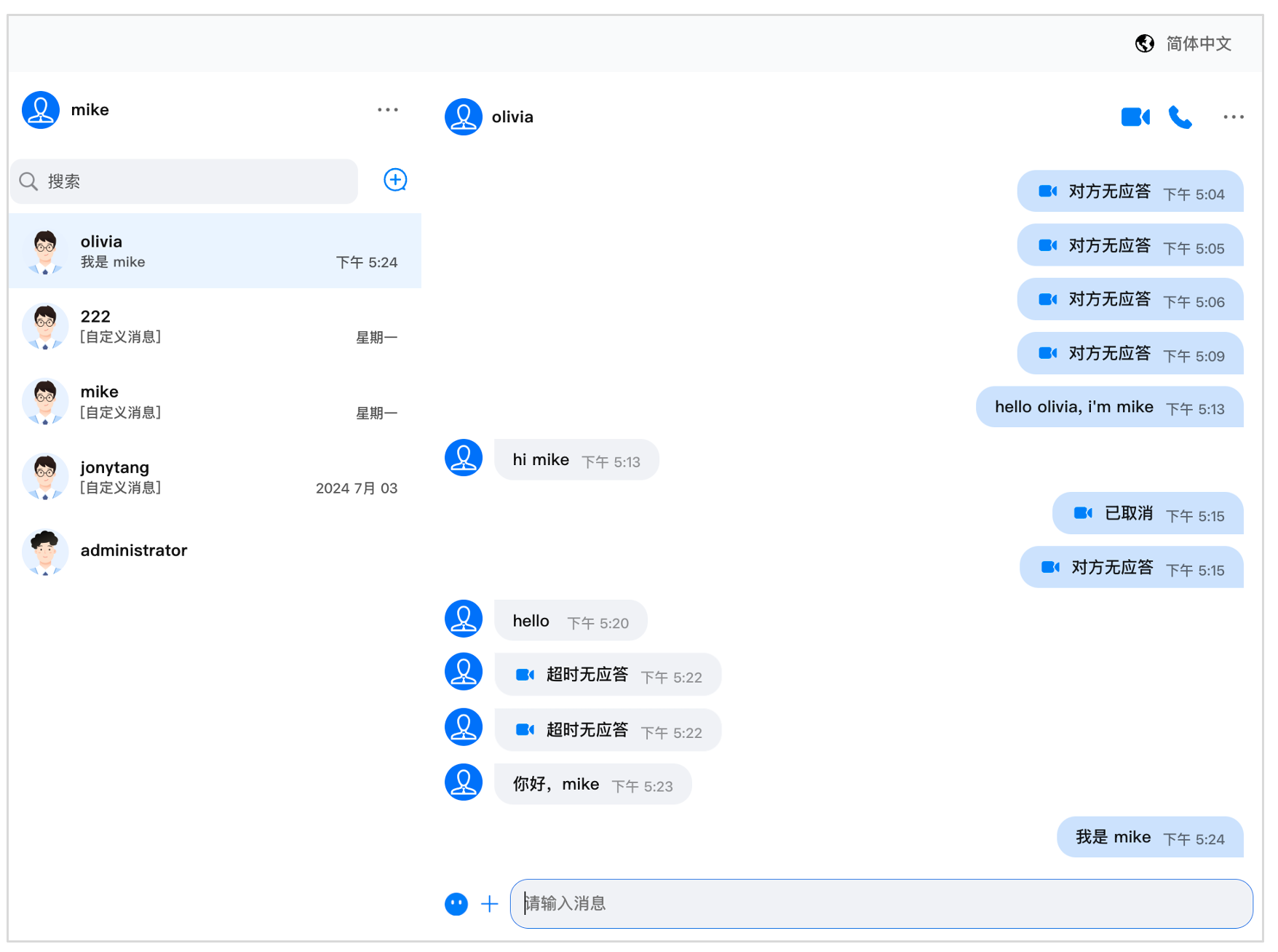
在 <ChatHeader /> 组件中开启 Call,显示 Icon,设置 enableCall 为 ture。
说明:
1. 如果您还没有集成 TUIKit,请按照 集成 TUIKit 文档先集成 TUIKit。TUIKit 版本至 v2.2.8 及以上。
2. TUICallKit 组件可以添加 style,用于显示并控制 TUICallKit 的位置、宽高等样式。
// 1. 引入 TUICallKitimport { TUICallKit } from '@tencentcloud/call-uikit-react';
// 2. 如果您是 PC 端展示,请添加 style。初始化 TUICallKit 位置,如果是 H5 展示,则不需要const callStyle: React.CSSProperties = {position: 'fixed',top: '50%',left: '50%',zIndex: '999',transform: 'translate(-50%, -50%)',};
// 3. 请在 UIKitProvider 中使用 TUICallKit 组件return (<div style={{display: 'flex', height: '100vh'}}><UIKitProvider language={"en-US"}><TUICallKit style={callStyle} /><div style={{maxWidth: '400px'}}><Profile /><ConversationList /></div><Chat><ChatHeader enableCall={true}/><MessageList /><MessageInput /></Chat><ChatSetting /></UIKitProvider></div>);
步骤五:启动项目
npm run start
步骤六:发送您的第一条消息
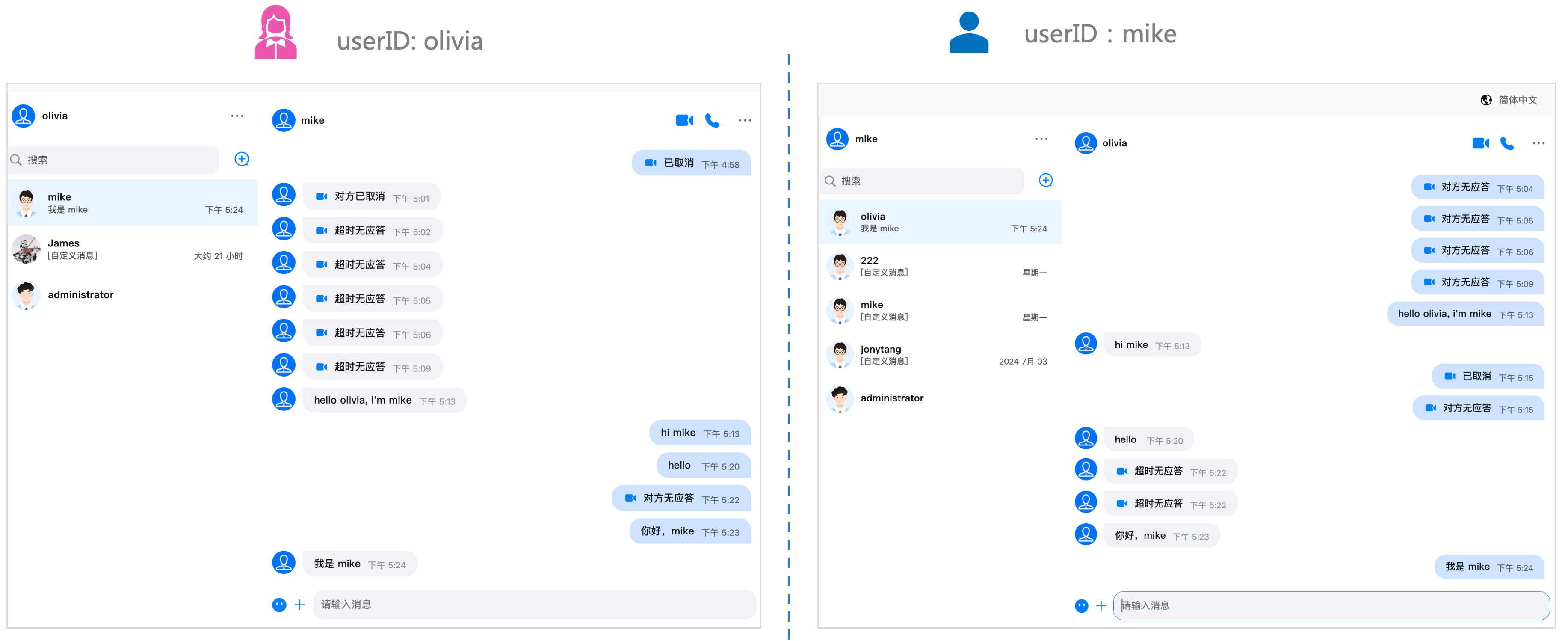
如图,您可以实现与好友之间互发消息。
步骤七:进行您的第一次通话
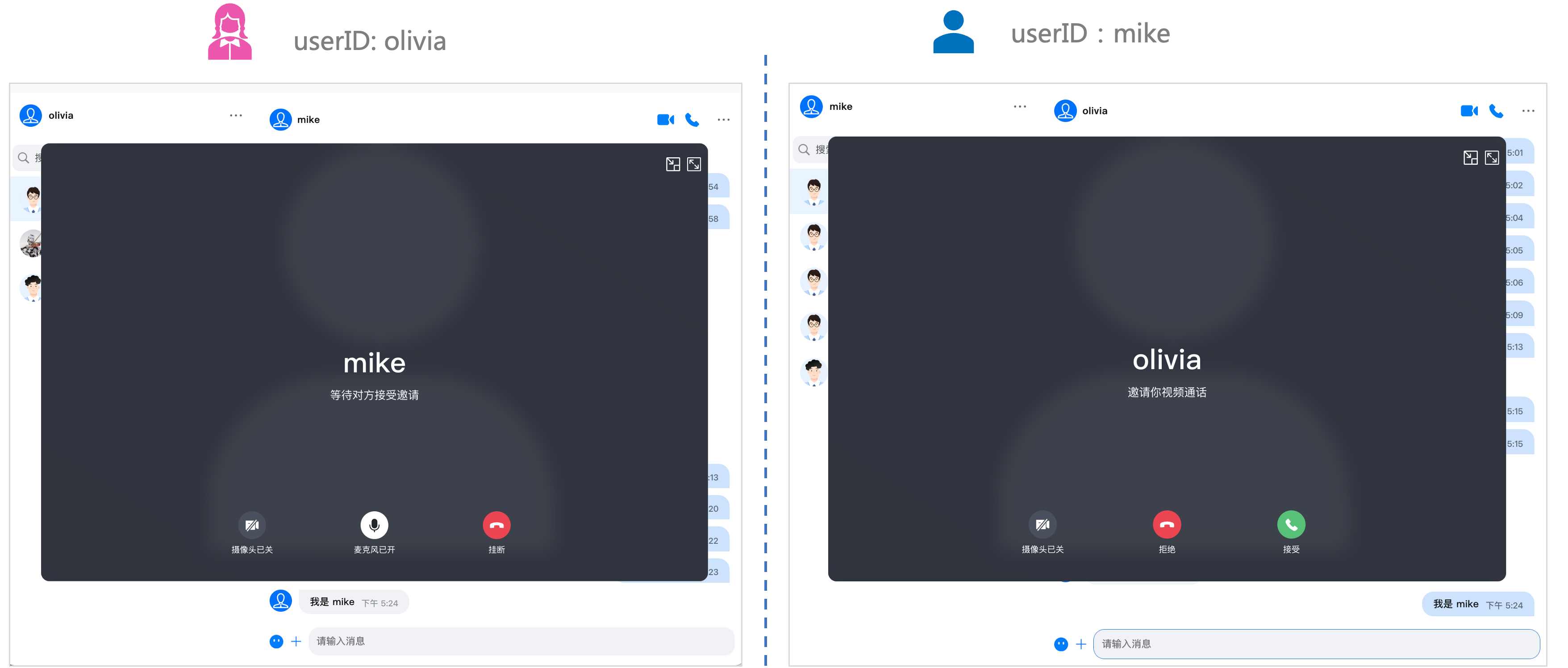
点击右上角的视频/音频 Icon, 拨打您的第一次通话。
常见问题
如果您的接入和使用中遇到问题,请参见 常见问题。
如果有任何需要或者反馈,您可以联系:info_rtc@tencent.com 。
文档反馈