Data Reporting Verification
Download
Focus Mode
Font Size
The SDK allows you to call the reporting APIs to upload custom logs, files, and other information. You can use this feature to promptly report local log information such as user feedback or exceptions, helping preserve the issue context.
Issuing a Command
The platform provides the feature to issue log retrieval commands. You can issue commands and query reporting results on the Terminal Performance Monitoring Pro > Log > Log query page in the console.
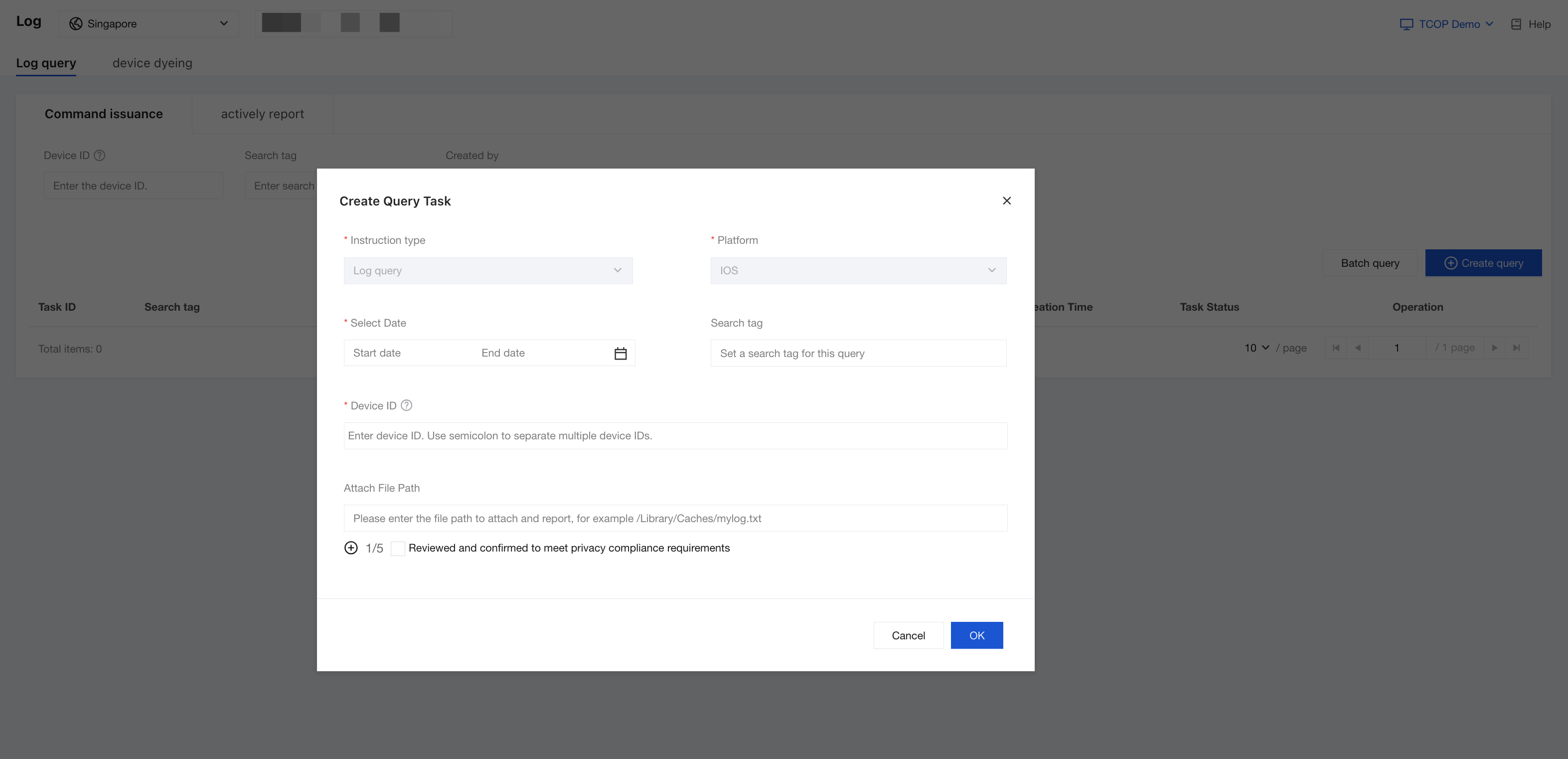
You need to enter a valid Device ID value. This ID should match the value returned by the - (NSString *)guidForTDLog; method implemented in TDLogSDKDataSource during SDK initialization.
The TDOS_DiagnoseSDK proactively checks for pending log retrieval commands at regular intervals (e.g., on app startup or when returning to the foreground). If a command is found for the device, the SDK will report the corresponding logs.
Actively reporting
Since active reporting is automatically triggered by the SDK, its frequency and timing are not directly controllable. To ensure safe and efficient reporting, and to prevent issues such as excessive data usage caused by high-frequency uploads, the TDOS_Diagnose SDK provides the following 4 security mechanisms:
Size limit: Restricts the total file size before compression (default: 500 MB). If the limit is exceeded, only the most recently modified files are retained.
Frequency limit: Allows you to set a limit on how often proactive uploads can occur , such as 3 times within 10 minutes. Disabled by default. See TDLogSDKConfig for configuration options.
Traffic limit: Allows you to set a daily quota for total reporting traffic and XG traffic. Disabled by default. Once the quota is exceeded, reporting is blocked. See TDLogSDKConfig for configuration options.
Error circuit breaker: After 10 consecutive upload failures, automatic reporting is suspended for 6 hours. This is an internal safety mechanism and is not configurable.
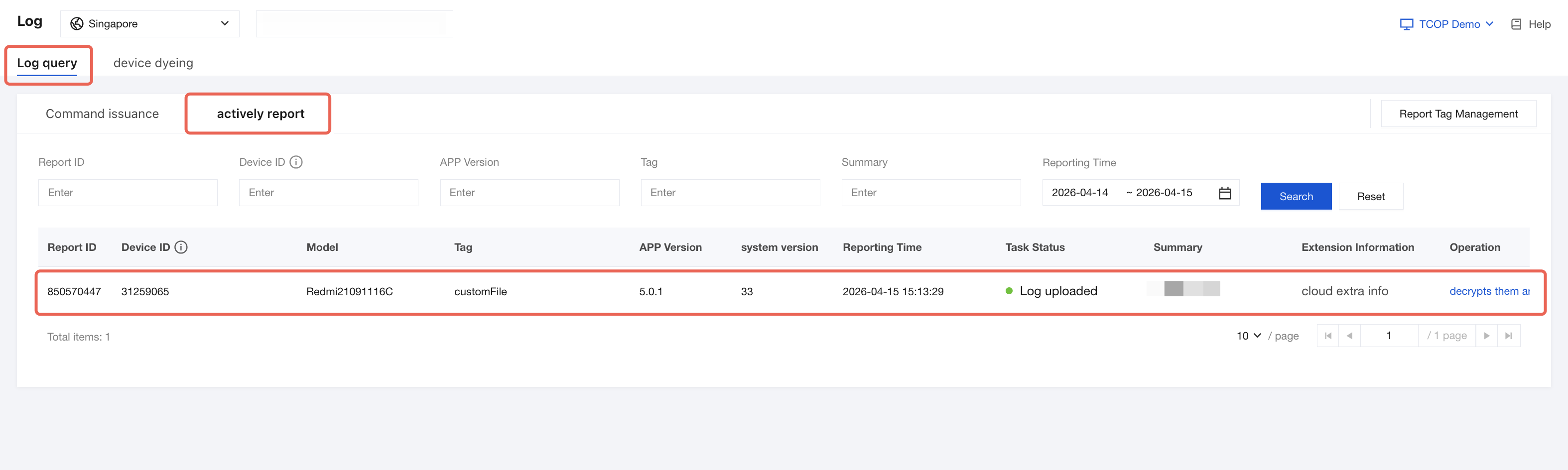
The TDOS_Diagnose SDK allows the app to call the API to upload custom logs, files, and other information. Logs reported proactively can be queried under the actively reporting tab on the Terminal Performance Monitoring Pro > Log > Log query page.
You can use this feature to promptly report local log information such as user feedback or exception, helping preserve the issue context. The API description is as follows:
/// Proactively reports logs./// @param files List of log files/// @param tag Tag (required, max 64 bytes)/// @param summary Summary information (searchable, max 256 bytes)/// @param extendInfoDict Extended information (max 1 KB)/// @param completionBlock Callback for upload result- (void)uploadFiles:(nonnull NSArray <NSString *> *)fileswithTag:(NSString *)tagsummary:(nullable NSString *)summaryandExtendInfo:(nullable NSDictionary *)extendInfoDictcompletion:(void (^)(BOOL result, NSString *_Nullable errMsg))completionBlock;
After successful reporting, you can view the reporting records and content under the actively report tab on the Terminal Performance Monitoring Pro > Log > Log query page.
Note:
Be mindful of the content size and call frequency when triggering proactive reporting to avoid excessive data usage or performance issues.
Help and Support
Was this page helpful?
You can also Contact sales or Submit a Ticket for help.
Help us improve! Rate your documentation experience in 5 mins.
Feedback