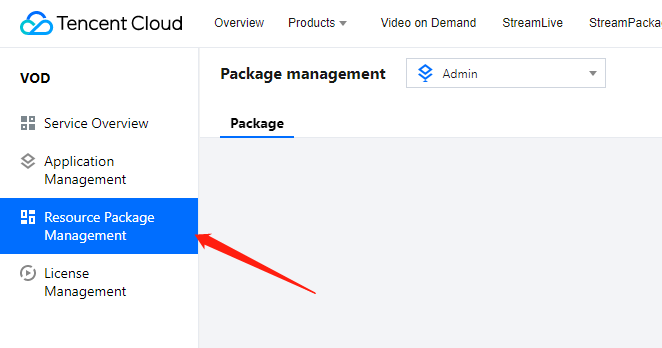
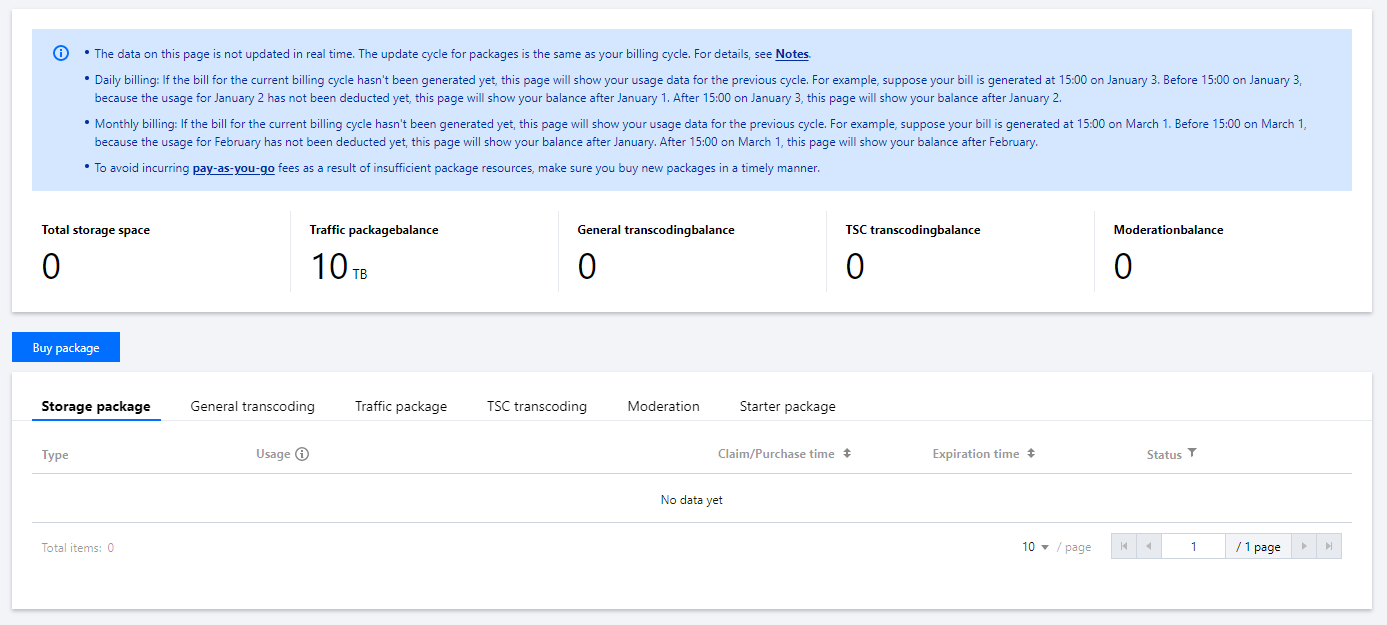
1. Log in to the VOD console, select Resource Package Management on the left sidebar, and select the Resource Package tab.
2. On this page, you can view the usage, claim/purchase time, expiration time, current status, and auto-renewal status of the packages you purchased. The data on this page is not updated in real time. The update cycle is the same as your billing cycle. For details, see Must-Knows.
Note:
Daily billing: If the bill for the current billing cycle hasn't been generated yet, this page will show your usage data for the previous cycle. For example, suppose your bill is generated at 15:00 on January 3. Before 15:00 on January 3, because the usage for January 2 has not been deducted yet, this page will show your balance after January 1. After 15:00 on January 3, this page will show your balance after January 2.
Monthly billing: If the bill for the current billing cycle hasn't been generated yet, this page will show your usage data for the previous cycle. For example, suppose your bill is generated at 15:00 on March 1. Before 15:00 on March 1, because the usage for February has not been deducted yet, this page will show your balance after January. After 15:00 on March 1, this page will show your balance after February.
Type
Package types include storage package, traffic package, general transcoding package, TSC transcoding package, and moderation package.
Usage
Used: The current usage of a package.
Note:
For the starter package, if the traffic in the package is exhausted, the status of the package will be Exhausted.
Expiration time
A package is valid for one year.
This page only shows packages whose expiration time is within one year from the current date.
Status
The status of a package can be available, exhausted, and expired.
Available: If a package still has remaining resources and is within its validity period, its status will be Available.
Exhausted: If a package is exhausted and is still within its validity period, its status will be Exhausted.
Expired: A package is valid for one year. When a package exceeds its validity period, its status will be Expired.
Expiration alerts
Seven days, three days, and one day before a package expires, VOD will send alerts via SMS to your account creator and all its collaborators.
Exhaustion alerts
If a package under your account is the only one of its type still available, when its balance reaches 30% or 10%, VOD will send an alert via SMS to your account creator and all its collaborators.
If you have multiple packages of the same type, exhaustion alerts will only be sent for the last remaining package.
Note:
Exhaustion alerts are not sent for storage packages.
For a starter package, when the remaining traffic in the package reaches 30% or 10%, an exhaustion alert will be sent.