AI Cloud-based Effects
Download
Focus Mode
Font Size
The AI Cloud-based Effects feature of Cloud Streaming Services (CSS) integrates with the AI text-to-video technology, allowing users to generate personalized videos with special effects in real time by inputting text descriptions (Prompts). Users can also manage the list of generated special effects via the console or API, as well as send videos with special effects to a specified live stream. This feature enhances the interactive experience of users, creating unique emotional expression methods for both anchors and audiences. Compared with traditional fixed gift special effects, it has increased interactivity.
Must-Knows
Using the AI Cloud-based Effects feature of CSS will incur two charges: one for generating a video with special effects and another for sending it. The specific fees are incurred based on the actual usage. For relevant billing instructions, see Documentation.
Videos with special effects are generated by large models and have a certain degree of randomness. Video effects will gradually improve with technological evolution and version iterations.
The use of Prompts containing prohibited sensitive words (such as violence and illegal sensitive words) is strictly forbidden.
Type of Videos with Special Effects
Type of Video with Special Effects | Source of Video with Special Effects |
User library of videos with special effects | The system presets videos with special effects, continuously releasing high-quality videos with AI special effects. The user generates videos with special effects with AI. High-quality videos with special effects can be generated through text descriptions (Prompts). (Entry to be released.) The user uploads existing videos with special effects. The user is allowed to upload existing videos with special effects for centralized management. A compliance review is required here. (Entry to be released.) When you send a video with special effects by calling the API, the input parameter is the preset ID of the video. |
Official library of videos with special effects | Generated by the official AI of CSS, it continuously enriches the library of videos with special effects. No need to wait for generation; you can directly use existing videos with special effects from the official library that have a high match with the given Prompt. When you send a video with special effects by calling the API, the input parameter is the Prompt. |
User library of videos with special effects:
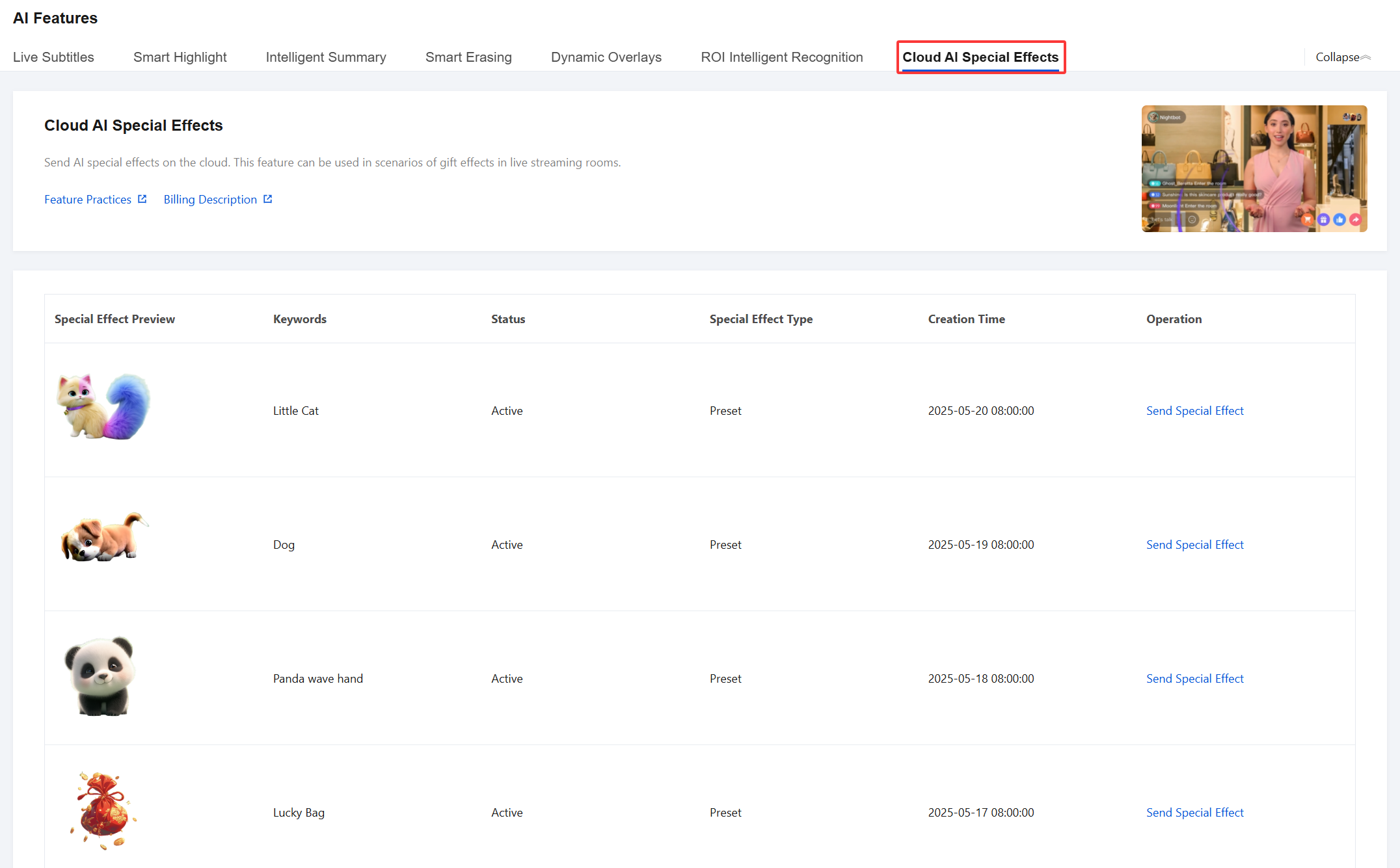
When the user library of videos with special effects of CSS is used, operators can input a Prompt in advance to generate high-quality videos with special effects. TencentCloud API used for querying and sending will be integrated into the business live streaming client, allowing audiences to select and send special effects.
When the official library of videos with special effects is used, TencentCloud API used for sending videos with special effects will be integrated into the business live streaming client, allowing the audience to input a Prompt to trigger matching videos with special effects from the official library for sending.
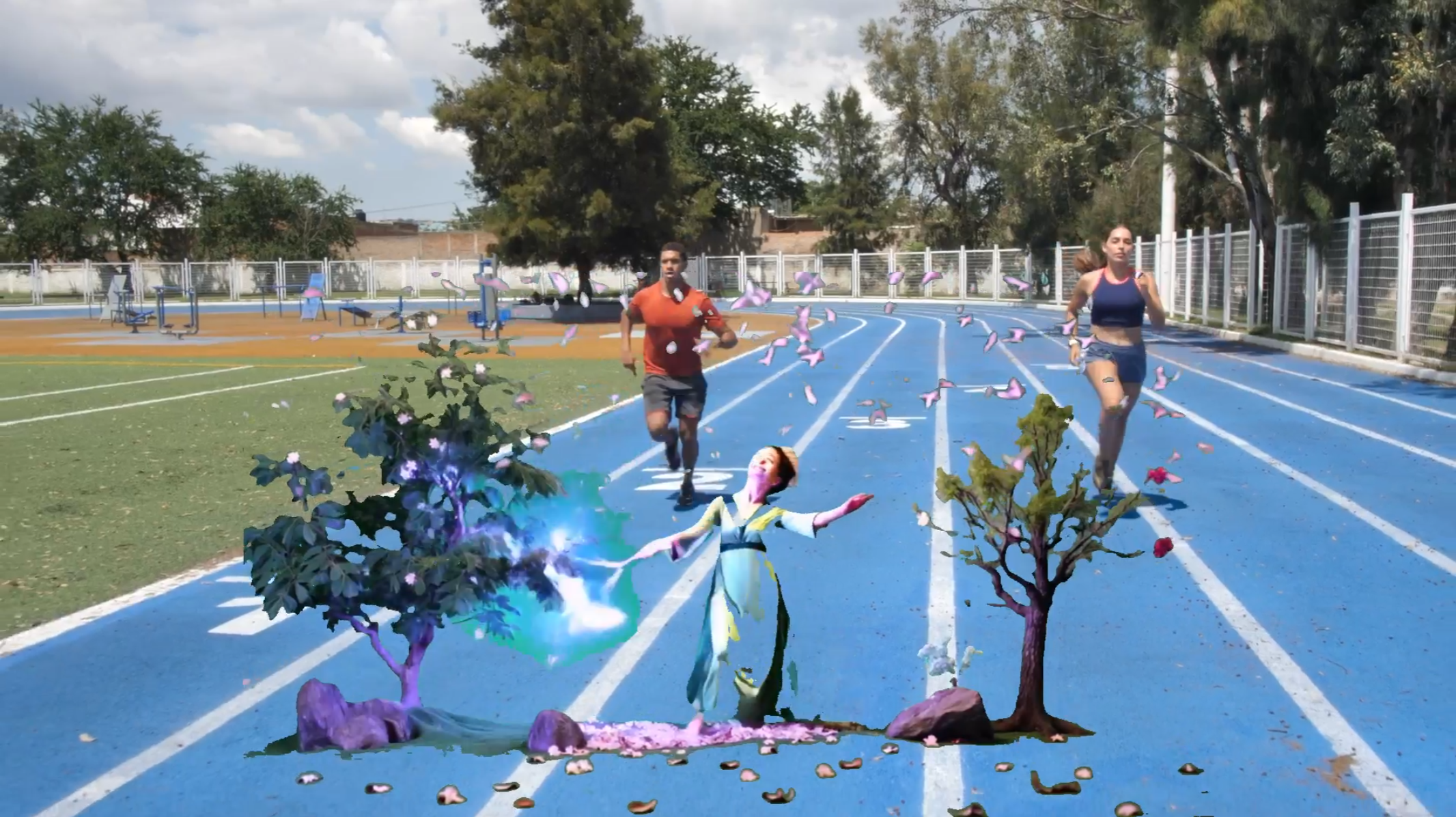
Sending effects:
 |  |
 |  |
 |  |
User Guide
Console - AI Cloud-based Effects
a. You can view the list of videos with special effects, which displays the Prompt used to generate each video as well as information such as the video type.
b. In the list, operators can click Send Special Effect, input the stream name to match the online stream, and trigger the sending of the videos with special effects.
TencentCloud API - API Related to Videos with Special Effects
a. The full list of videos with special effects can be queried through the query API DescribeLiveCloudEffectList .
Send the request body:
Note:
When the input parameter of GiftType is empty, all videos with special effects will be returned. You can specify PGC (system default value), UCG (uploaded by users), or AIGC (generated by users with AI).
{"Action": "DescribeLiveCloudEffectList","GiftType": "PGC","Region": "ap-guangzhou","RequestId": "1047d0dc-6dc8-4898-a7f3-03726a822b0e","RequestSource": "API","Operator": "admin"}
API response:
{"Response": {"GiftInfoList": [{"CreateTime": "2025-05-19T00:00:00Z","GiftId": "gift_1","GiftTag": "animals","GiftType": "PGC","PreviewImageUrl": "https://vinson-1258442684.cos.ap-nanjing.myqcloud.com/texiao_image/parrot_v3.png","Prompt": "parrot","UpdateTime": "2025-05-19T00:00:00Z"},{"CreateTime": "2025-05-19T00:00:00Z","GiftId": "gift_2","GiftTag": "animals","GiftType": "PGC","PreviewImageUrl": "https://vinson-1258442684.cos.ap-nanjing.myqcloud.com/texiao_image/dog_v7.png","Prompt": "puppy","UpdateTime": "2025-05-19T00:00:00Z"}],"RequestId": "1047d0dc-6dc8-4898-a7f3-03726a822b0e"}}
b. Send the specified video with special effects to the live stream through the sending API SendLiveCloudEffect, supports specifying the scaling ratio of special effects during transmission, as well as their relative position on the live broadcast screen. Additionally, the number of times the special effects loop can be customized.
Send the request body:
Note:
The API will perform an activity check on the incoming live stream and an existence check on the specified GiftId. You should provide the correct parameters.
{"Action": " SendLiveCloudEffect","GiftId": "gift_1","PushDomainName": "5000.livepush.com","AppName": "live","StreamName": "mystream","Region": "ap-guangzhou","RequestId": "1047d0dc-6dc8-4898-a7f3-03726a822b0e","RequestSource": "API","LoopTimes": 3,"ZoomFactor": 2,"XPosition": 50,"YPosition": 50,"Operator": "admin"}
API response:
{"Response": {"RequestId": "1047d0dc-6dc8-4898-a7f3-03726a822b0e"}}
Help and Support
Was this page helpful?
You can also Contact sales or Submit a Ticket for help.
Help us improve! Rate your documentation experience in 5 mins.
Feedback