Overview
Strengths
Features
Scenarios
Compliance
Editor OnPostprocessBuild script and use the UnityEditor.iOS.Xcode.Extensions.PBXProjectExtensions.AddFileToEmbedFrameworks API, which will automatically copy the dynamic libraries to the framework directory of the final output bundle and sign them.string[] framework_names = {"libgme_fdkaac.framework","libgme_lamemp3.framework","libgme_ogg.framework","libgme_soundtouch.framework"};
add_dylib.cs script file in the demo project and put this part of code in the Editor folder of the project as needed.[UnityEditor.Callbacks.PostProcessBuild(1002)]public static void OnPostprocessBuild (UnityEditor.BuildTarget BuildTarget, string path){if (BuildTarget == UnityEditor.BuildTarget.iOS) {UnityEngine.Debug.Log ("OnPostprocessBuild add_dylib:" + path);#if UNITY_EDITOR_OSX || UNITY_STANDALONE_OSX{string projPath = UnityEditor.iOS.Xcode.PBXProject.GetPBXProjectPath (path);UnityEditor.iOS.Xcode.PBXProject proj = new UnityEditor.iOS.Xcode.PBXProject ();proj.ReadFromString (System.IO.File.ReadAllText (projPath));// string targetGuid = proj.TargetGuidByName (UnityEditor.iOS.Xcode.PBXProject.GetUnityTargetName ()); // 2018string targetGuid = proj.GetUnityMainTargetGuid(); // 2019// Delete according to the imported frameworksstring[] framework_names = {"libgme_fdkaac.framework","libgme_lamemp3.framework","libgme_ogg.framework","libgme_soundtouch.framework"};for (int i = 0; i < framework_names.Length; i++){string framework_name = framework_names[i];string dylibGuid = null;dylibGuid = proj.FindFileGuidByProjectPath("Frameworks/Plugins/iOS/" + framework_name);if (dylibGuid == null) {UnityEngine.Debug.LogWarning (framework_name + " guid not found");} else {UnityEngine.Debug.LogWarning (framework_name + " guid:" + dylibGuid);// proj.AddDynamicFramework (targetGuid, dylibGuid);UnityEditor.iOS.Xcode.Extensions.PBXProjectExtensions.AddFileToEmbedFrameworks(proj, targetGuid, dylibGuid);proj.AddBuildProperty(targetGuid, "LD_RUNPATH_SEARCH_PATHS", "@executable_path/Frameworks");System.IO.File.WriteAllText (projPath, proj.WriteToString ());}}}#endif}}
UnityEditor.iOS.Xcode.Extensions. You can export the UnityEditor.iOS.Xcode package from a later version for use in an earlier version, or directly decompress the attachment UnityEditorAV.iOS.XCode.zip and place it in the Editor folder of the project directory.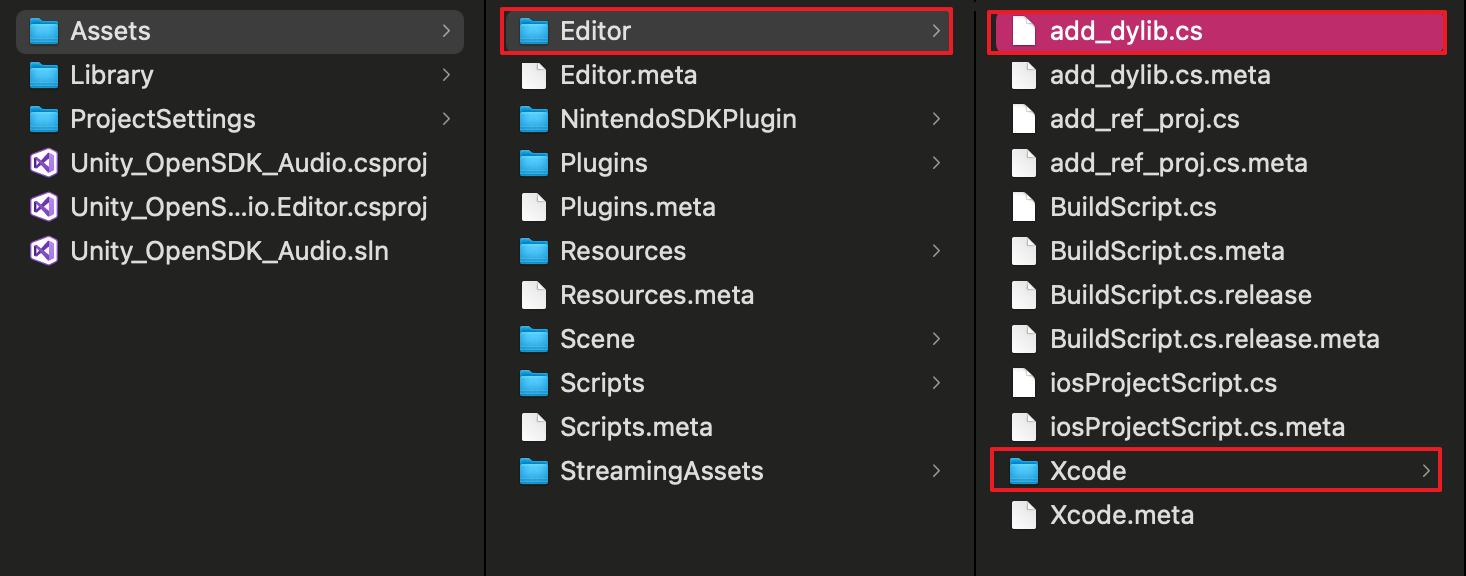
NO.
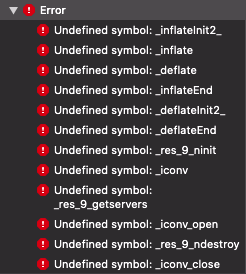
libc++.tbdCoreMedia.frameworklibresolv.tbdAVFoundation.frameworkSecurity.frameworkCoreAudio.frameworkAudioToolbox.frameworklibiconv.tbdlibz.tbdSystemConfiguration.frameworkOpenAL.framework
libresolv9.tbd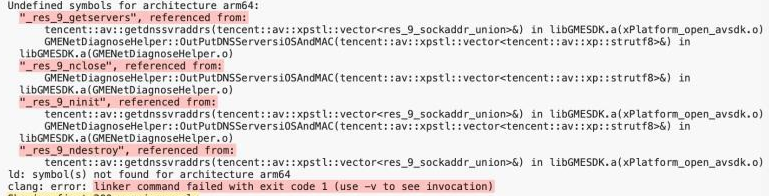
libresolv9.tbd to UnityFramework.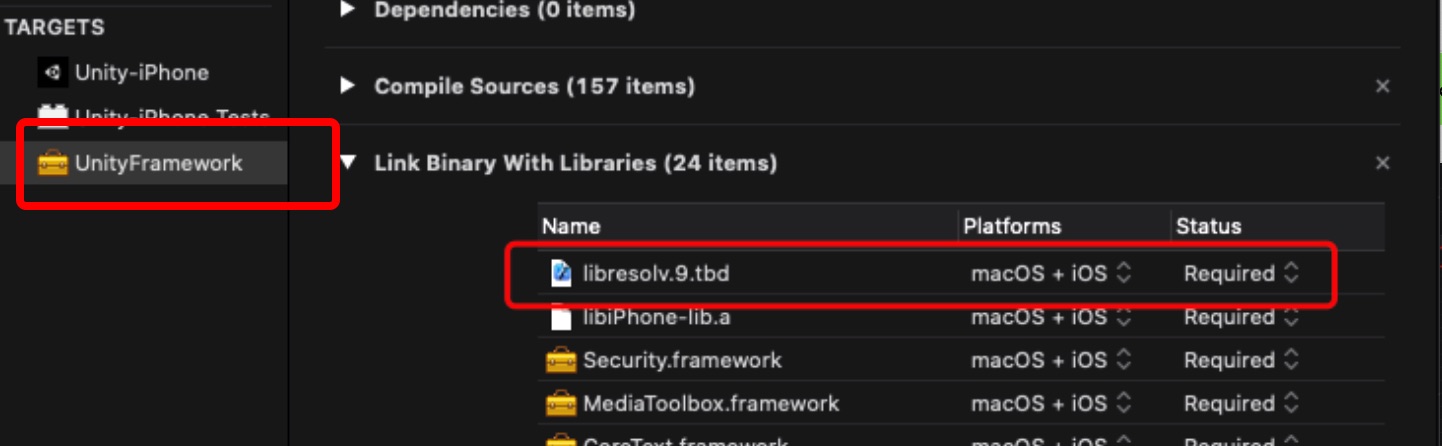
apk file is exported, if a black screen or crash occurs when you open it, it is generally caused by the lack of corresponding architecture lib file. Please add or delete the corresponding architecture lib file according to the project.AndroidManifest.xml file of the project:<uses-permission android:name="android.permission.RECORD_AUDIO" /><uses-permission android:name="android.permission.ACCESS_NETWORK_STATE" /><uses-permission android:name="android.permission.ACCESS_WIFI_STATE" /><uses-permission android:name="android.permission.INTERNET" /><uses-permission android:name="android.permission.MODIFY_AUDIO_SETTINGS" />
AndroidManifest.xml file of the project as needed:<uses-permission android:name="android.permission.WRITE_EXTERNAL_STORAGE"/>
targetSDKVersion in the project is v30 or earlier:<uses-permission android:name="android.permission.BLUETOOTH"/>
targetSDKVersion in the project is v31 or later:<uses-permission android:name="android.permission.BLUETOOTH" android:maxSdkVersion="30" /><uses-permission android:name="android.permission.BLUETOOTH_CONNECT" />
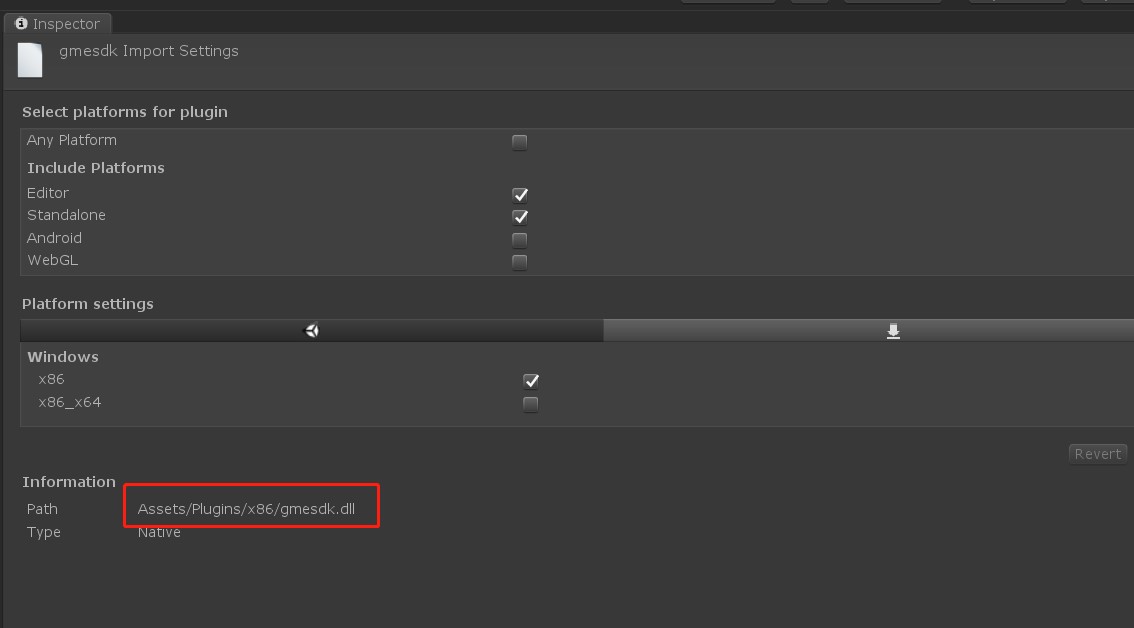
gmesdk.dll on Windows to prevent it from conflicting with gmesdk on WebGL.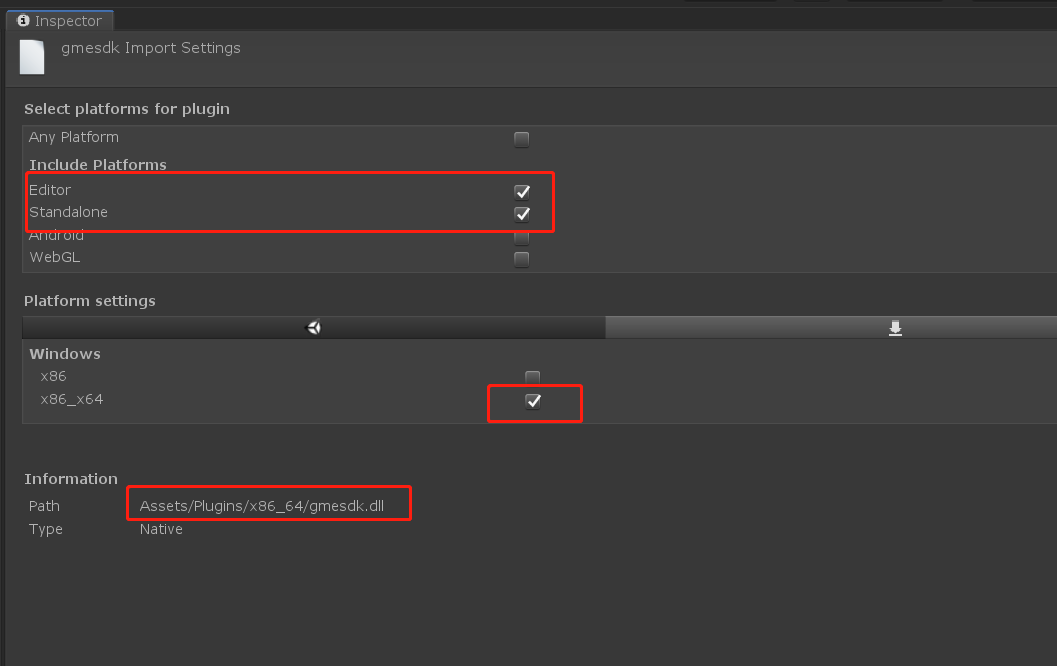
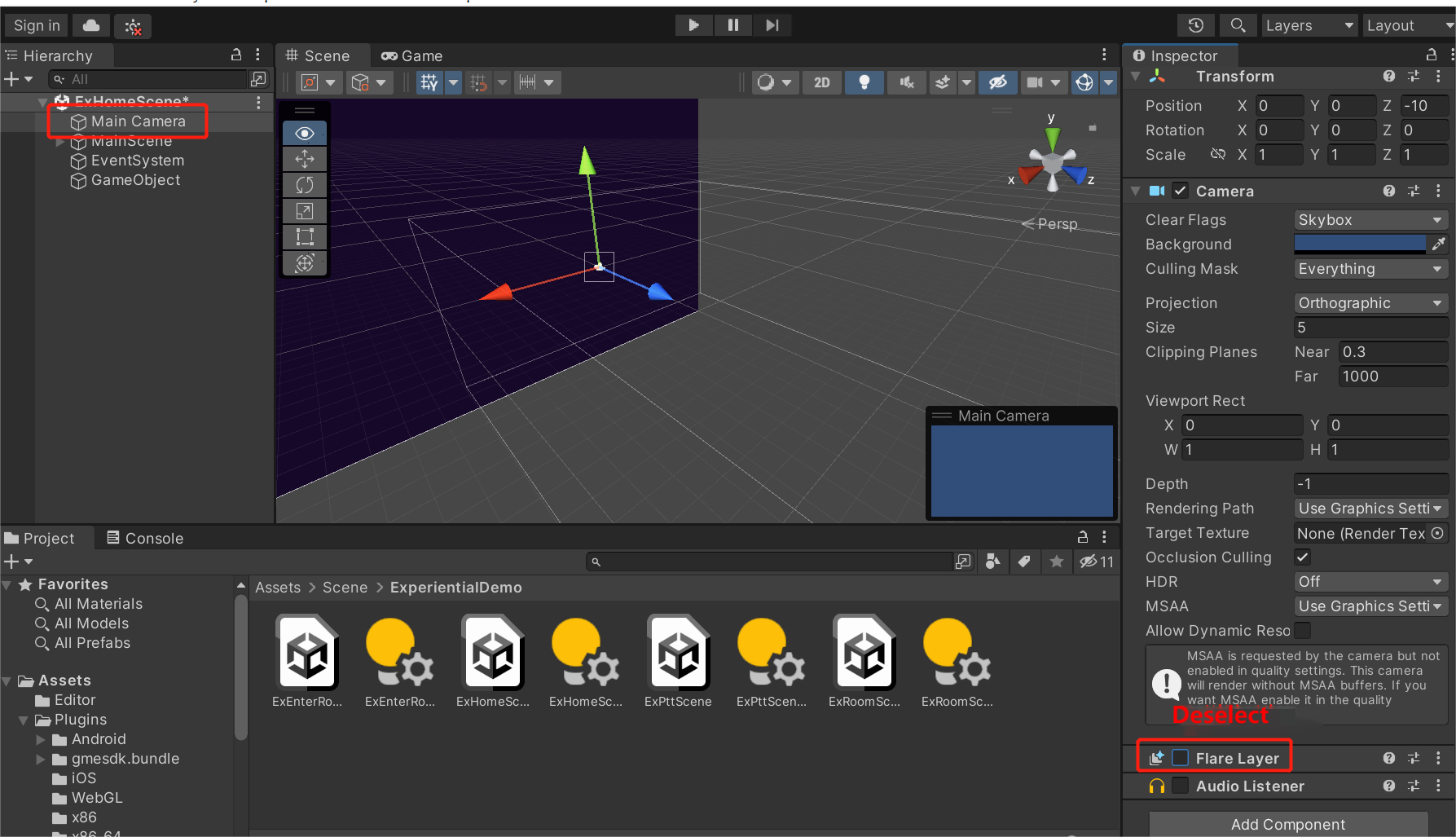
MainCamera, you need to deselect Flare Layer in the scene to be built; otherwise, the following error will be reported:
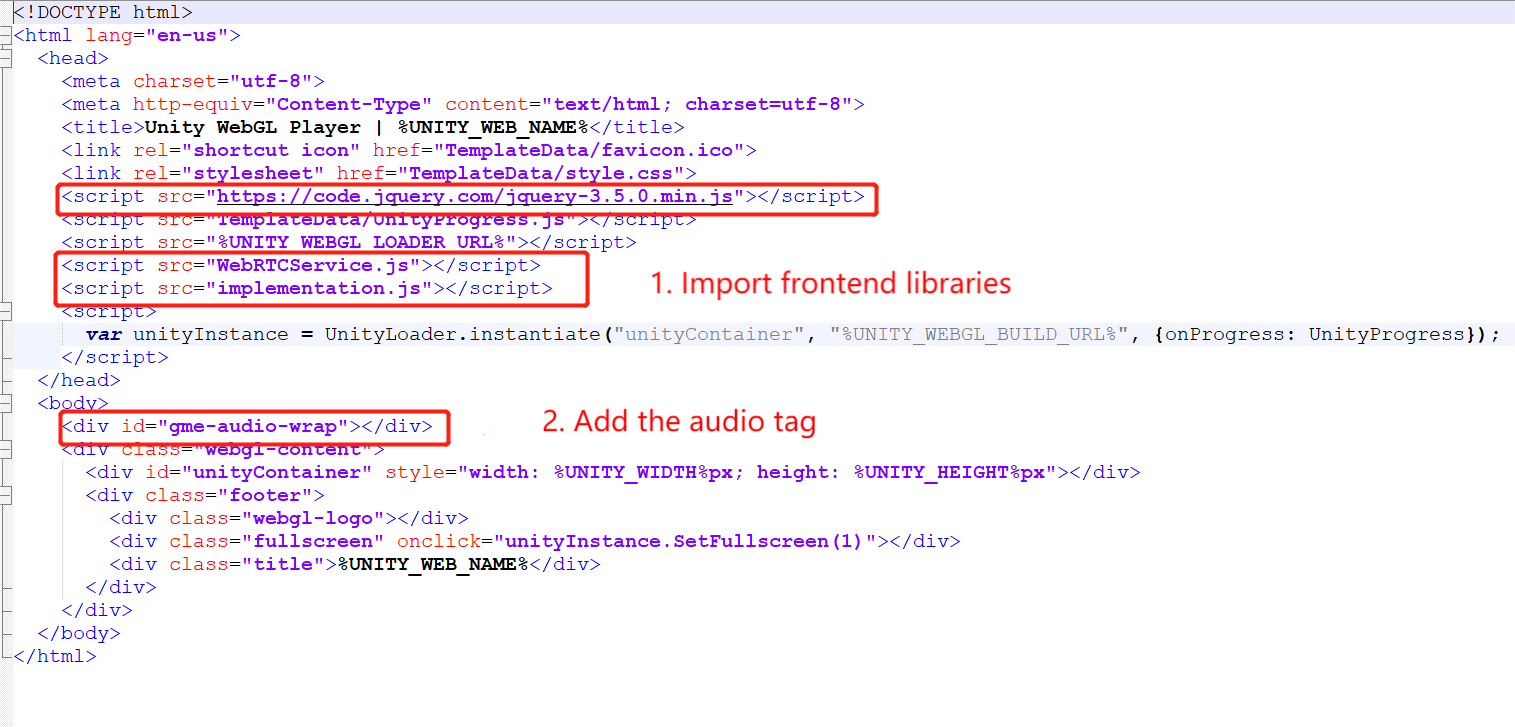
GMEWebGLTemplatesUnity2018 template by default, which supports Unity 2018 and 2019. For Unity 2020 and 2021, you need to use GMEWebGLTemplatesUnity2021 to create the build.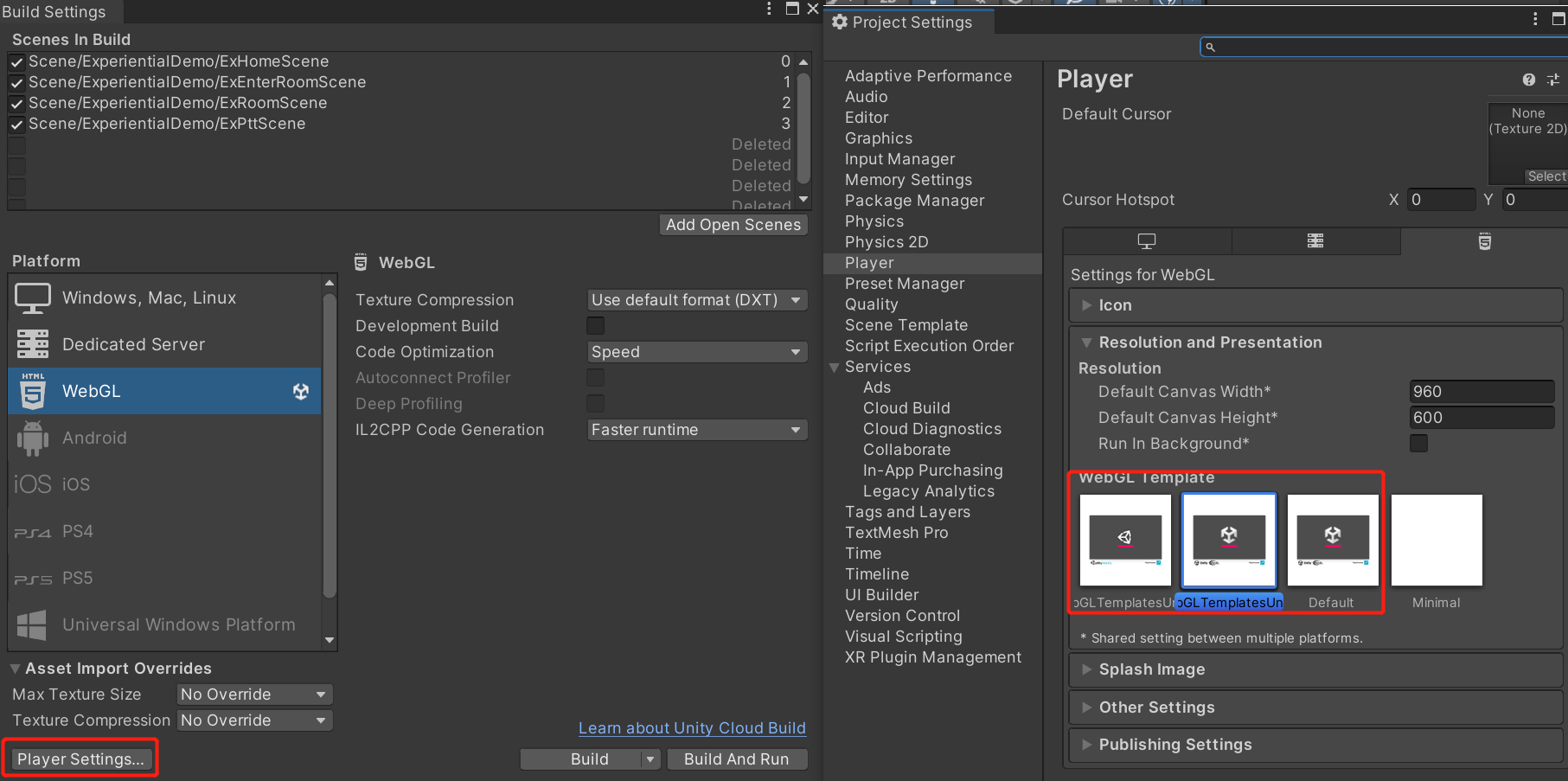
Was this page helpful?
You can also Contact sales or Submit a Ticket for help.
Help us improve! Rate your documentation experience in 5 mins.
Feedback