Warning of Message Backlogs
Download
Focus Mode
Font Size
Overview
A warning of message backlogs appeared.
Common Causes
The client is not consuming messages.
The client consumes messages slowly.
The server is abnormal.
Troubleshooting Ideas
First, determine whether it is a server issue or a client issue.
1.1 Check instance-level monitoring in the console to determine whether the instance has reached the maximum bandwidth and whether the traffic has been throttled.
1.2 If you are using Pro Edition, you can switch to the Advanced Monitoring page:
Check broker node liveness and network idleness.
Check the total consumption time and consumption time distribution under the Consumption tab. For detailed metric descriptions, see Monitoring Metric Details.
1.3 After ruling out exceptions in the above metrics, you can determine to troubleshoot the client.
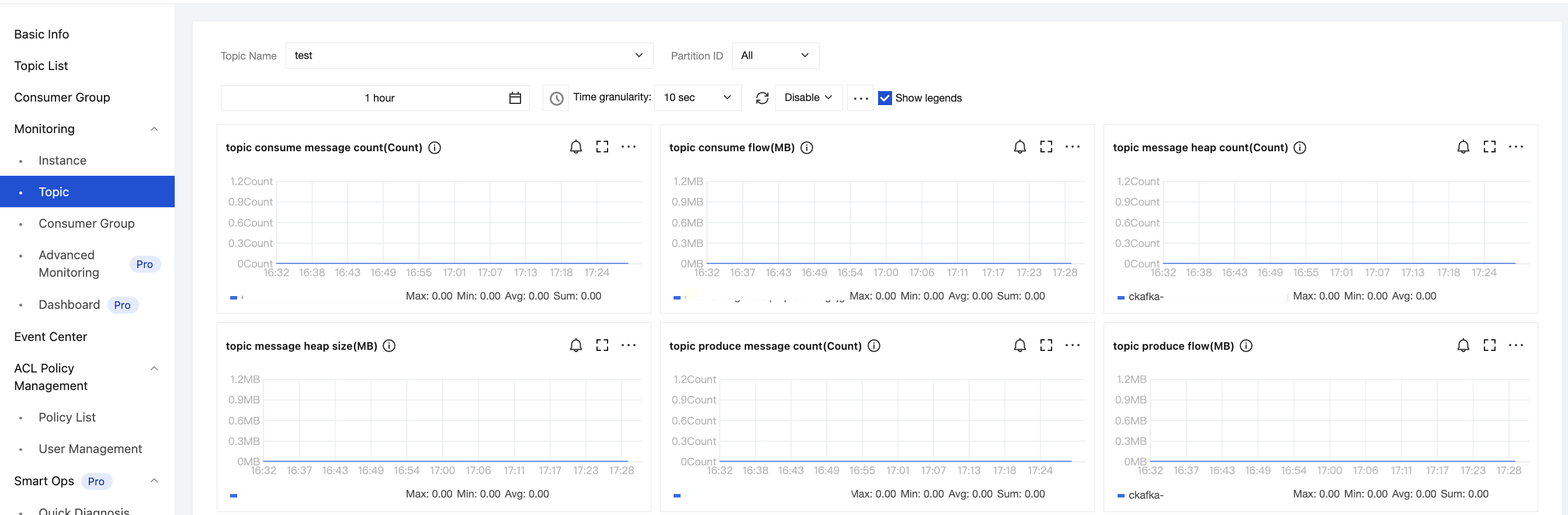
The client is not consuming messages.
You can confirm whether consumption is occurring by checking the consumption speed of the partition, as shown in the figure below:
The client consumes messages slowly.
See Slow Consumption Speed.
Recommended Settings
Apache Kafka supports setting a timestamp field and a timestamp type in messages. Currently, two timestamp types are supported: CreateTime and LogAppendTime.
CreateTime indicates the client's local time. Since there may be discrepancies between the client's time and the server time, verify whether the written time is accurate. If the time significantly deviates from the current Beijing Time, TDMQ for CKafka (CKafka) may fail to delete expired data in time according to the standard message retention period, potentially causing abnormal message backlogs.
LogAppendTime indicates the time when a message is produced to the CKafka service. It corresponds to the timestamp of the CKafka server. It is recommended that users use LogAppendTime.
Load Testing of Server Performance
If you have concerns about server performance, you can also run the following load testing commands to determine whether there is an issue with the server. The commands are as follows:
Production testing command example:
bin/kafka-producer-perf-test.sh--topic test--num-records 123--record-size 1000--producer-props bootstrap.servers= ckafka vip : port--throughput 20000
Consumption testing command example:
bin/kafka-consumer-perf-test.sh--topic test--new-consumer--fetch-size 10000--messages 1000--broker-list bootstrap.servers=ckafka vip : port
Help and Support
Was this page helpful?
You can also Contact sales or Submit a Ticket for help.
Help us improve! Rate your documentation experience in 5 mins.
Feedback