Tencent Kubernetes Engine (TKE) currently supports both new and old authorization methods. However, old authorization methods cannot be used to perform Kubernetes-level authorization. We recommend you upgrade the authorization method for your cluster so that you can perform fine-grained permission control for the Kubernetes resources in the cluster.
Comparison of New and Old Authorization Methods
Item
Old Authorization Method
New Authorization Method
Kubeconfig
admin token
x509 certificate unique to each sub-account
Access to cluster resources on the console
No fine-grained permissions, and sub-accounts are granted full read/write permission
Incorporates Kubernetes RBAC resource control
Upgrading the Authorization Method for Existing Clusters
Upgrading the authorization method
To upgrade a cluster that uses an old authorization method, perform the following steps:
1. Log in to the TKE console and click Cluster on the left sidebar.
2. On the Cluster Management page, click the ID of the target cluster.
3. On the cluster details page, select Authorization Management -> ClusterRole on the left sidebar.
4. On the ClusterRole page, click RBAC Policy Generator.
5. On the Switch Permission Management Mode page, click Switch Permission Management Mode to upgrade the authorization method.
To ensure that the new authorization method is compatible with the old one, TKE will perform the following operations during the upgrade:
5.1 Creating the default preset administrator ClusterRole: tke:admin.
5.2 Obtaining the sub-account list.
5.3 Generating the x509 client certificates for Kubernetes API server authentication for each sub-account.
5.4 Binding the tke:admin role to each sub-account to ensure compatibility with existing features.
5.5 Completing the upgrade.
Repossessing sub-account permissions
After the authorization method of a cluster is upgraded, the cluster administrator (often the root account administrator or OPS person who created the cluster) can repossess the cluster permissions granted to sub-accounts as required. The steps are as follows:
1. Select an item under the cluster’s Authorization Management page, and click RBAC Policy Generator on the corresponding management page.
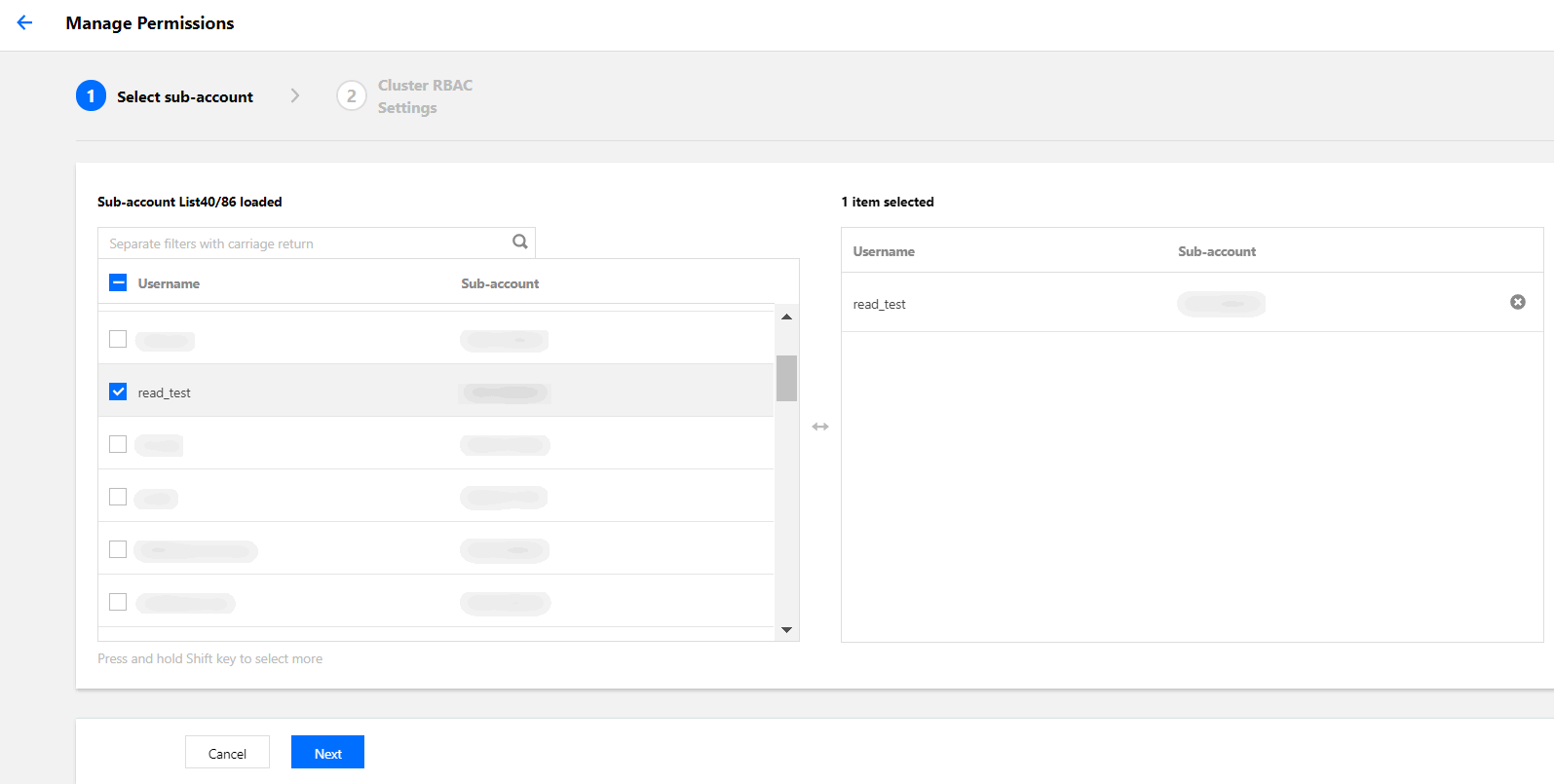
2. When you select a sub-account on the Administration Permissions page, select the sub-account whose permissions you want to repossess and then click Next, as shown in the following figure.
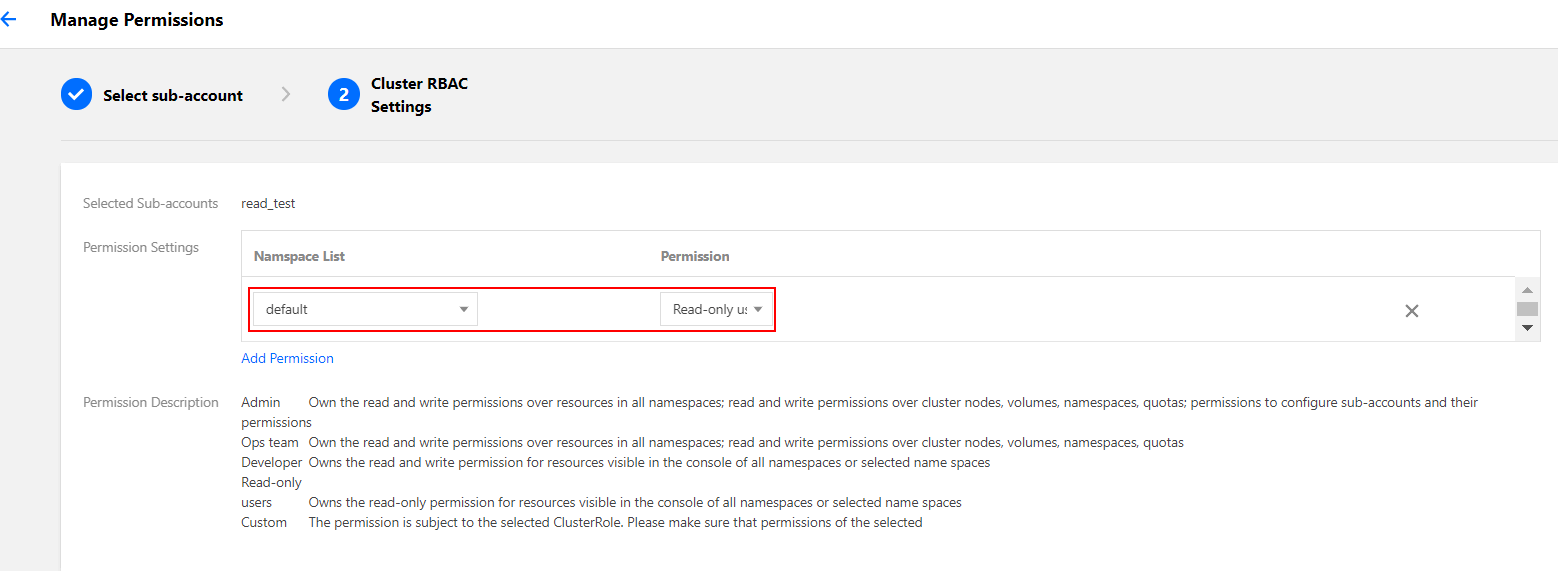
3. When you set the cluster RBAC, you can also set permissions. For example, select Read-only Users as the Permission Setting for the default namespace, as shown in the following figure.
4. Click Done to complete the repossession.
Verifying permissions of sub-accounts
After you repossess the permissions of a sub-account, you can verify the current permissions as follows:
1. On the cluster details page, select Authorization Management -> ClusterRoleBinding on the left sidebar to enter the ClusterRoleBinding page.
2. Select the sub-account whose permissions have been repossessed to go to the YAML file page.
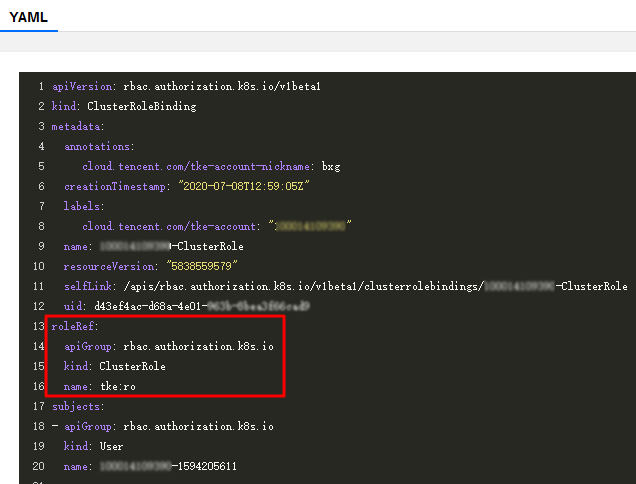
The sub-account has tke:admin permission by default. After permissions are repossessed, you can view the change in the YAML file, as shown in the following figure.
New Authorization Method FAQ
For a cluster that is created using the new authorization method, who has admin permission?
The cluster creator and the root account always have tke:admin ClusterRole permission.
Can I control the permissions of the current account?
TKE currently does not allow you to perform permission operations on the current account. You can perform these operations by using kubectl.
Can I directly perform operations on ClusterRoleBindings and ClusterRoles?
Please do not directly modify or delete ClusterRoleBindings and ClusterRoles.
How can I create a client certificate?
When you access cluster resources on the console through a sub-account, TKE will obtain the client certificate of the sub-account. If no certificate is obtained, TKE will create a client certificate for the sub-account.
After a sub-account is deleted on the CAM console, will TKE automatically repossess the relevant permissions?
TKE will automatically repossess the permissions, so you do not need to perform any additional operations.
How can I grant “authorization management” permission to another account?
You can use the default admin role tke:admin to grant “authorization management” permission.