Before collecting logs of a Pod on a super node to CLS, you need to authorize a role to the service to ensure that logs can be uploaded to CLS normally:
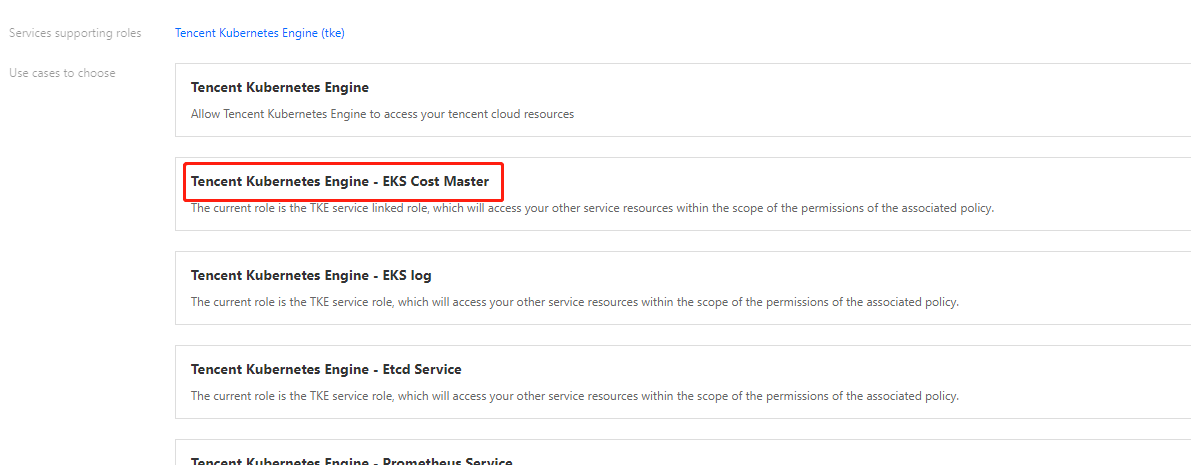
3. In the Select role entity dialog box, click Tencent Cloud Product Service > TKE > TKE - EKS log collection, and click Next, as shown below:
4. Confirm role policy, and click Next.
5. Review role policy, and click Done to complete role configuration.
Configuring log collection
You need to enable TKE log collection feature and configure corresponding log collection rule when you finished service role authorization. For example, you need to specify workload collection and Pod labels collection. For more information, see Using CRD to Configure Log Collection via the Console.
Collecting Logs to Kafka
To collect logs of a Pod on a super node to a self-built Kafka or CKafka cluster, you can configure the log collection rules in the console or CRD to define the collection source and consumer. After CRD configuration, the Pod collector will collect logs according to the configured rules.
The specific configuration of CRD is as follows:
apiVersion: cls.cloud.tencent.com/v1
kind: LogConfig ## Default value
metadata:
name: test## CRD resource name, unique in the cluster
spec:
kafkaDetail:
brokers: xxxxxx # A required item, broker address, generally it is domain name:port. If there are more than one address, separate them with ",".
topic: xxxxxx # A required item, topicID
messageKey: # An optional item. You can specify the Pod field as the key to upload to the specified partition.
valueFrom:
fieldRef:
fieldPath: metadata.name
timestampKey: # The key of timestamp. Default value is @timestamp.
timestampFormat: # The format of timestamp. Default value is double.
inputDetail:
type: container_stdout ## Log collection type, including container_stdout (container standard output) and container_file (container file).
containerStdout: ## Container standard output
namespace: default ## The Kubernetes namespace of the container to be collected. If this parameter is not specified, it indicates all namespaces.
allContainers: false## Whether to collect the standard output of all containers in the specified namespace
container: xxx ## Name of the container to be collected. This item can be left empty.
includeLabels: ## Only Pods that contain the specified labels will be collected.
k8s-app: xxx ## Only the logs generated by Pods with the configuration of "k8s-app=xxx" in the Pod labels will be collected. This parameter cannot be specified at the same time as workloads and allContainers=true.
workloads: ## Kubernetes workload to which the container Pod to be collected belongs
- namespace: prod ## Workload namespace
name: sample-app ## Workload name
kind: deployment ## Workload type. Supported values include deployment, daemonset, statefulset, job, and cronjob.
container: xxx ## Name of the container to be collected. If this item is left empty, it indicates all containers in the workload Pod will be collected.
containerFile: ## File in the container
namespace: default ## The Kubernetes namespace of the container to be collected. A namespace must be specified.
container: xxx ## Name of the container to be collected. You can enter a * for this item.
includeLabels: ## Only Pods that contain the specified labels will be collected.
k8s-app: xxx ## Only the logs generated by Pods with the configuration of "k8s-app=xxx" in the Pod labels are collected. This parameter cannot be specified at the same time as workload.
workload: ## Kubernetes workload to which the container Pod to be collected belongs
name: sample-app ## Workload name
kind: deployment ## Workload type. Supported values include deployment, daemonset, statefulset, job, and cronjob.
logPath: /opt/logs ## Log folder. Wildcards are not supported.
filePattern: app_*.log ## Log file name. It supports the wildcards "*" and "?". "*" matches multiple random characters, and "?" matches a single random character.