High-performance power management is required for the Windows Server operating system (OS) to support the soft shutdown of CVM instances. Otherwise, you can only forcibly shut down CVM instances on the CVM console. This document uses Windows Server 2012 as an example to describe how to configure power management.
Notes
To modify power management, you do not need to restart your computer.
2. Open Internet Explorer in the Windows CVM, access the Tencent Cloud private network, and download the Tencent Cloud power modification and configuration tool.
The download address is http://mirrors.tencentyun.com/install/windows/power-set-win.bat.
For example, download the Tencent Cloud power modification and configuration tool (power-set-win.bat) to the C: drive.
3. Use the command line tool (CMD) as the administrator to open power-set-win.bat.
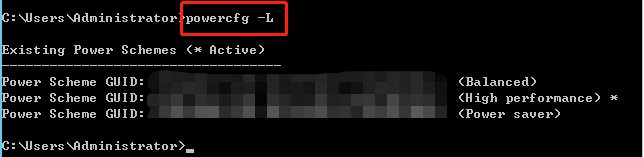
4. Run the following command to view the current power management plan:
powercfg -L
The returned result is as follows:
5. On the desktop of the operating system, click
> Control Panel > System and Security > Power Options.
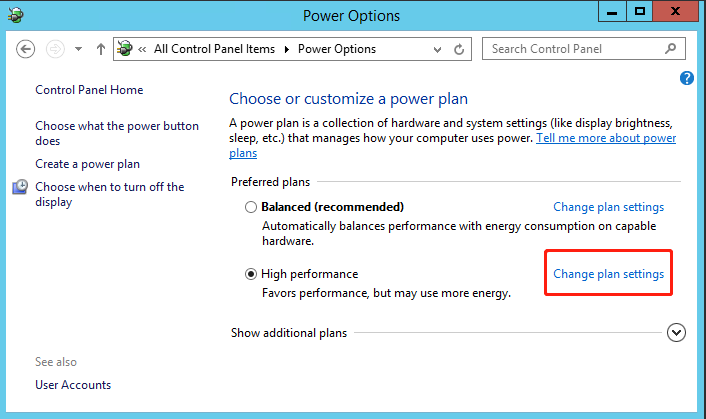
6. In the Power Options window, click Change plan settings.
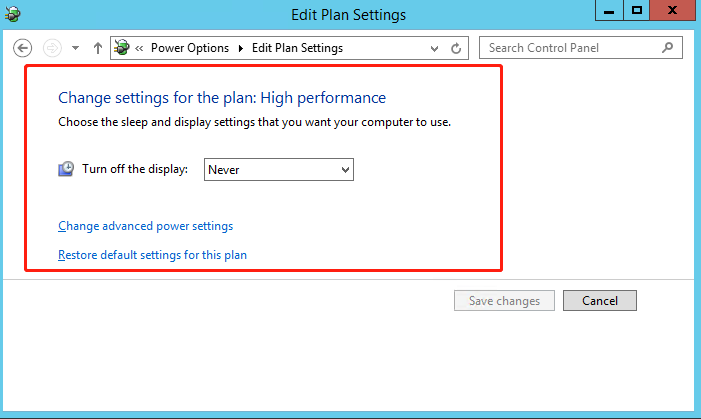
7. In the Edit Plan Settings window, modify the idle turn-off times of the monitor and disk.